


How to configure
- Instructions (optional): tell Pearl when and how to rely on the knowledge base. Keep it short and specific.
- Example: “Use the knowledge base for any question about pricing, plans, or opening hours.”
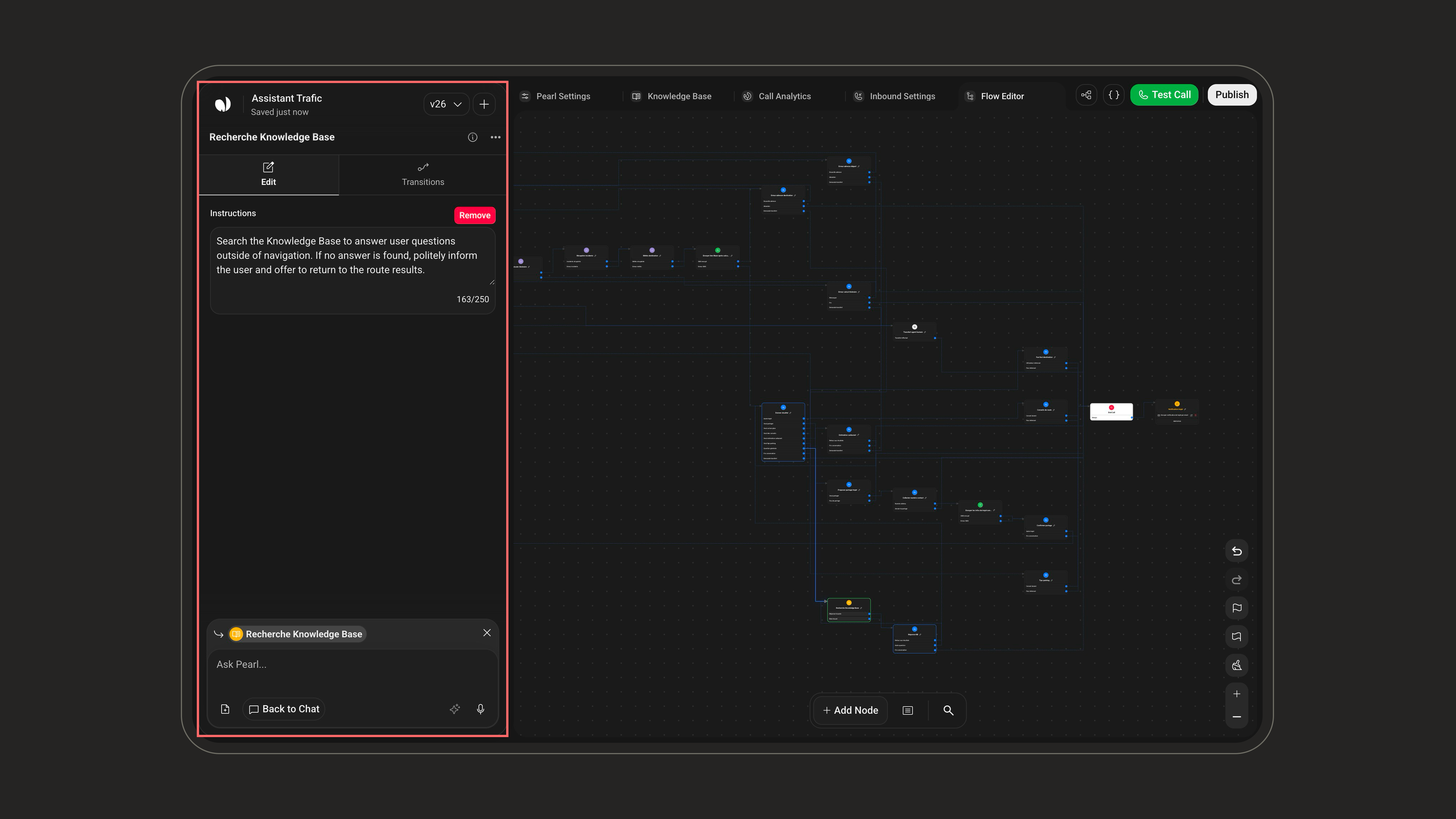
The knowledge content itself is uploaded and managed in the flow’s Knowledge Base area, not inside the node. The node only tells Pearl to consult it. See Agent Knowledge Base to manage your content, including supported formats and limits.
Example
Example: answering about opening hours
Imagine you uploaded a document to your knowledge base that says:
The clinic is open Monday to Friday, 9 AM to 6 PM, and Saturday from 9 AM to 1 PM.Here is how the node uses it during a call:
- The caller asks: “Are you open on Saturdays?”
- The Knowledge Base node lets Pearl search that document and find the opening hours.
- Pearl answers: “Yes, we’re open on Saturdays from 9 AM to 1 PM.”
Good to know
- The knowledge content is managed once in Agent Knowledge Base, so every Knowledge Base node in your flow uses the same documents. You don’t need to re-upload them for each node.
- If no relevant information is found, Pearl falls back to the rest of your flow instead of inventing an answer.
- Pair this node with a Dialogue node to ask a follow-up question once the answer is delivered.