


What is a Post-Chat?
In NLPearl, a post-chat is a structured summary generated after each conversation handled by Pearl. It centralizes all key information captured before, during, and after the conversation to ensure full traceability, improve quality, and support human follow‑up when needed.What Does the Post-Chat Include?
A post-chat provides multiple key sections to review and analyze the outcome of a conversation:Chat ID
A unique identifier for each conversation, displayed at the top right of the page. It allows you to quickly reference or search for a specific conversation across the system.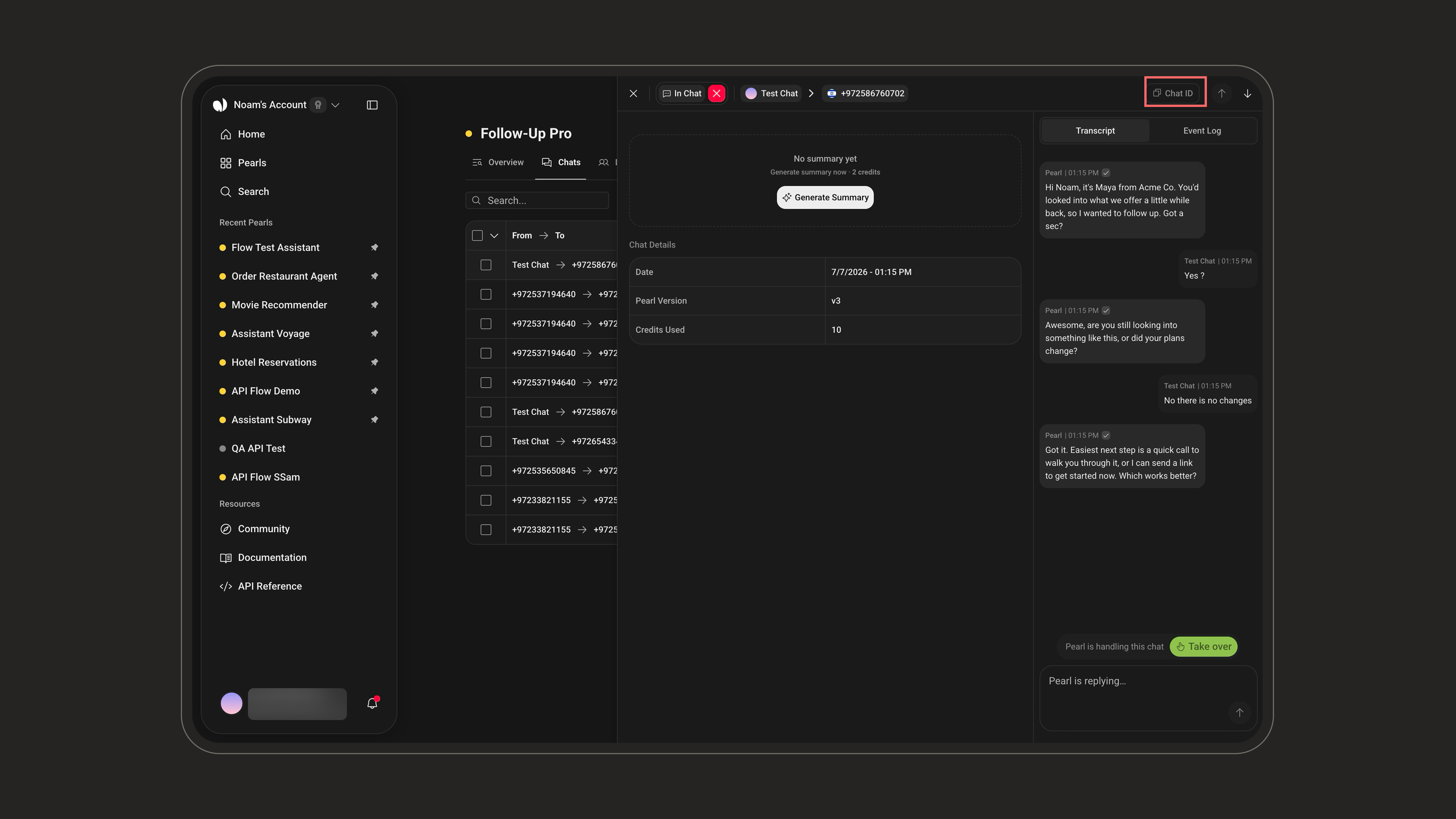
Conversation Details
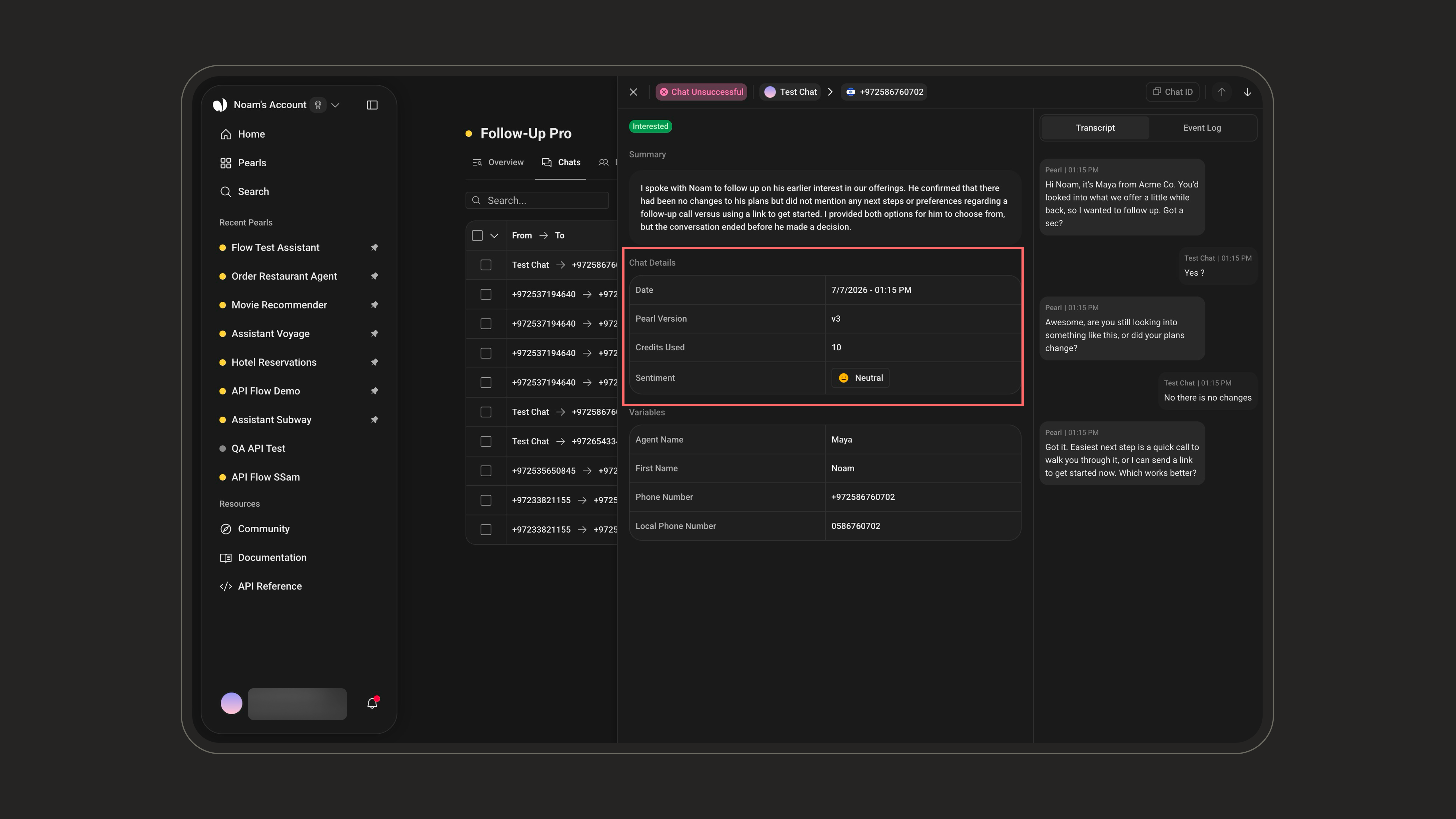
This section summarizes the essential metadata captured during the conversation, such as timing, the Pearl version used, credits consumed, and the overall outcome.Some fields are conditional: Lead Name appears for outbound conversations, Queue Duration only when the conversation was queued, Transfer Duration only when it was handed off, and SMS Credits Used only when at least one SMS was sent.
The header shows the participants (the user and the channel used) and the Conversation Status badge — it does not show the name of the Pearl.
Conversation Status
Indicates the outcome of the conversation from a business or process perspective. It is shown as a colored badge in the header, next to the participants. For chats, this is the only status displayed.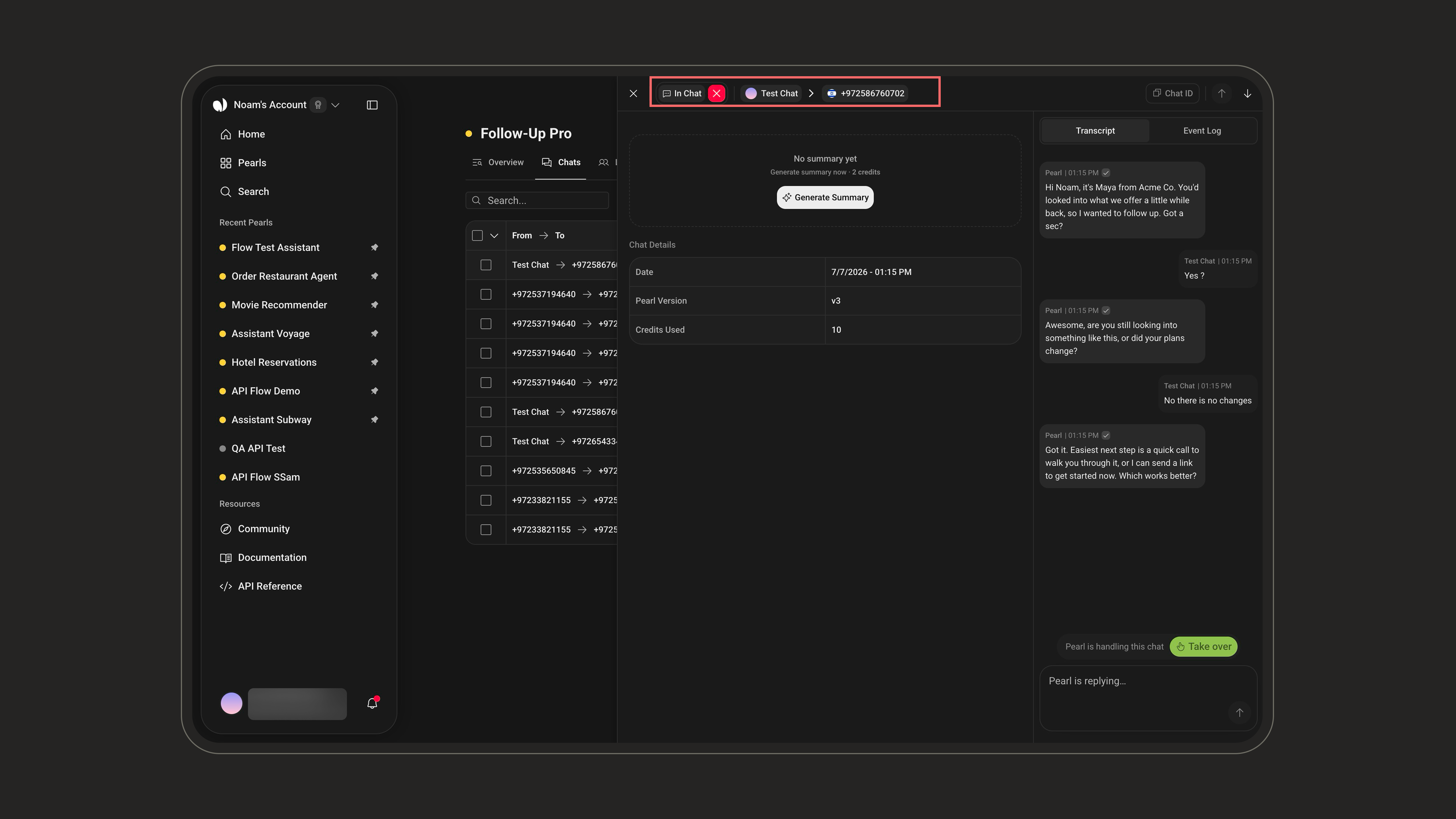
The ✕ next to the status badge lets you close the conversation manually at any time. See Human Takeover for how closing differs from a takeover.
Important distinctions about Conversation Status:The difference between
Chat Successful, Chat Unsuccessful, and Completed depends on whether a Success Definition was configured when creating the Pearl:- If a Success Definition was configured:
Chat Successful→ the Success Definition criteria were met during the conversation.Chat Unsuccessful→ the conversation did not meet the Success Definition criteria.
- If no Success Definition was configured:
Completed→ the conversation was completed without any Success Definition evaluation.
Unlike voice calls, a chat has no separate technical status: the telephony-level Call Status is a back-end/API notion only and isn’t shown in the post-chat UI.
For more information on Success Definitions, see PearlVibe.
Tags
The list of tags defined during the last step of the Pearl creation process. These tags represent key topics or categories you chose when setting up the Pearl configuration.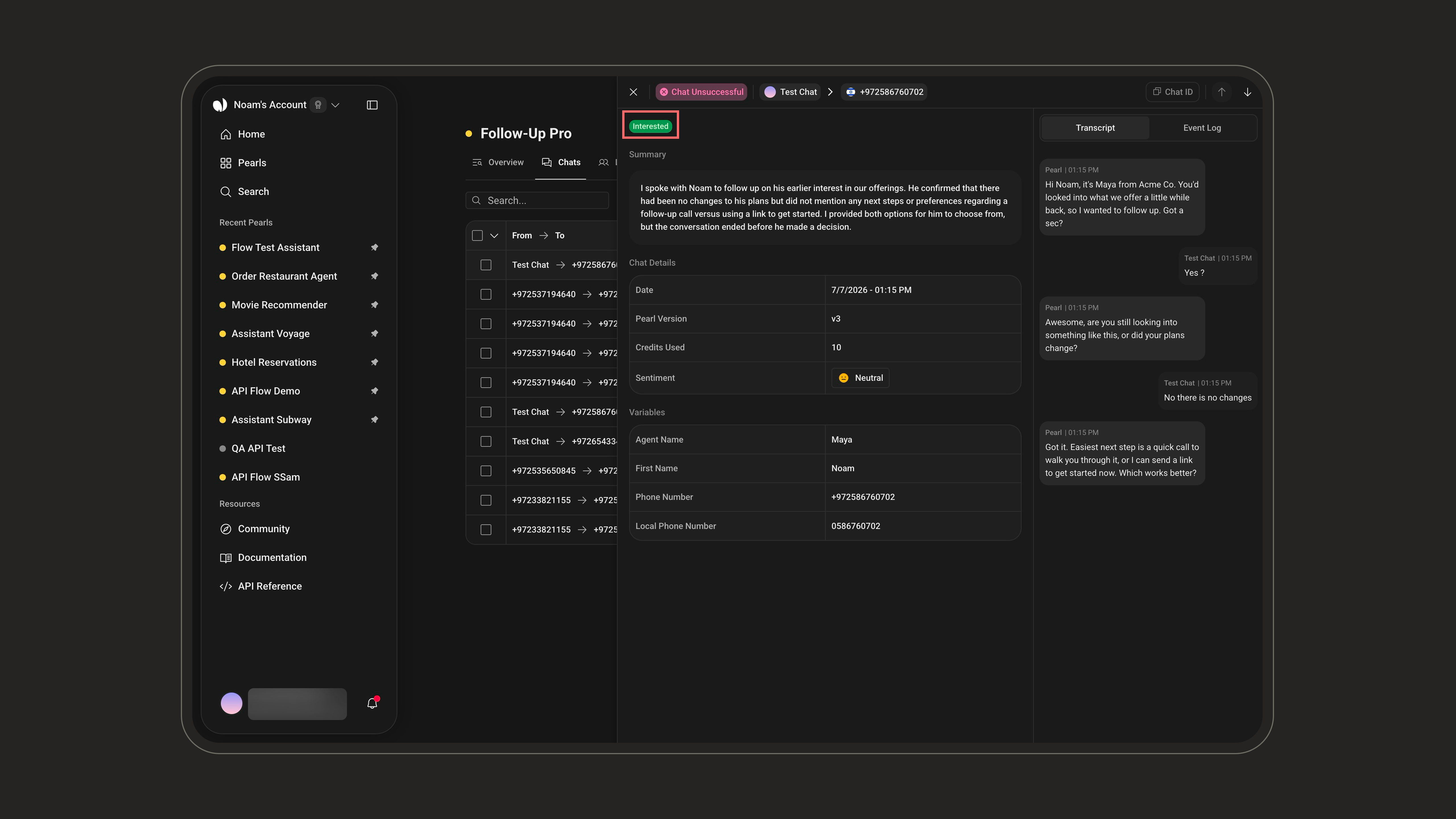
For more information on setting up tags, see PearlVibe.
Events
A log of the actions triggered by Pearl during the conversation. Each event includes a timestamp, the action details, and an execution status. Possible event types include:Each event carries an execution status: the HTTP status code for API calls, otherwise sent / failed, with a possible error state.
Sentiment Analysis
An automatic classification of the customer’s tone and emotional state throughout the conversation. Possible sentiment values include: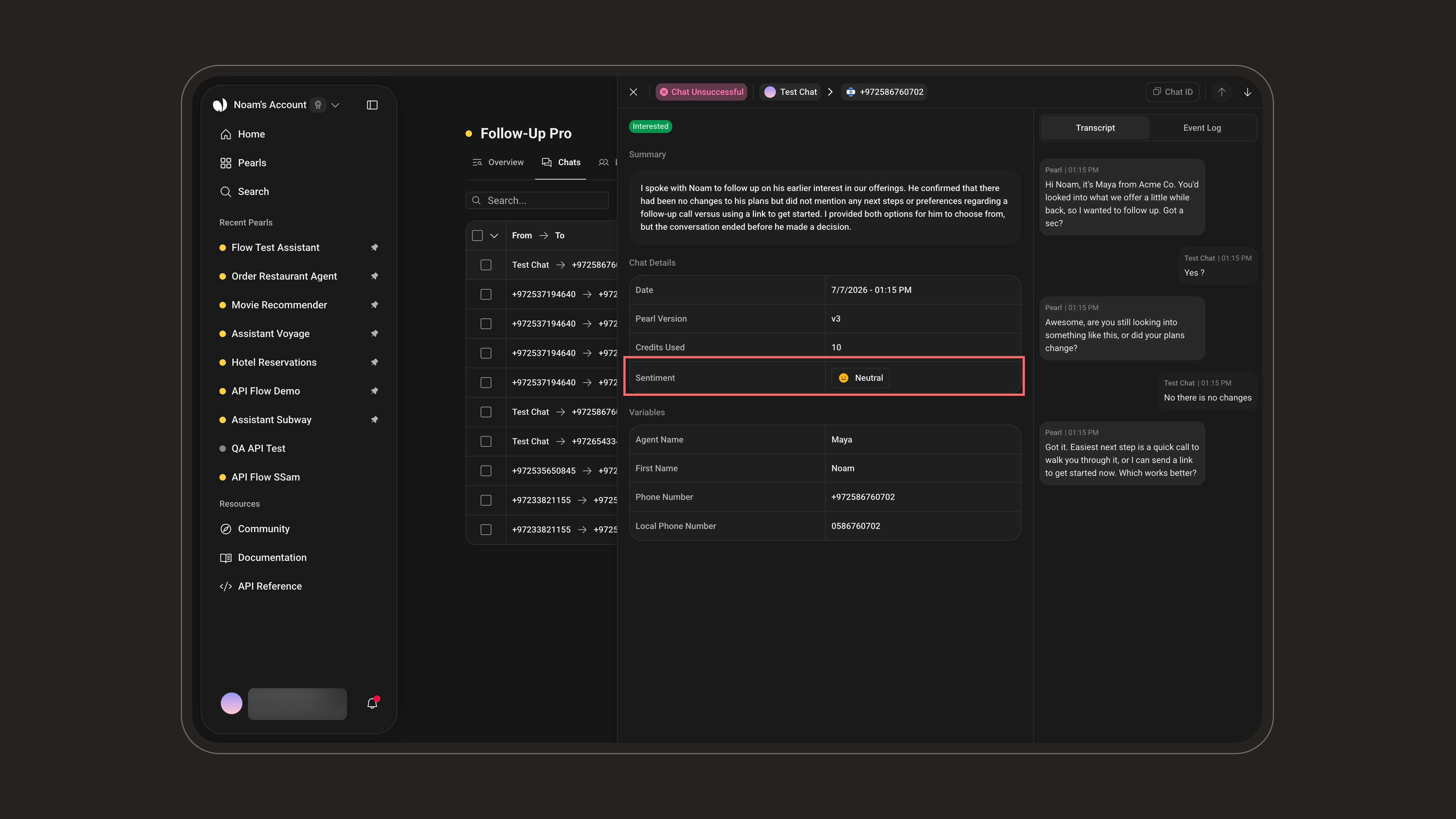
Summary
A summary is a concise, human‑readable recap of the conversation, generated by Pearl. It includes:- What the customer requested
- What was confirmed or declined
- The overall outcome of the interaction
In Chat), no summary exists yet — you can generate one on demand with the Generate Summary button without waiting for the conversation to end.
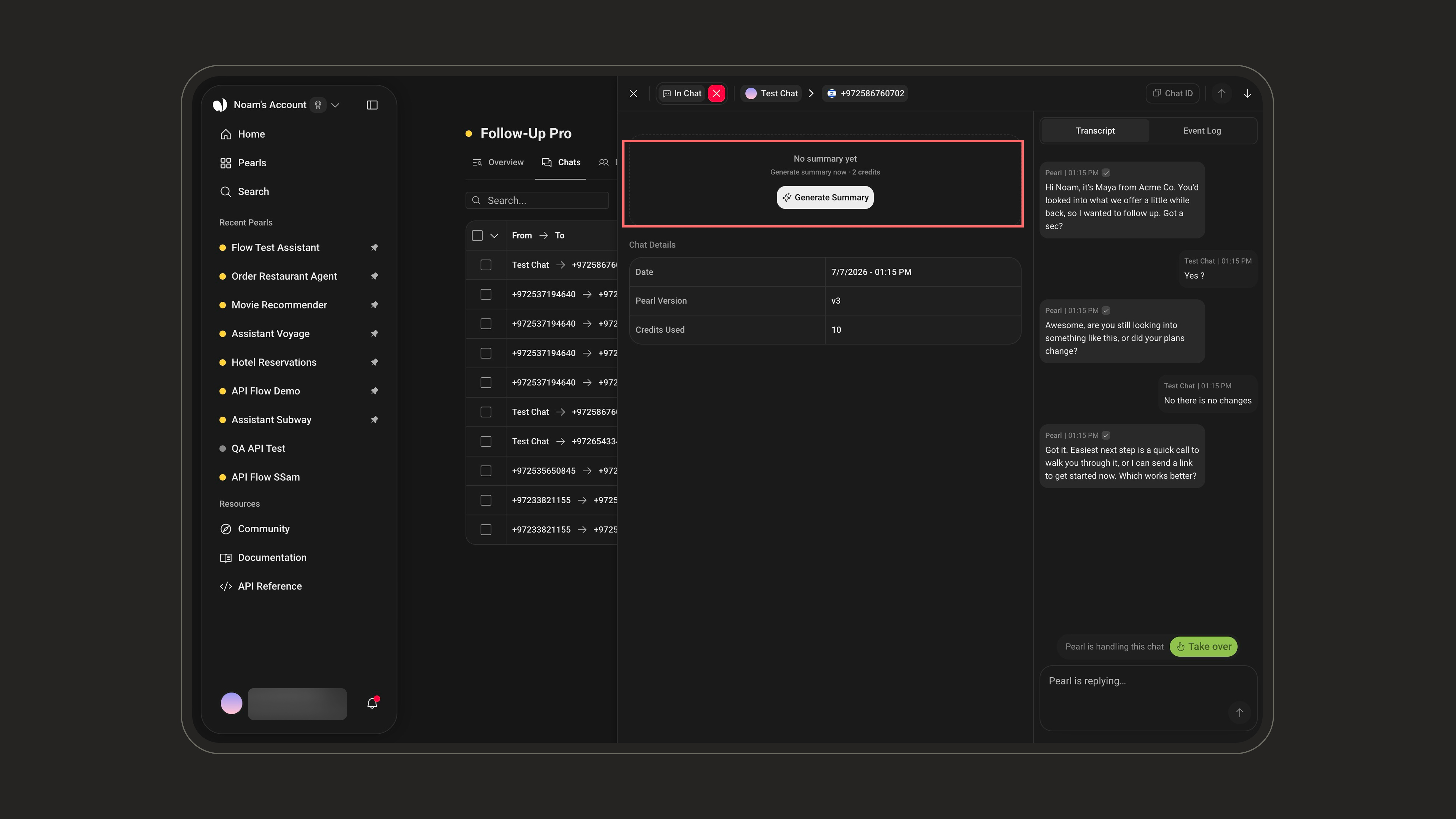
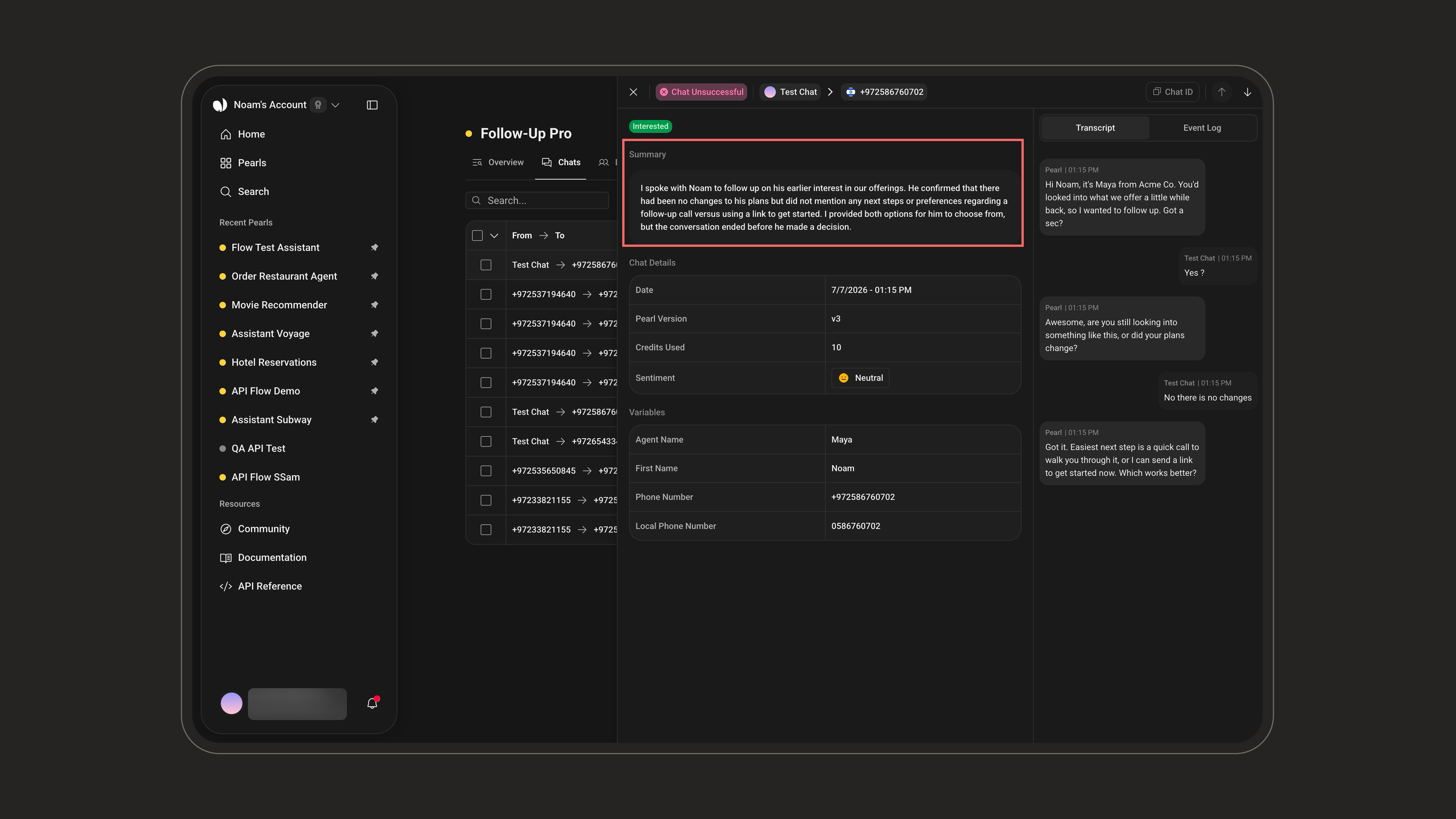
Generating a summary on demand (while the chat is ongoing) costs 2 credits. The automatic summary produced when the conversation ends is included.
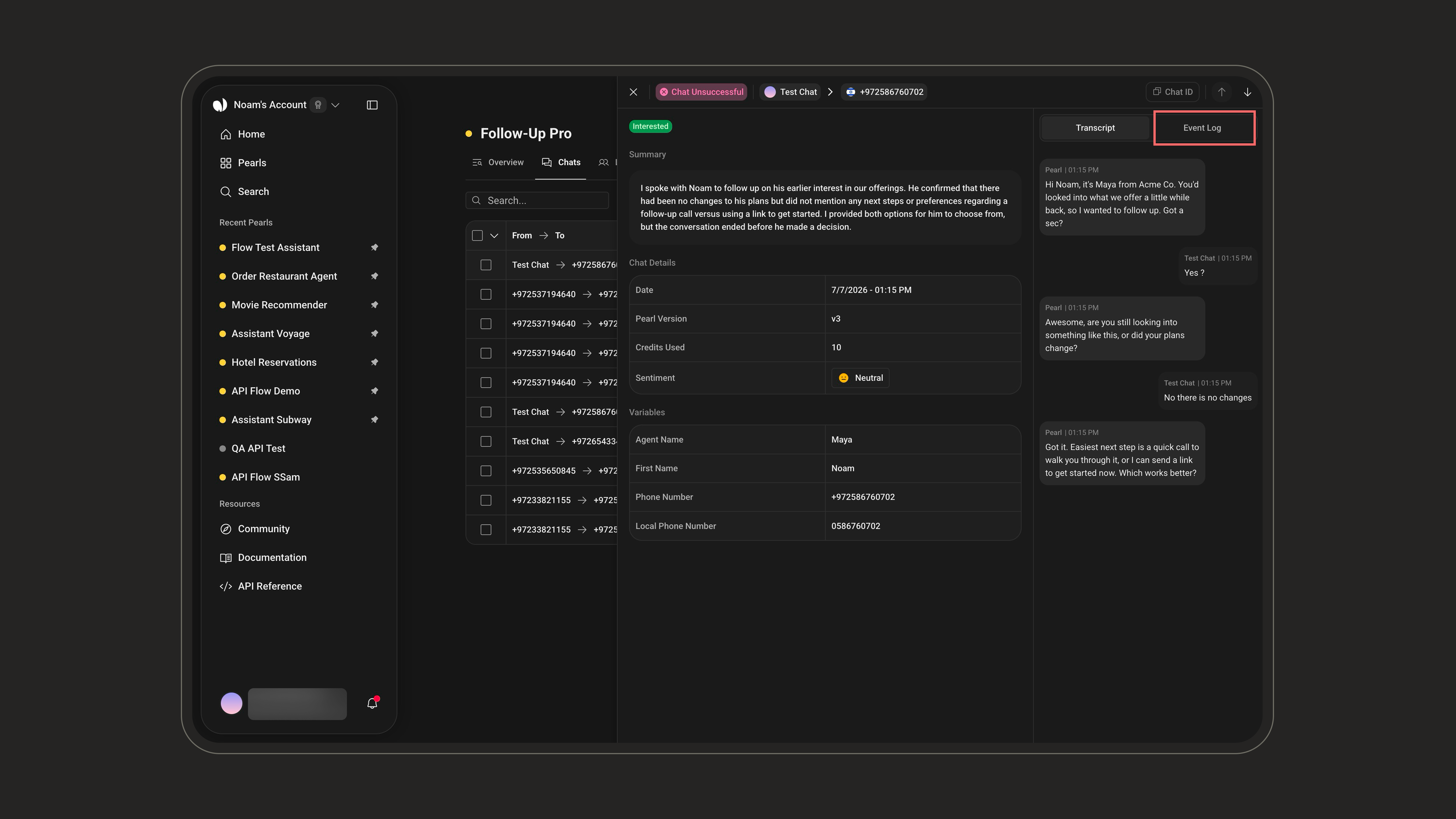
Transcript & Event Log
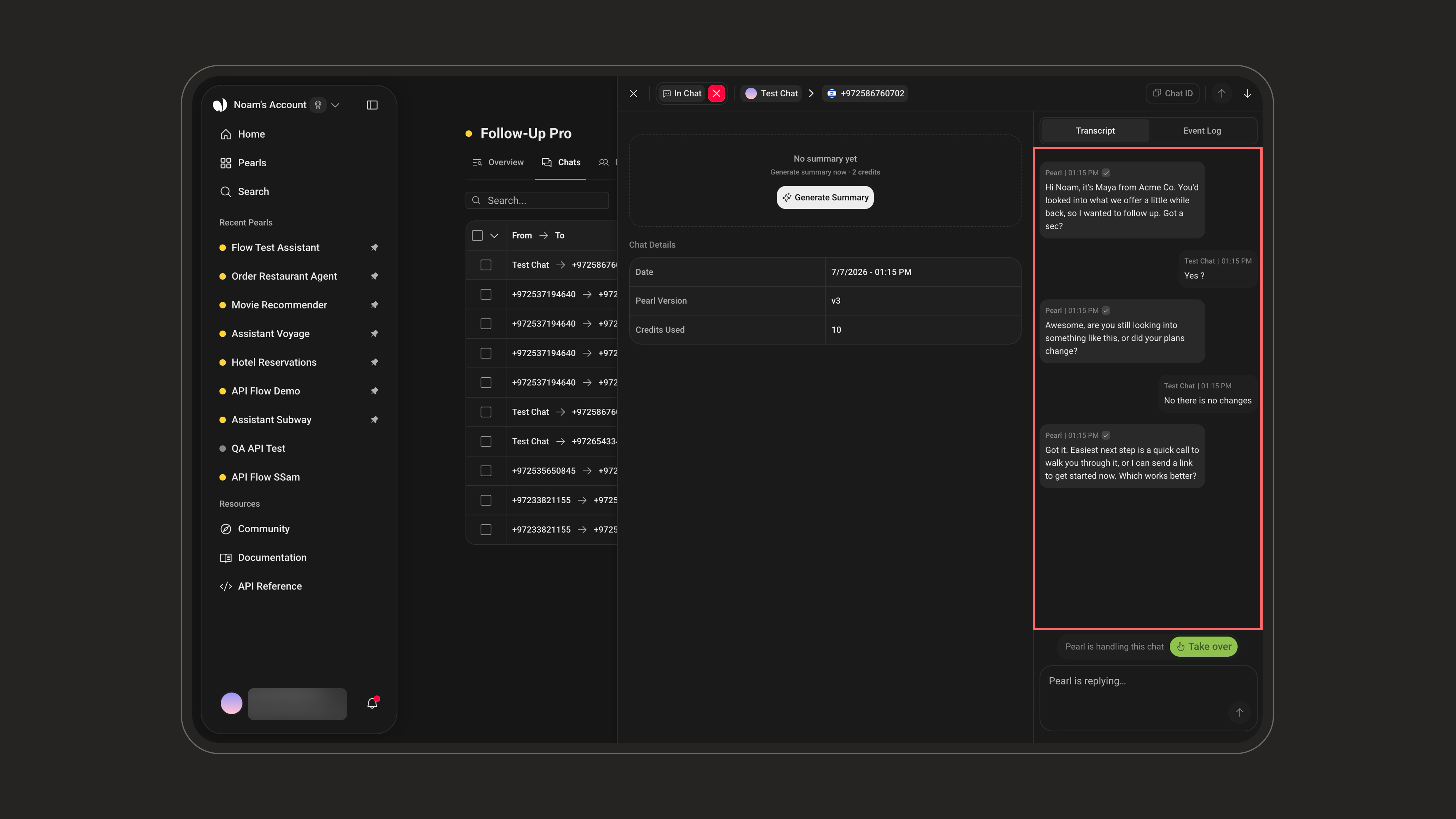
A toggle at the top of the right-hand panel switches between the Transcript and the Event Log. Transcript — a full text version of the conversation between the customer and Pearl. It is structured into three blocks separated by dividers: Pre-chat events → In-chat messages → Post-chat events. Always available, and useful for reviewing the interaction, auditing, and training.- Delivery status: each message shows its delivery state — Pending, Sent, or Failed — with a matching icon.
- Attachments: messages can include attachments (images, files) shared during the conversation.
Variables
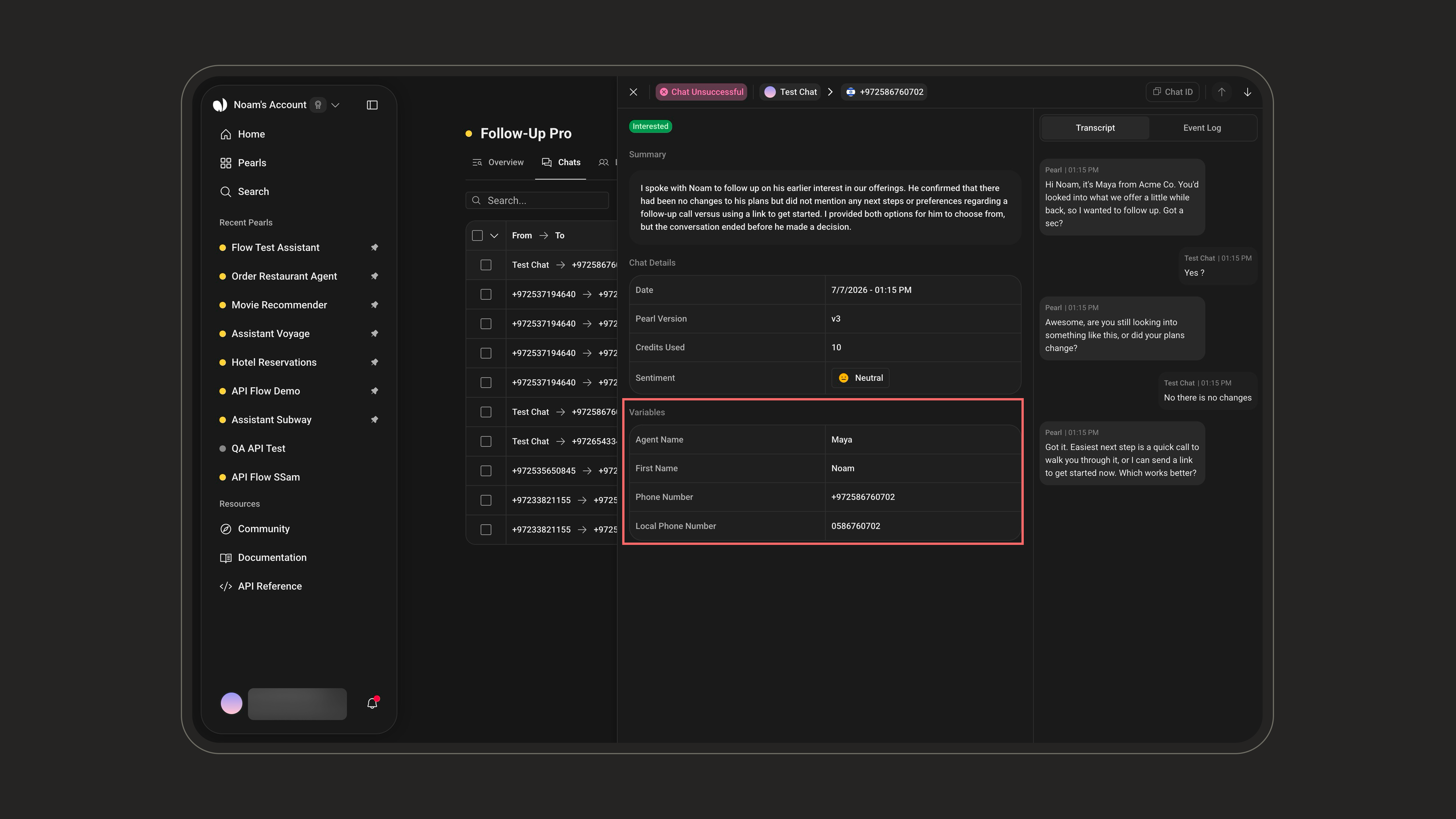
This section, labeled Variables in the UI, displays the structured data captured before or during the conversation, corresponding to the dynamic values collected through the Pearl configuration. Examples:- Delivery type
- Selected options (e.g. “Dessert: Cheesecake”)
- Customer preferences
You can learn more about creating variables in the Pearl here.
Human Takeover
At any point, a human agent can step in and take over the conversation directly from the post-chat page, then hand it back to Pearl once done. The full context (transcript, variables, and events) stays available throughout. This is useful when:- The customer explicitly asks to speak with a human
- The request falls outside what Pearl is configured to handle
- A sensitive or high-value conversation needs a personal touch
A takeover is a manual action you trigger from this page. It’s different from a human hand-off, which Pearl performs automatically based on a node configured in your flow — logged as a Conversation Handed Off event.
Hand-Off Node
Learn how to configure automatic hand-off to a human agent from your Pearl flow.
1
Pearl is handling the chat
While Pearl is in control, the footer shows “Pearl is handling this chat” and the composer is locked (“Pearl is replying…”). Click Take over to step in.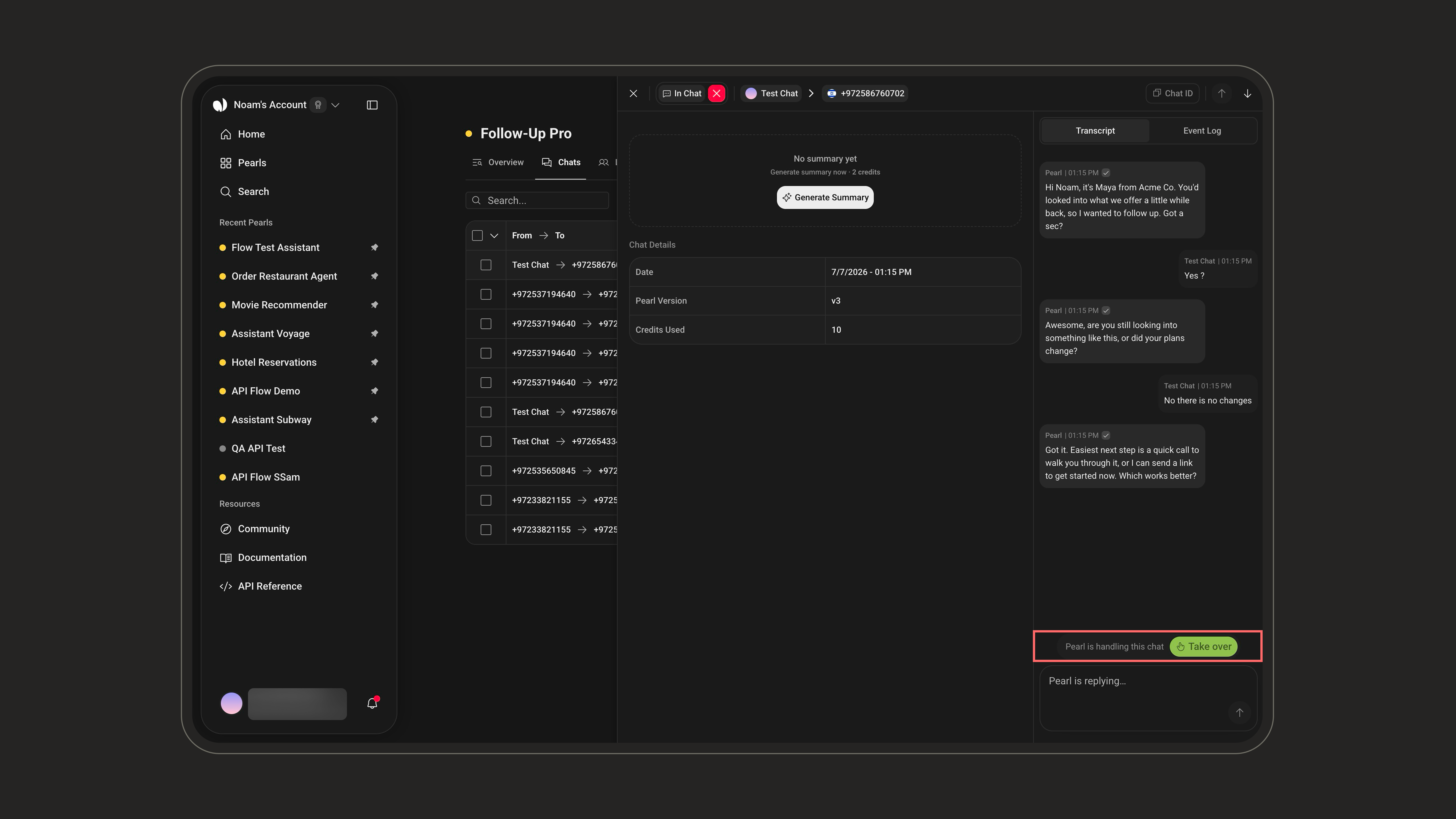
2
The agent is in control
Once you take over, Pearl stops replying and the footer shows that you (the agent) took over. The composer unlocks to Reply as agent…, so you can type messages and send attachments to the customer in real time. When you’re finished, click Hand back to return control to Pearl.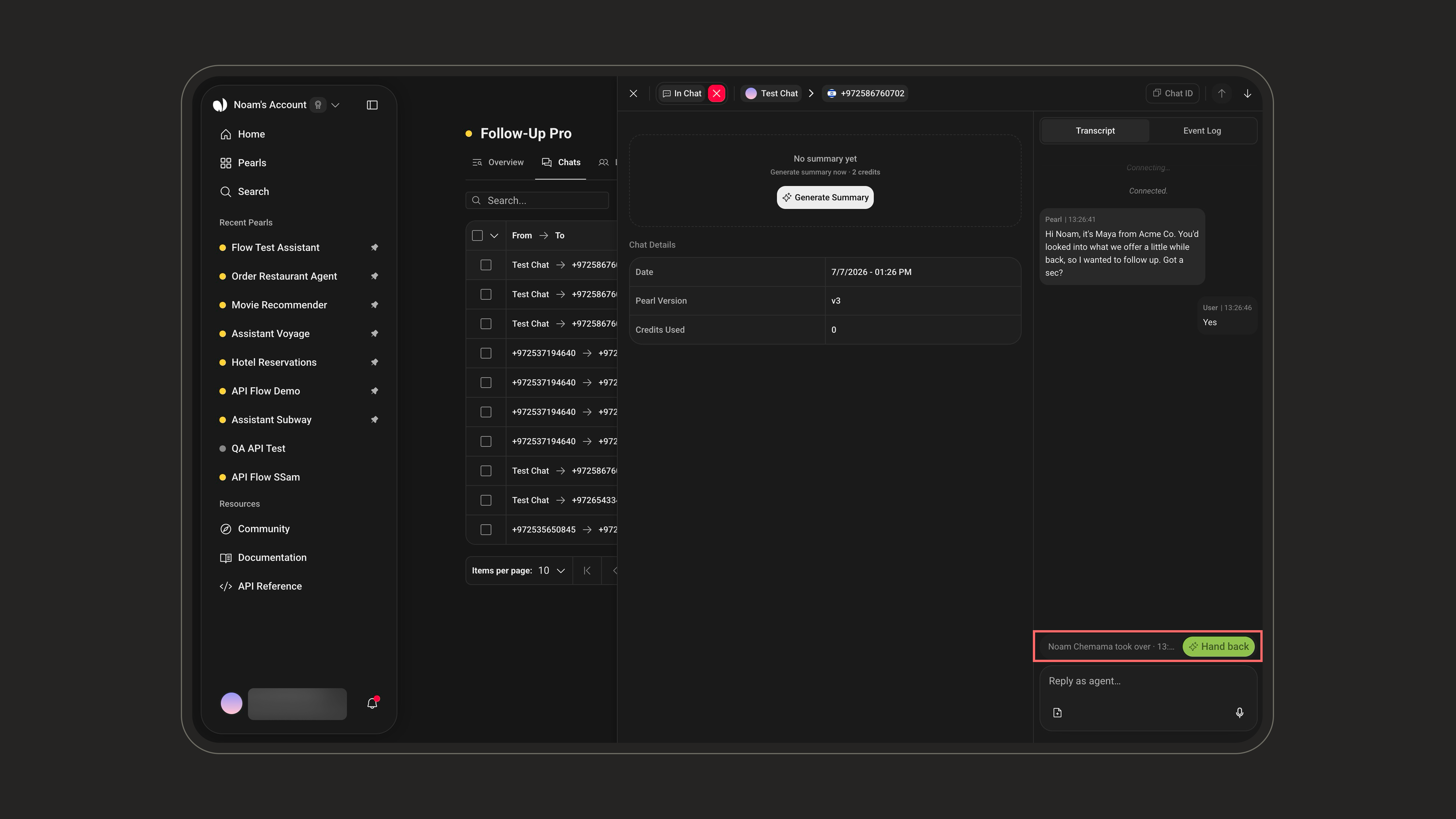
A takeover does not close the conversation. Pearl simply stops responding so the human agent can reply, and everything stays logged in the post-chat for full traceability. When done, the agent can hand the conversation back to Pearl.
Closing a conversation is a separate action from takeover. Using the ✕ next to the status badge in the header explicitly closes the conversation in the system, whereas a takeover only pauses Pearl’s replies. Use it when the exchange is finished.
Why the Post-Chat Matters
Traceability
Every conversation leaves a documented trace for accountability.
Faster Follow‑Up
Helps support and operations teams follow up efficiently with customers.
Quality & Analytics
Enables continuous improvement through quality review, sentiment tracking, and conversation analysis.
Auditing & Compliance
Provides an auditable record of AI-driven conversations to meet regulatory or internal policy needs.
By consolidating all these elements, the Post-Chat page provides a complete overview of each AI-handled conversation, ensuring transparency, traceability, and actionable insights for your team.