Documentation Index

Fetch the complete documentation index at: https://developers.nlpearl.ai/llms.txt

Use this file to discover all available pages before exploring further.

Hand-Off cover
Hand-Off cover
The Hand-Off node passes the conversation from Pearl to one of your human agents. When it triggers, Pearl stops replying in the chat and the conversation waits for a human to pick it up from the NLPearl platform. You can optionally have Pearl send a closing message first, and notify your team by SMS, email, or API. Think of it as the text-chat equivalent of transferring a call to a live agent.

How it works

When the flow reaches the Hand-Off node, Pearl stops responding to the customer in the text chat. The conversation itself stays open - it simply waits for you to step in.
A hand-off only stops Pearl from replying. It does not close or end the conversation. The customer can keep writing, and their messages wait for you in Human Takeover.
When the hand-off triggers

There are two ways to reach the Hand-Off node. Use either, or both together.

From a previous node

Connect a transition from any node to the Hand-Off node. When the flow follows that transition, the hand-off runs. Use this when the hand-off is a fixed step in your flow - for example, right after a ā€œTalk to salesā€ choice.

With a condition

In the When to trigger field, describe in plain language the situations where Pearl should hand the chat off - for example, ā€œIf the client asks to speak to a human.ā€ Pearl evaluates this throughout the conversation. Up to 250 characters.
Combine both: a fixed transition for the obvious path, and a When to trigger condition to catch everything else.

What Pearl says before leaving

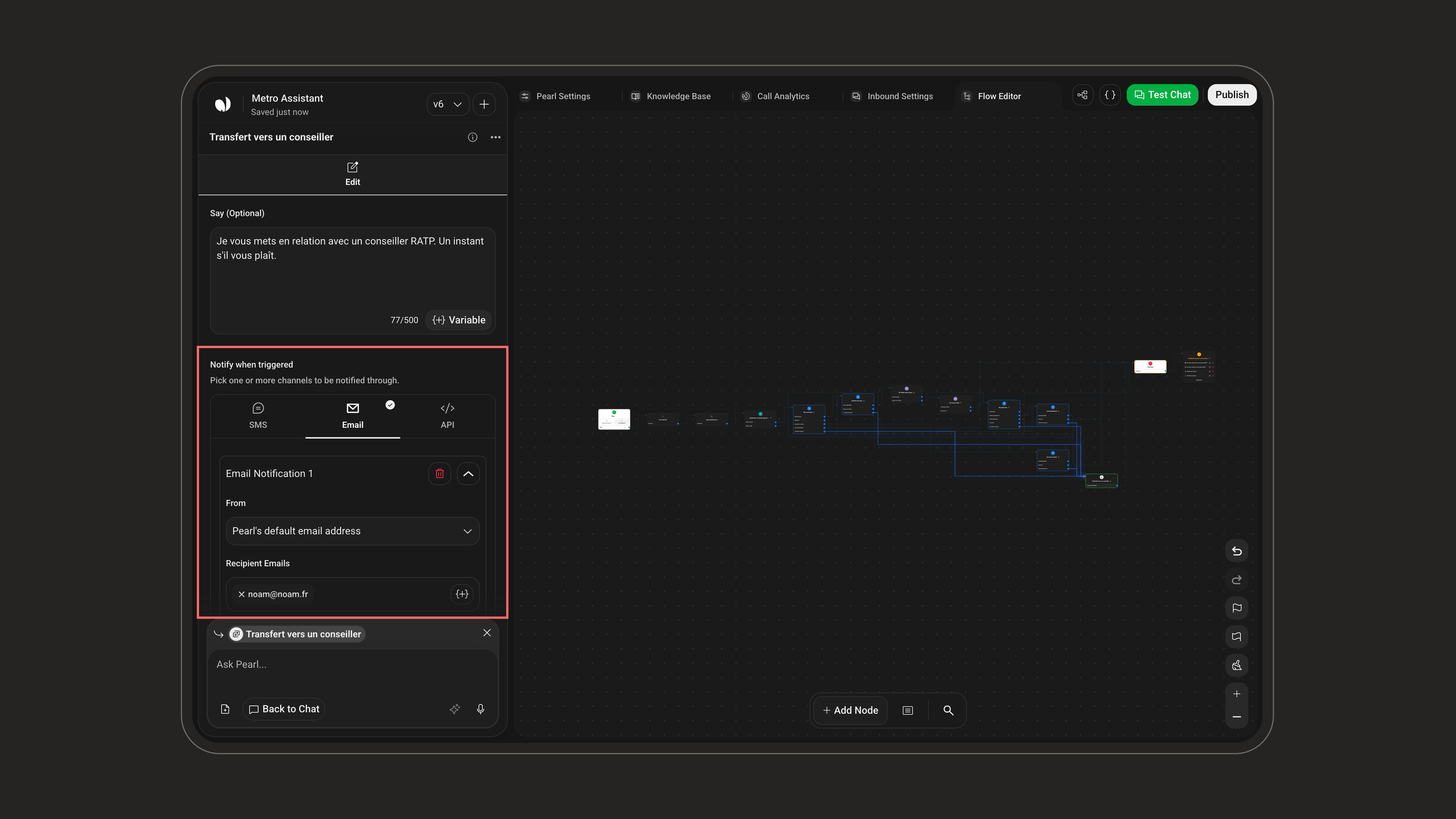
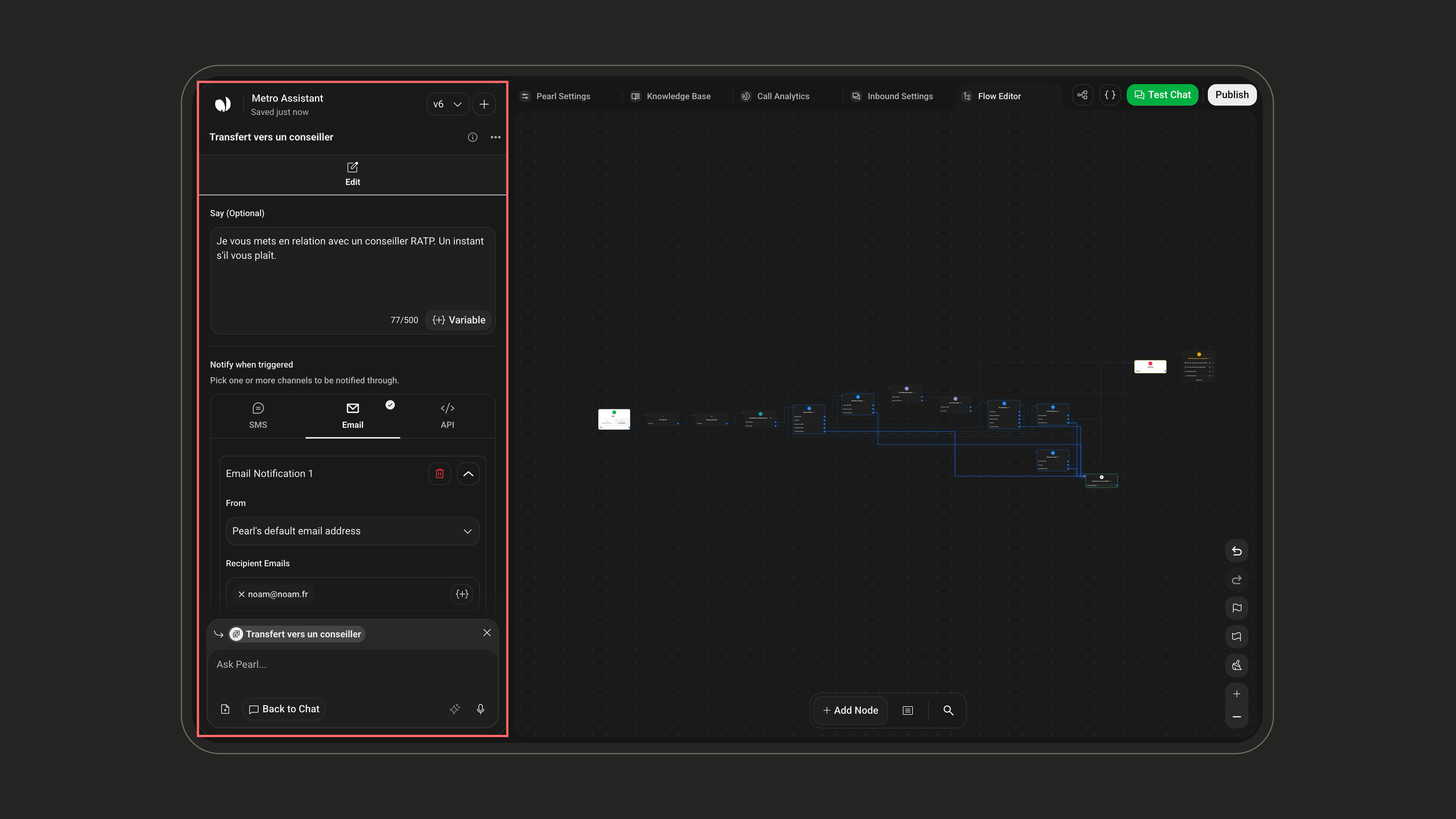
Use the Say (Optional) field to have Pearl send one last message before it stops replying - for example, to let the customer know a human is taking over. Up to 500 characters, and you can insert variables. Leave it empty for a silent hand-off.

Notify your team

When a hand-off happens, alert your team so someone picks the conversation up quickly. You can set up notifications across three channels and add up to 3 of each - mix them freely.
To - one or more phone numbers to text.Content - the message to send. Up to 1,000 characters; supports variables.
You can add up to 3 notifications per channel - so up to 3 SMS, 3 emails, and 3 API calls. Use the + button to add another within a channel.
Most fields accept variables through the Variable button - the farewell message, SMS and email content, even the API URL - so you can drop in details like the customer’s name or the conversation reference.

Take over the conversation

After a hand-off, pick the conversation up yourself from the NLPearl platform. Open Human Takeover - available both during the live chat and after it - to read the customer’s messages and reply directly.
New to taking over conversations? See the Human Takeover guide for the full walkthrough.