


Use Users & Workspaces settings to control who can access your workspace, what each person is allowed to manage, and which workspace you are currently working in.
Users
Invite team members and assign them the right access level.
Roles
Create reusable permission sets for different responsibilities.
Workspaces
Switch between workspaces or create a new one.
Access control
Limit access to Pearls, billing, phone numbers, API keys, users, and audit logs.
Users & Roles
Control who can access the current workspace and what each person is allowed to do.Managing Users
The Users page lets workspace owners and admins invite new members, review existing users, and update their access level.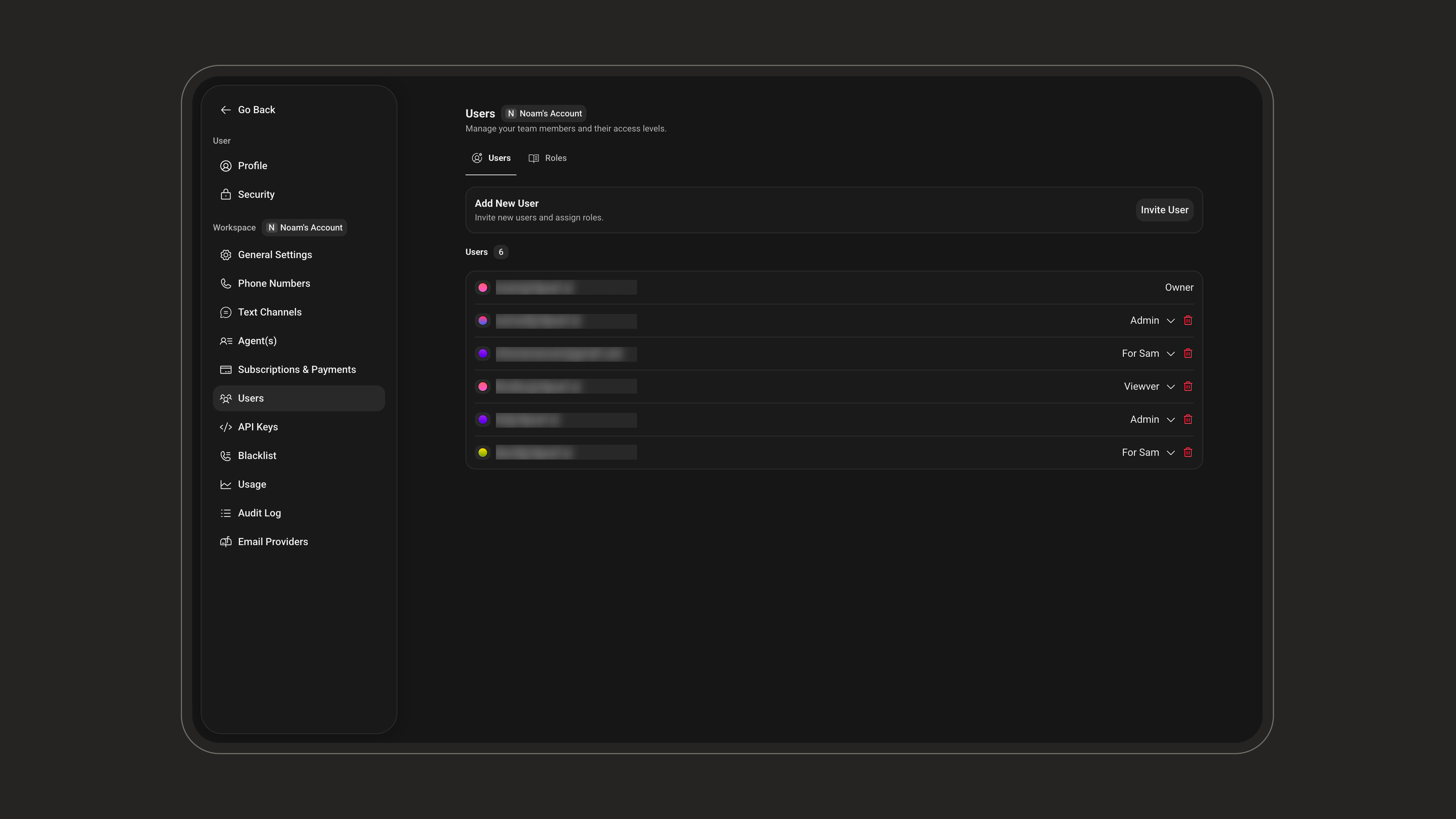
1
Open Users
Go to Workspace > Users.
2
Invite a user
Click Invite User, enter one or more email addresses, then choose the role to assign.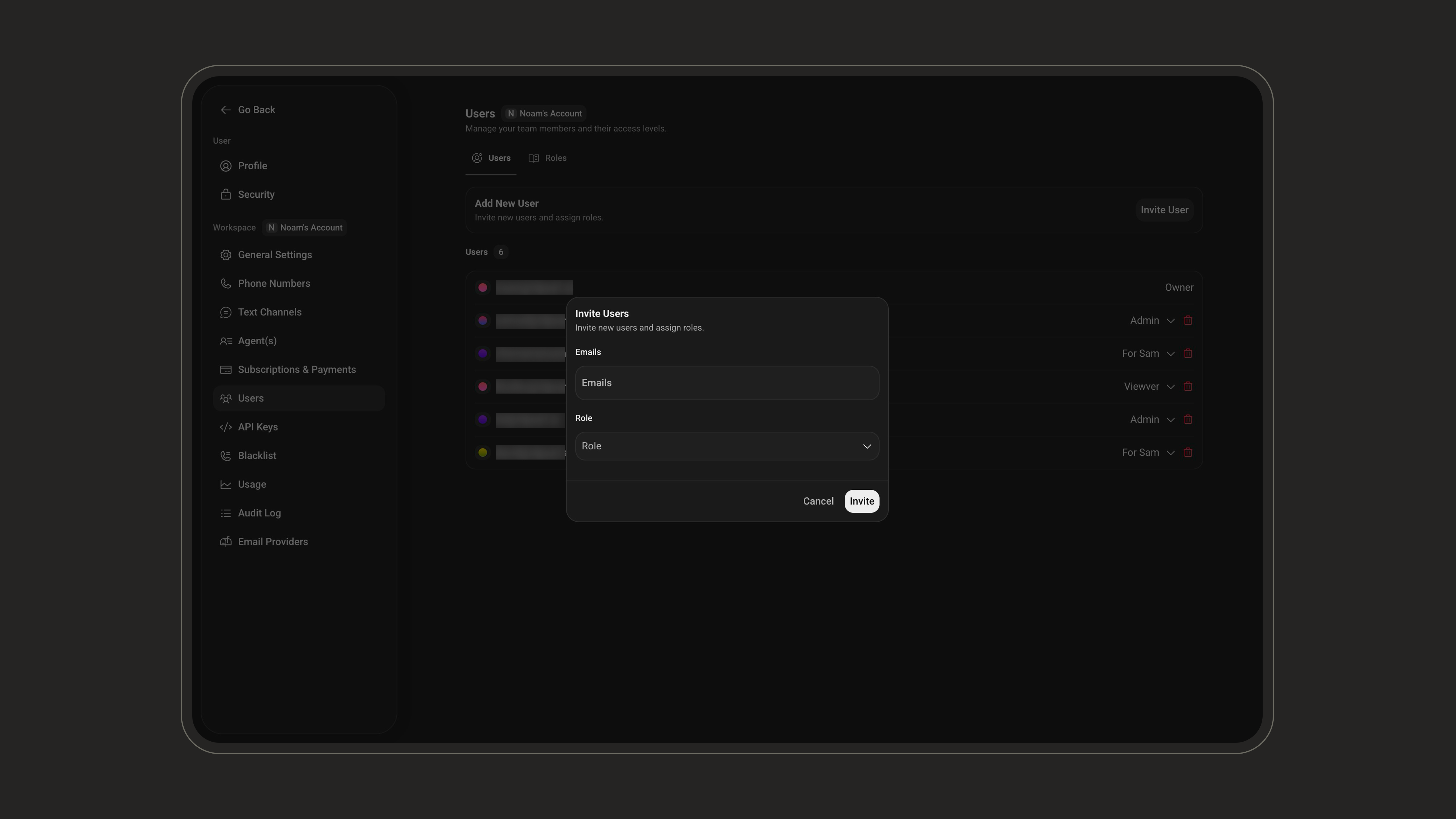
3
Review access
Confirm that each user has the correct role, such as Owner, Admin, or a custom role created for your team.
Give users the minimum access they need for their work. You can always update their role later as responsibilities change.
Managing Roles
Roles define what users are allowed to do in a workspace. You can use roles to separate responsibilities between admins, operators, support teams, billing teams, and other internal workflows. To manage roles, go to Workspace > Users, then open the Roles tab.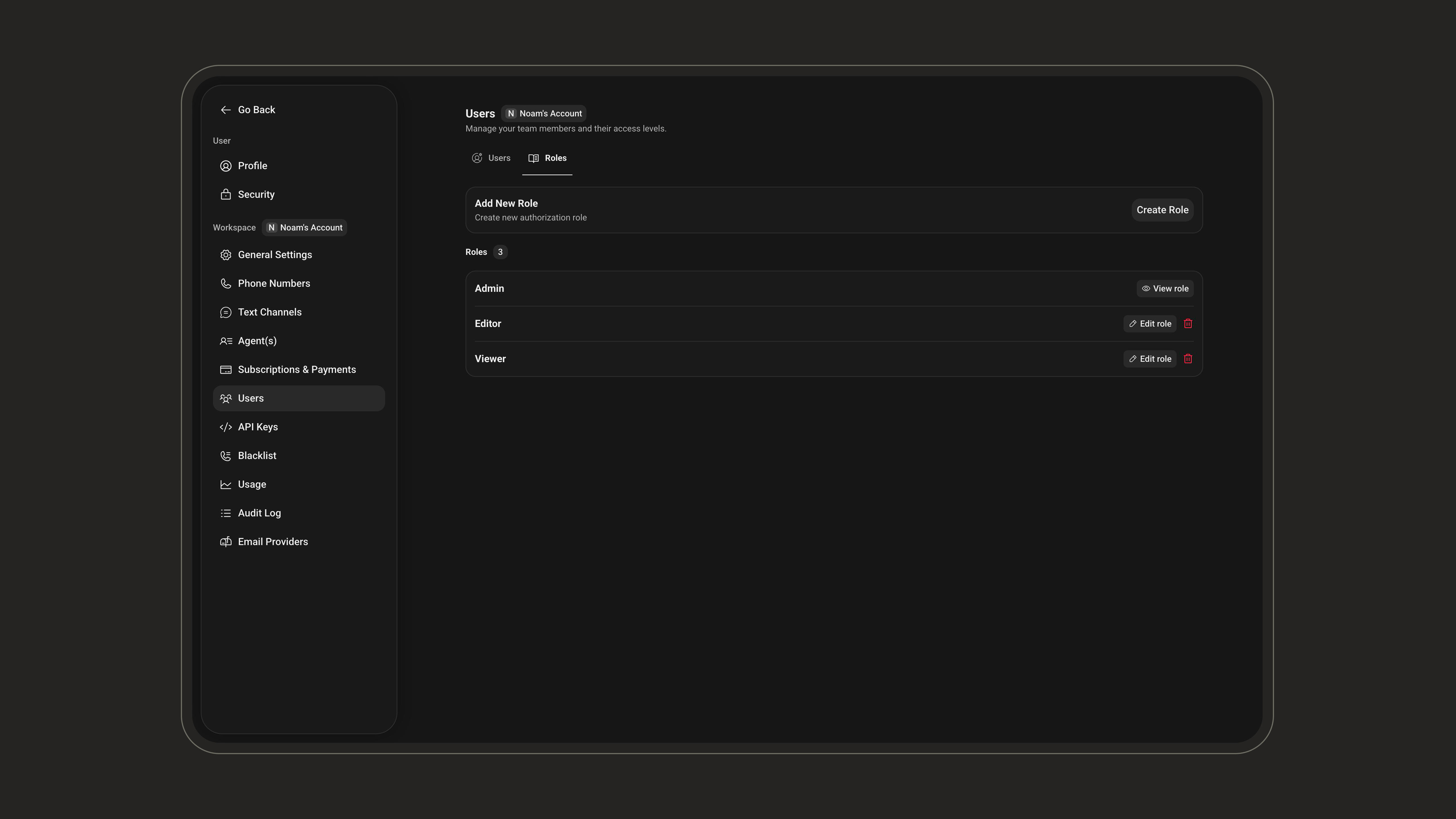
1
Create a role
Click Create Role and enter a clear role name.
2
Select permissions
Choose which actions the role should allow.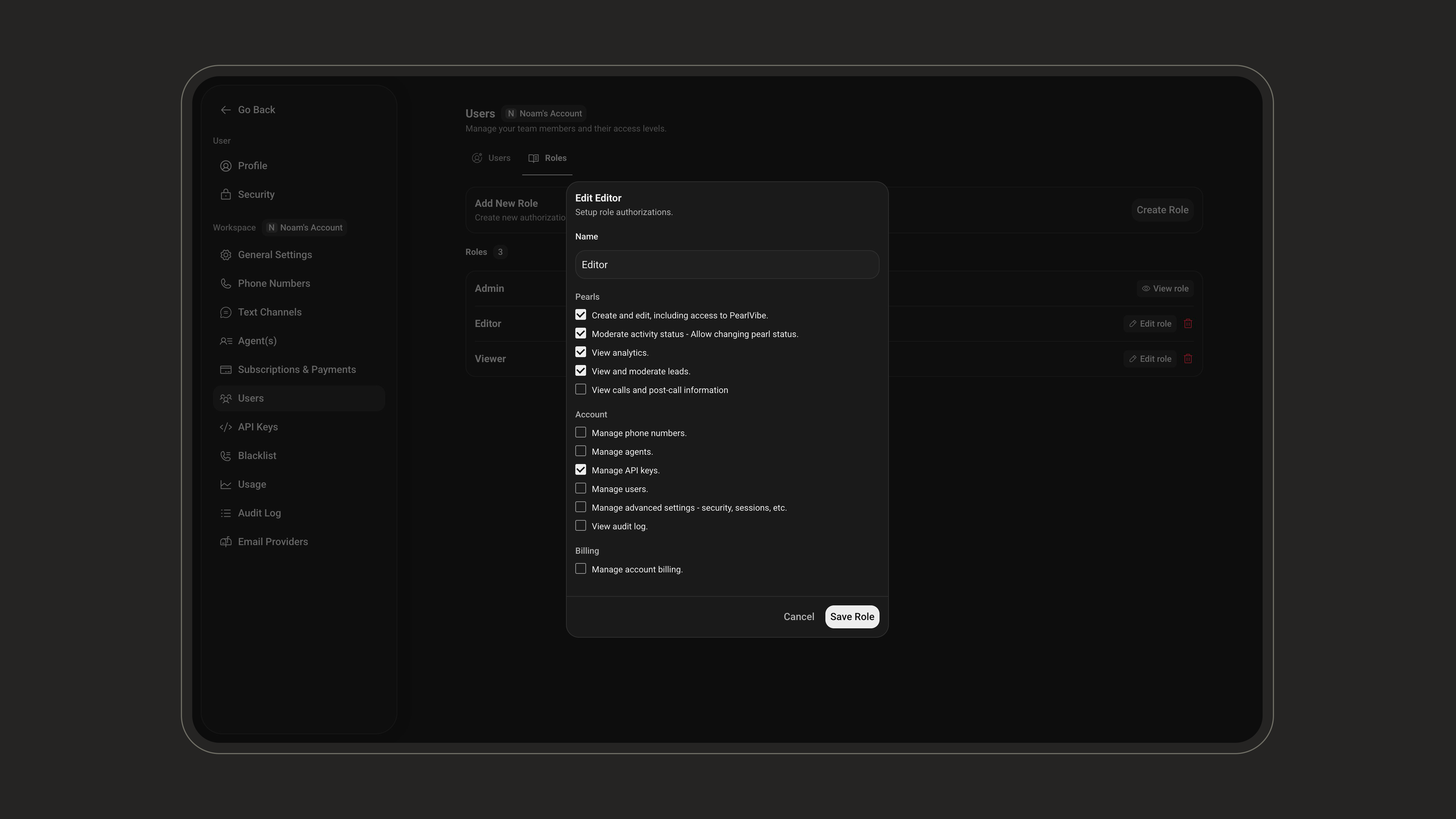
3
Save the role
Click Save Role to make the role available when inviting or updating users.
Workspaces
A workspace is an isolated environment with its own Pearls, activities, settings, billing, users, and logs. Use workspaces to separate teams, customers, or projects. Everything above (users and roles) is scoped to the workspace you are currently in. In the settings menu, the options are split into two groups:- User settings (such as Profile and Security) are personal to your account and follow you across every workspace.
- Workspace settings (everything listed under the Workspace section, like General Settings, Phone Numbers, Text Channels, Agents, Subscriptions & Payments, Users, API Keys, and more) apply only to the workspace you are currently in.
When you switch workspaces, all the Workspace settings change to reflect the selected workspace. Your User settings stay the same.
General Settings
The General Settings page manages your workspace identity, notifications, and security preferences.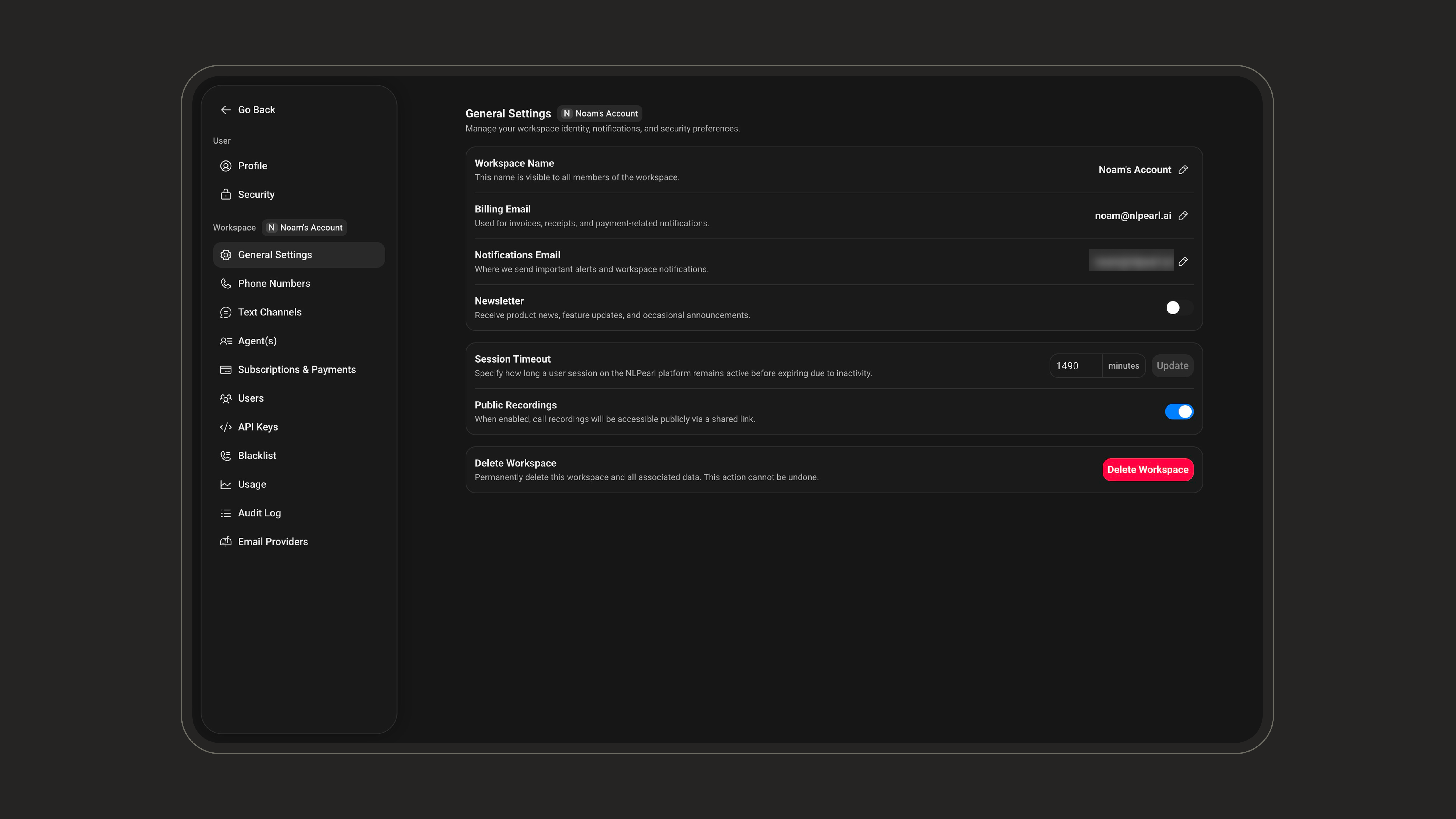
Creating a New Workspace
You can create a separate workspace when you need to isolate teams, customers, projects, or billing.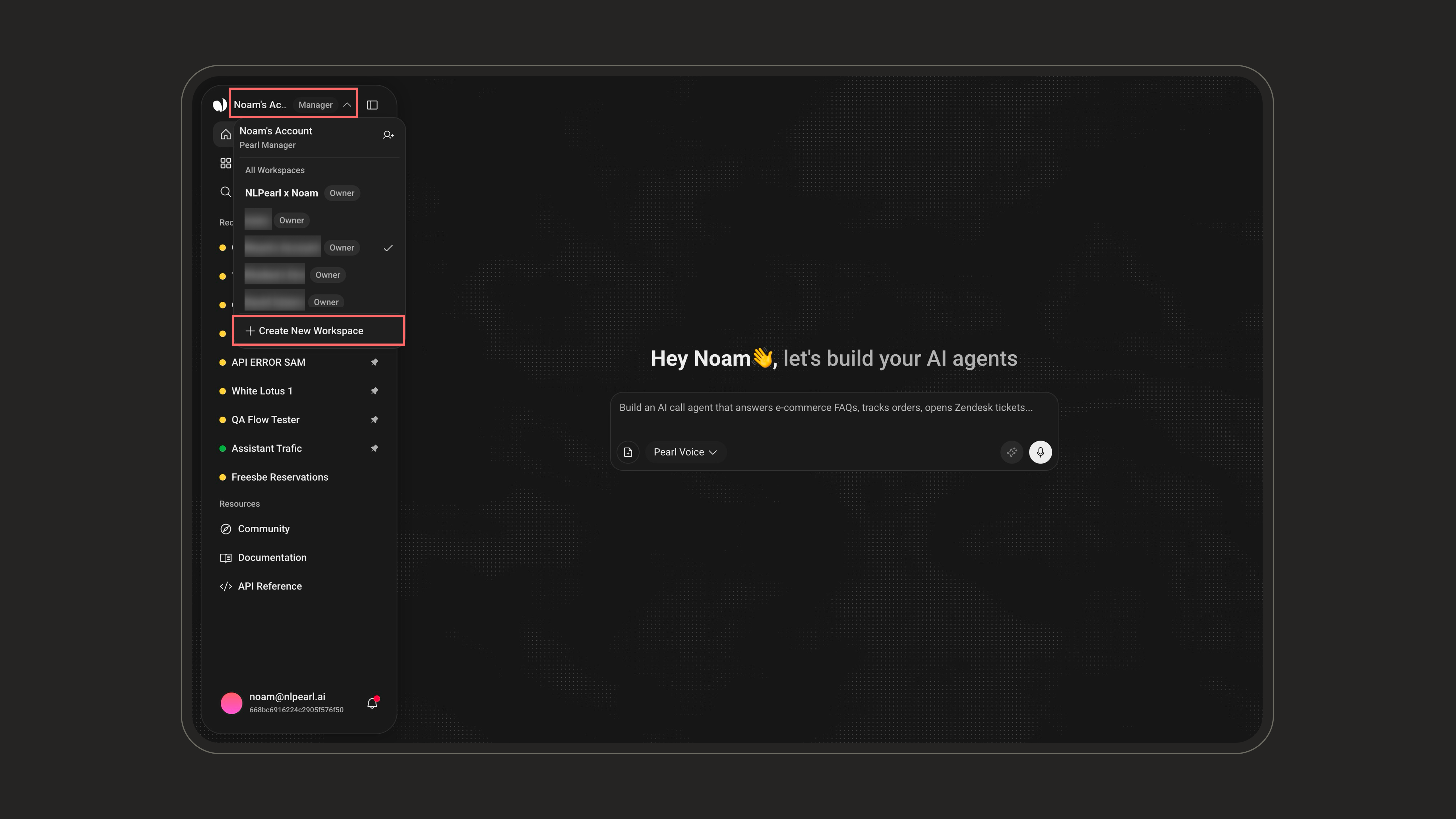
1
Open the workspace menu
Click the current workspace name in the sidebar.
2
Create the workspace
Click Create New Workspace, enter a workspace name, then click Create.
Switching Workspaces
If your account belongs to multiple workspaces, use the workspace switcher to move between them. The selected workspace controls which Pearls, activities, settings, billing, users, and logs you are viewing.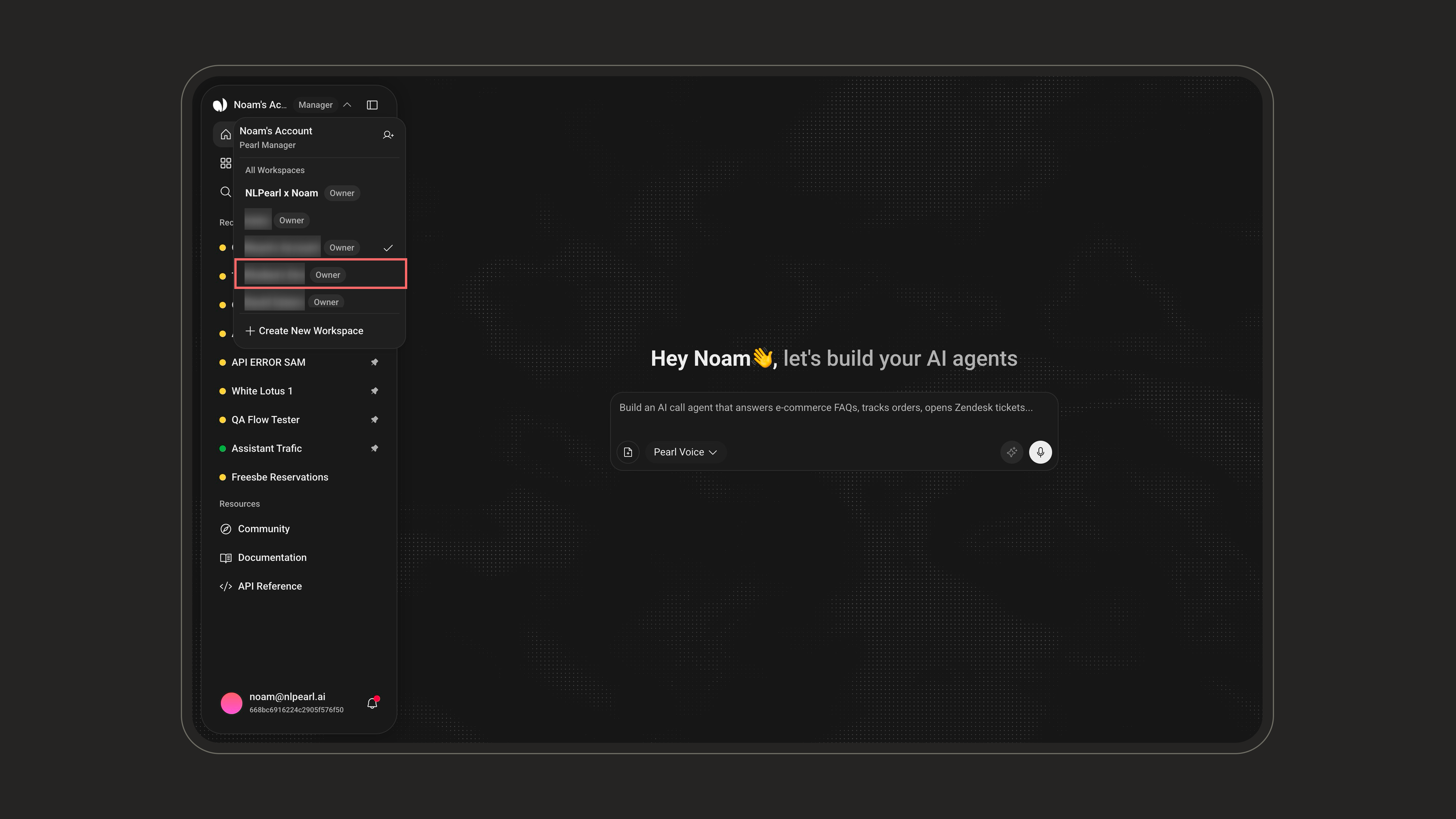
1
Open the workspace menu
Click the workspace name in the platform sidebar.
2
Choose a workspace
Select the workspace you want to manage from the list.
Transferring a Pearl to Another Workspace
You can send a copy of a Pearl to another workspace you belong to - useful when you build agents in a test workspace before moving them to production, or manage several customers from a single account.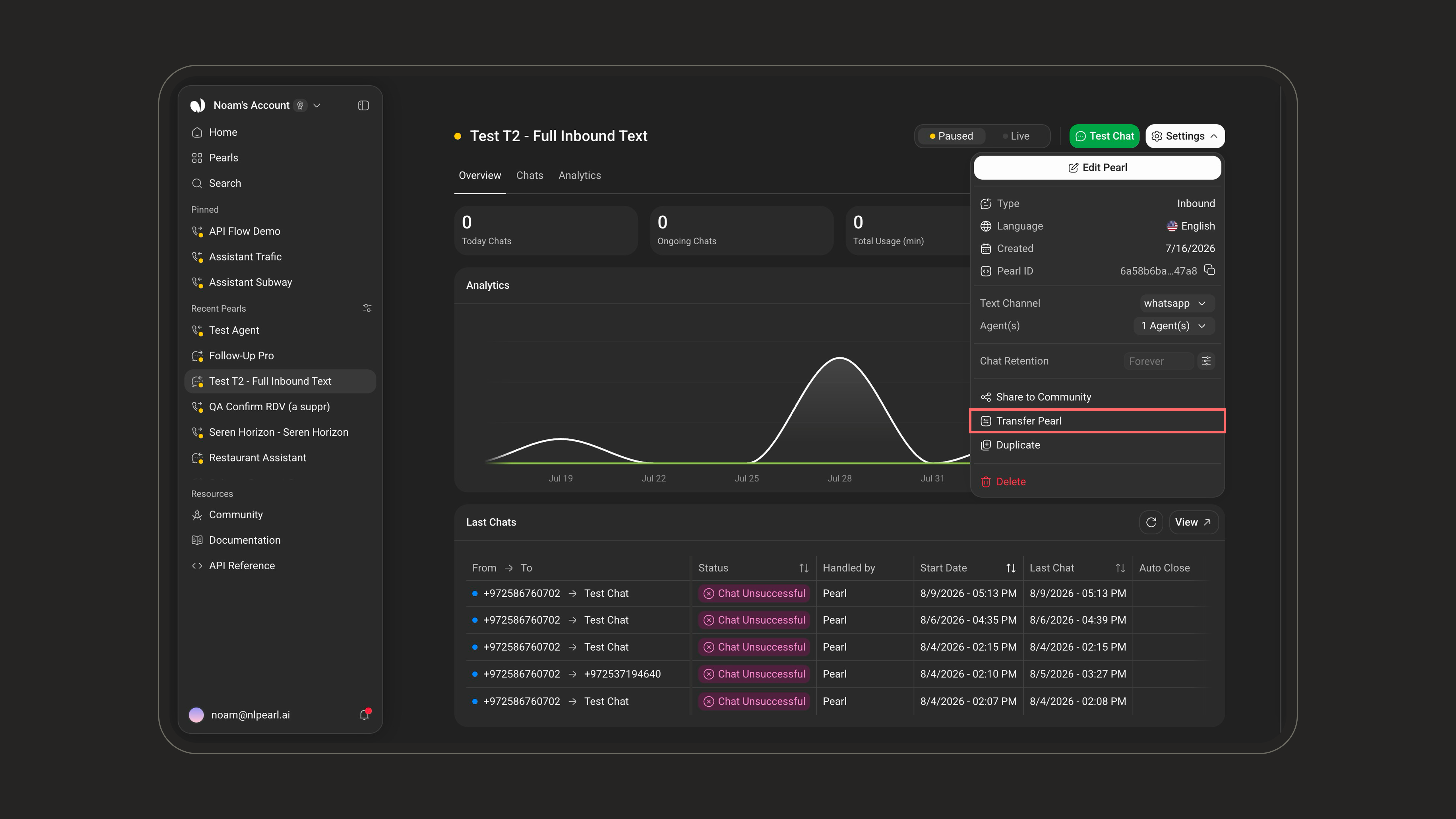
1
Open the transfer dialog
On the Pearl’s page, open the Settings menu and click Transfer Pearl. The same option is available from the Pearls list.
2
Choose the version to transfer
Select which version of the Pearl to send. It becomes version 1 of the new Pearl in the destination workspace.
3
Pick the destination
Select one or more workspaces, then click Transfer.
Account Security Settings
Configure session timeout, audit logs, 2FA, and enterprise SSO.
Billing
Manage subscriptions, payment methods, invoices, and auto-recharge.