


SMS Channel
Connect your Pearl Text agent to SMS to handle conversations over standard text messaging. SMS runs through Twilio, so the connection works exactly like the Twilio Integration used for voice phone numbers - you link your Twilio account once, then use your numbers across NLPearl.Step 1 - Connect your Twilio account
Connecting SMS uses the same flow as importing voice phone numbers. Follow the Twilio Integration guide to link your Twilio account with NLPearl, then come back here to buy a number dedicated to SMS.Twilio Integration
Link your Twilio account with NLPearl to use your Twilio numbers on the platform.
Step 2 - Buy a phone number for SMS
The only difference with SMS is that you buy a number specifically enabled for messaging. You do this directly in the Twilio Console, in three steps.1
Open Numbers & senders
In the Twilio Console, open the Products & Services menu and select Numbers & senders.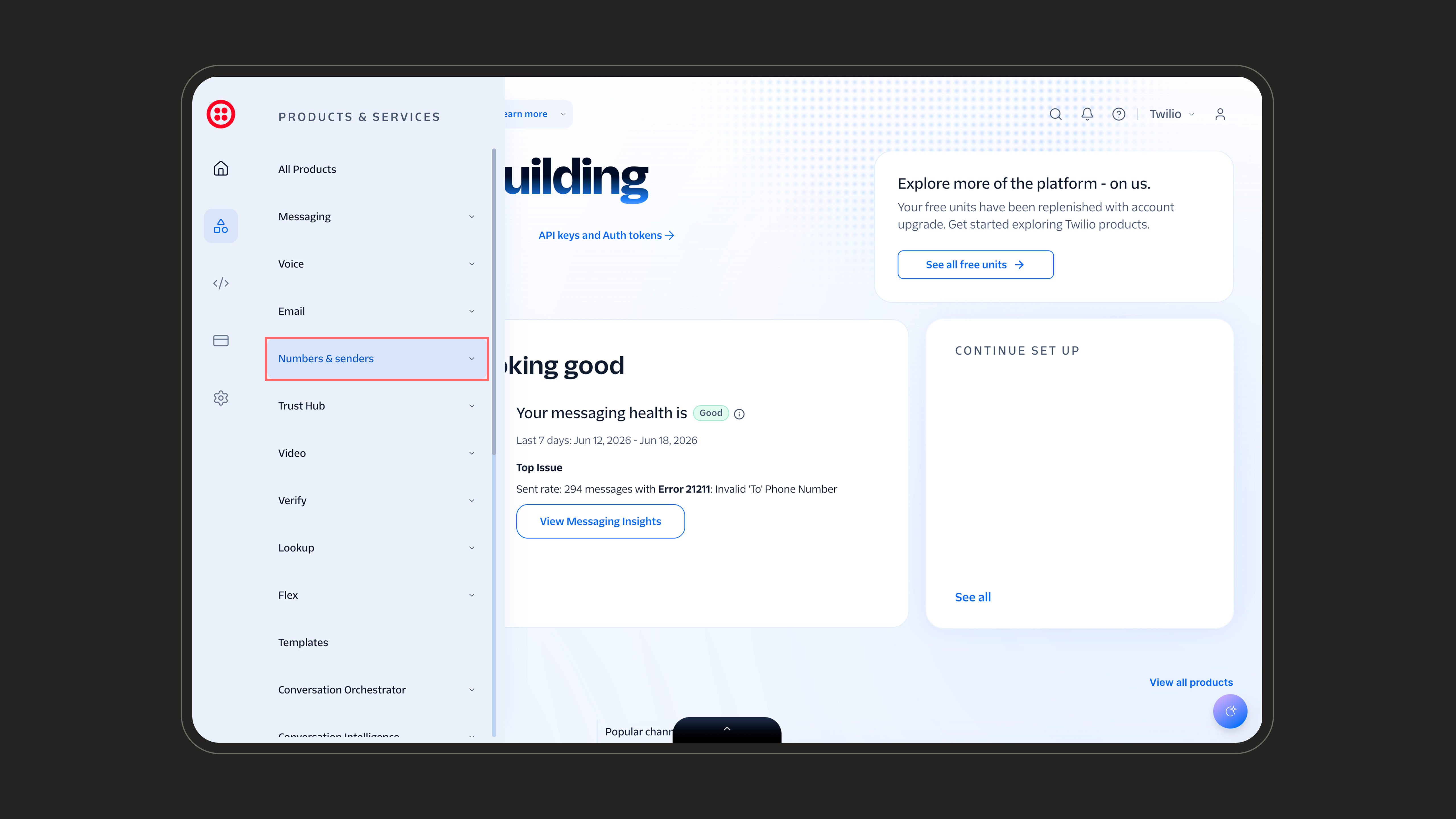
2
Set up a new phone number
Open the Phone Numbers tab and click Set up a new phone number on the top right to start the purchase flow.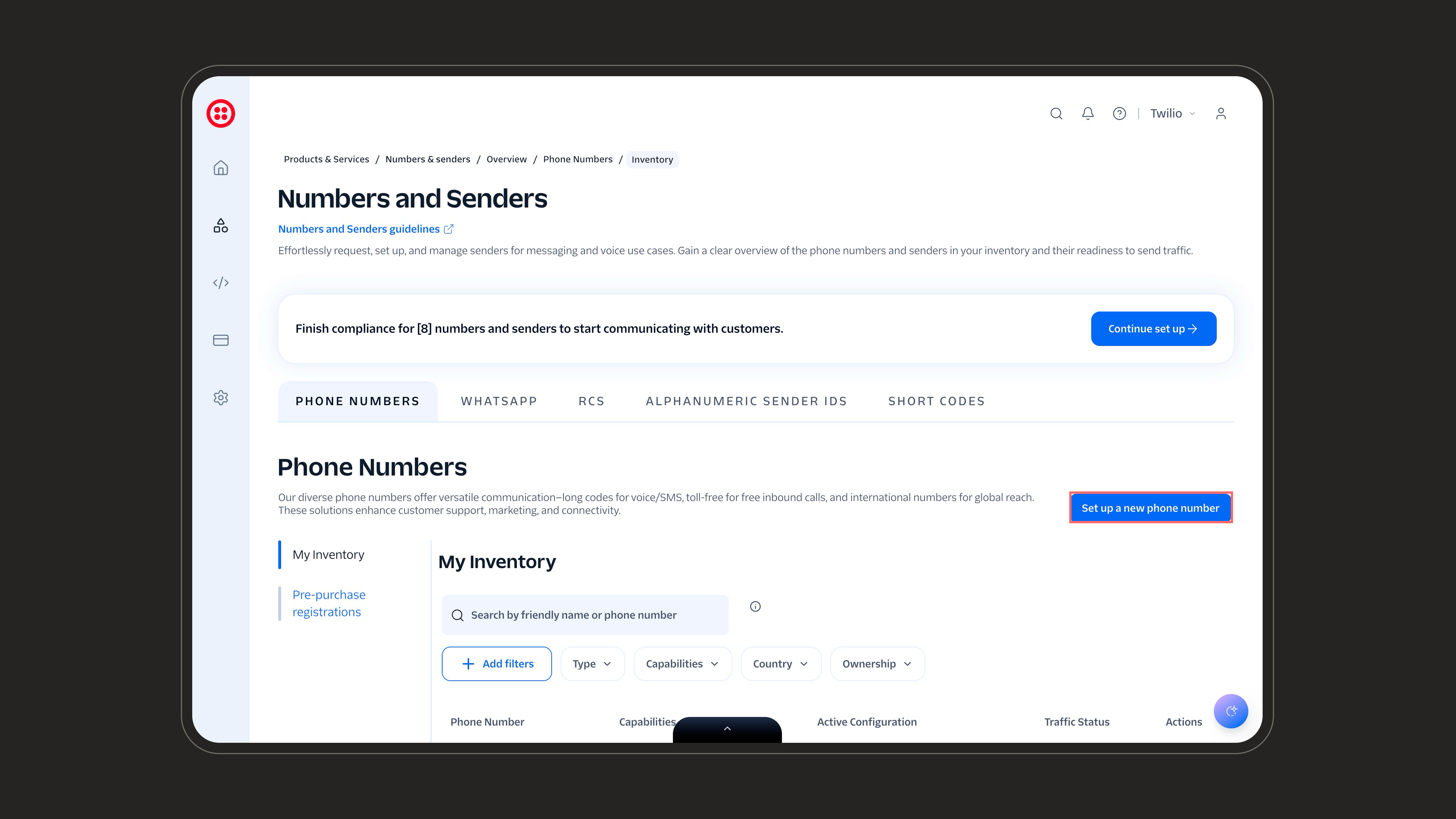
3
Select an SMS-enabled number
Choose the destination country where your customers are, then under capabilities make sure SMS is checked. Search for a number, pick one, and complete the purchase.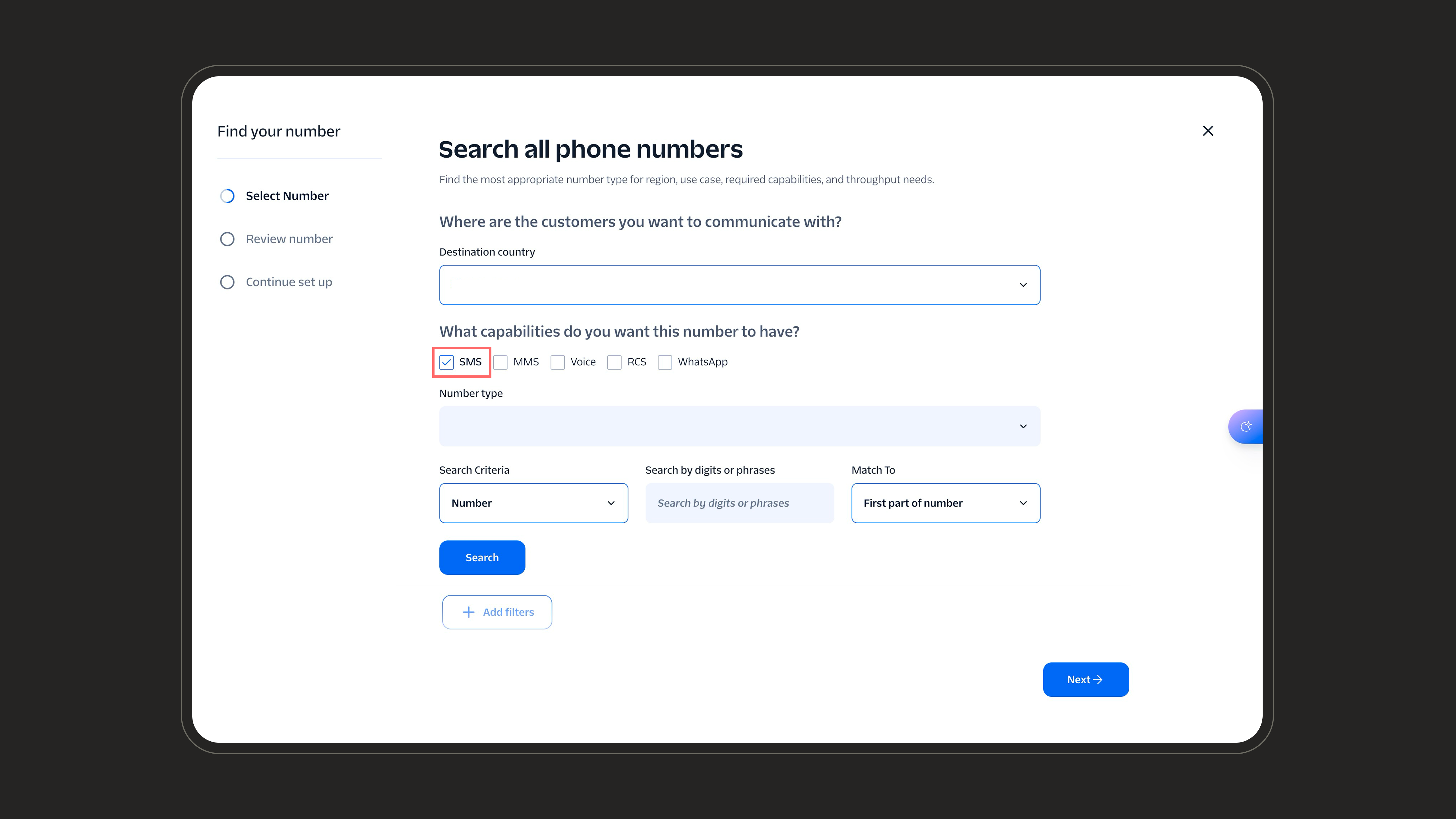
Once purchased, the SMS number appears in Twilio. Import it into NLPearl from the Twilio Integration screen, just like any other Twilio number.
Inbound
Deploy your agent on inbound channels to answer incoming SMS instantly.
Outbound
Launch outbound SMS campaigns to reach customers proactively.