


Telegram Channel
Connect your Pearl Text agent to Telegram through a Telegram bot. Pearl replies using the flow, knowledge, and actions defined in your Pearl, in inbound conversations.Telegram is available for inbound only: a Telegram bot can’t start a conversation, it can only answer users who message it first.
Step 1 - Create your Telegram bot
1
Create a Telegram account
If you don’t have one yet, download Telegram and create an account.
2
Find BotFather
In Telegram’s contact search, look for BotFather (the official Telegram bot for creating bots) and open the conversation.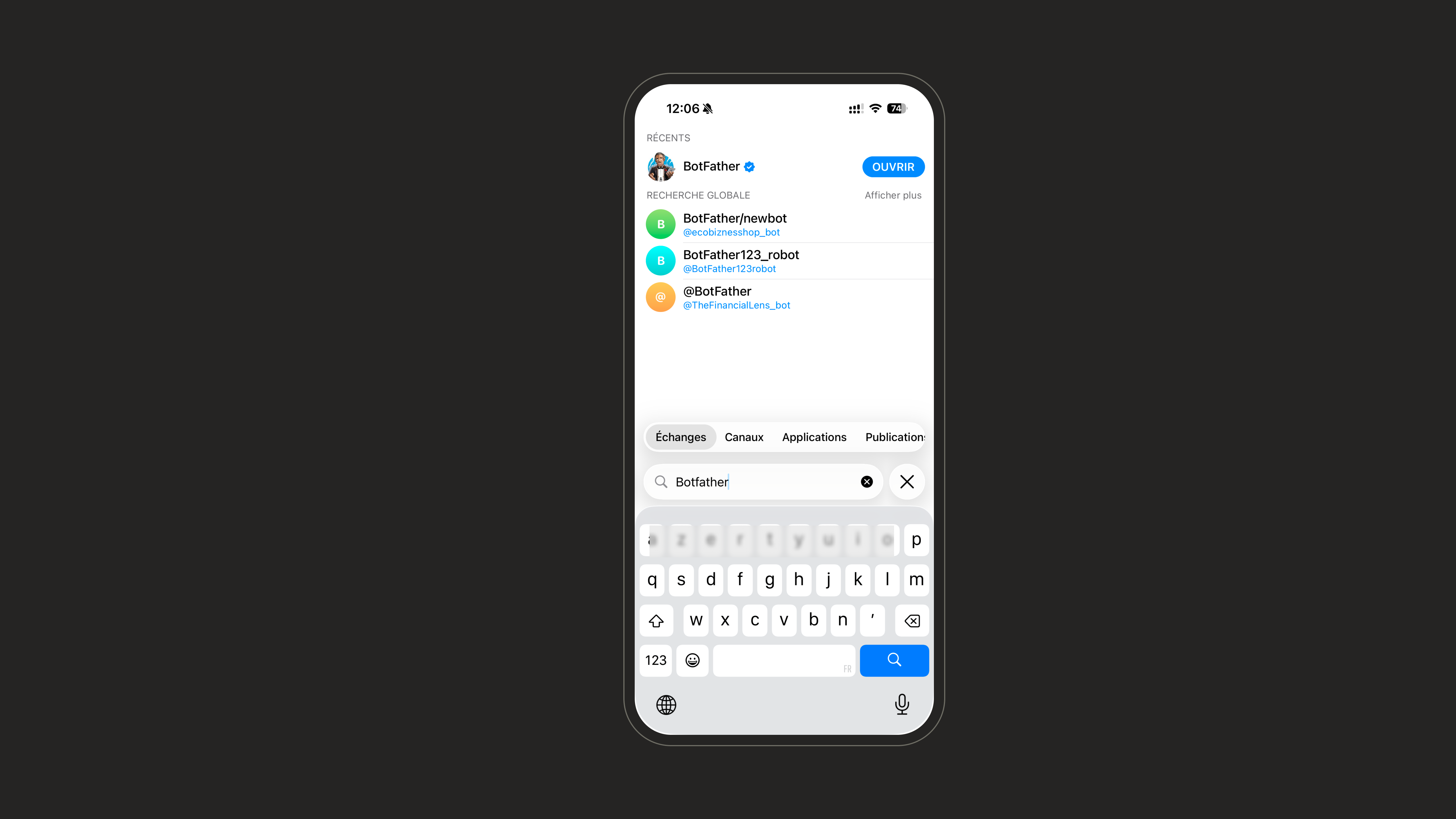
3
Start the conversation
Send the 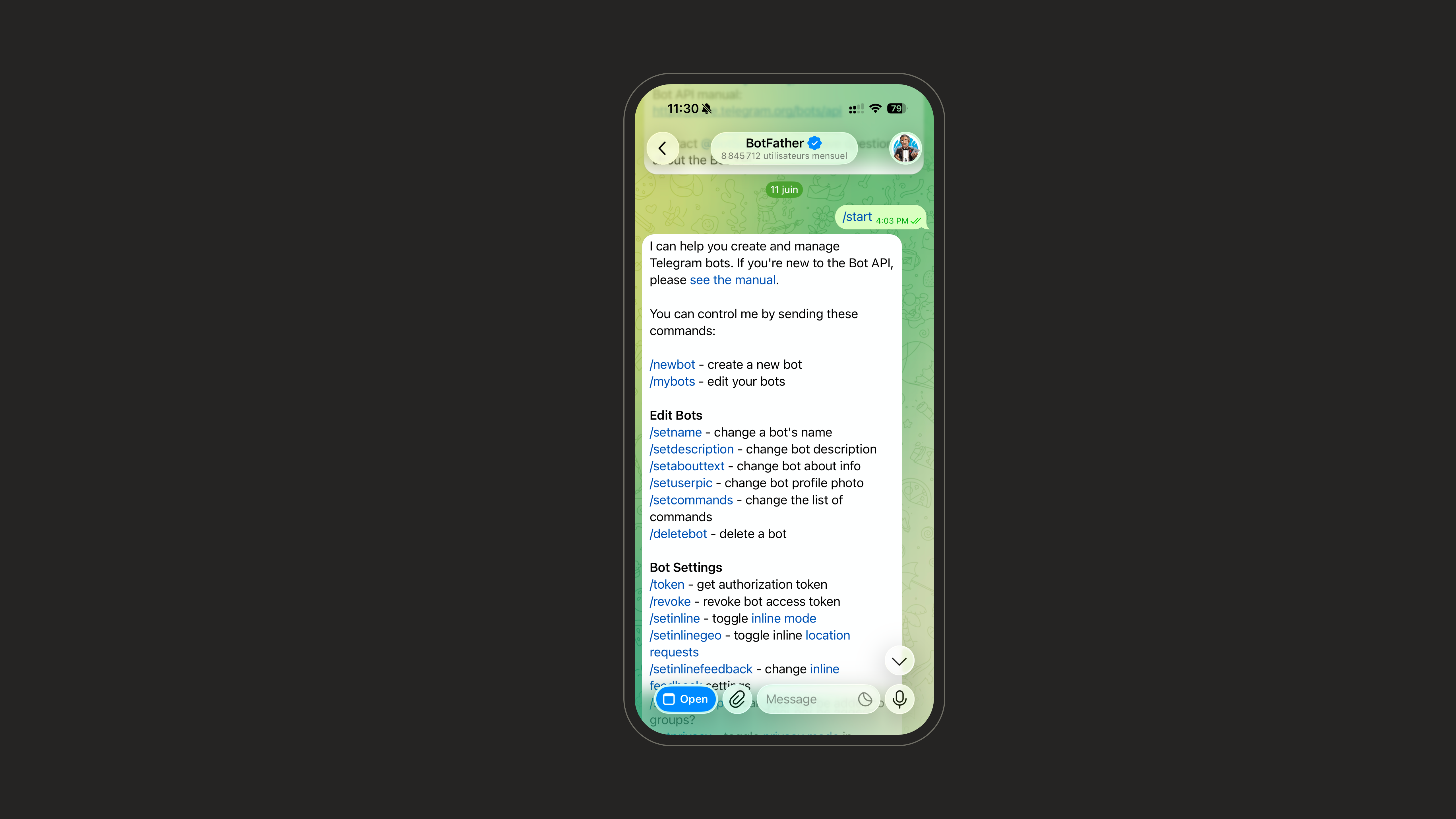
/start command to BotFather. It replies with the list of available commands.4
Create a new bot
Send the 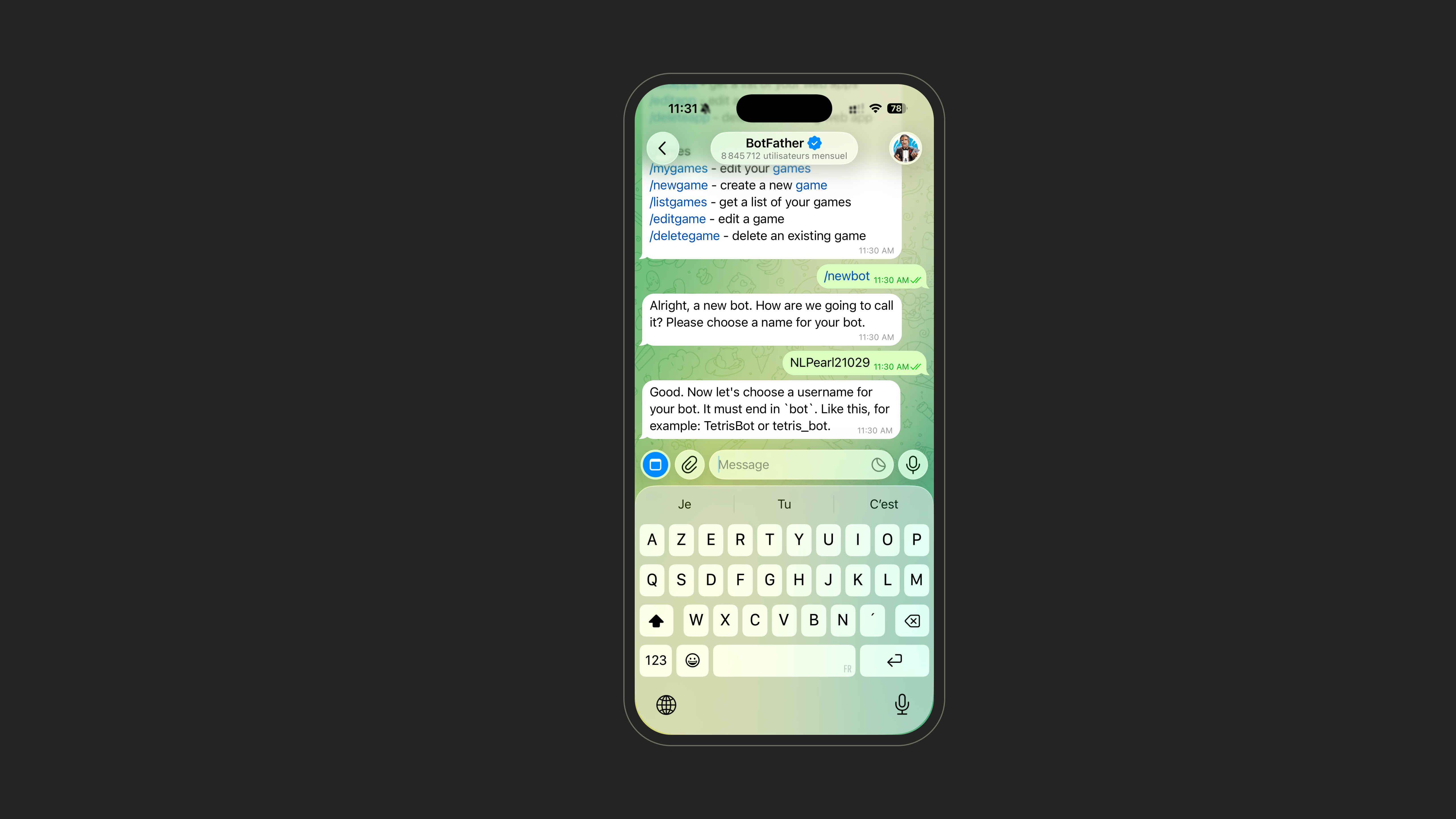
/newbot command. BotFather will ask you to choose a name for your bot.The name must always end with
bot (for example MySupportBot or my_support_bot).5
Save your token
Once the bot is created, BotFather sends you a message containing the link to talk to your bot and an access token. Keep this token - you’ll need it to connect the bot to the platform.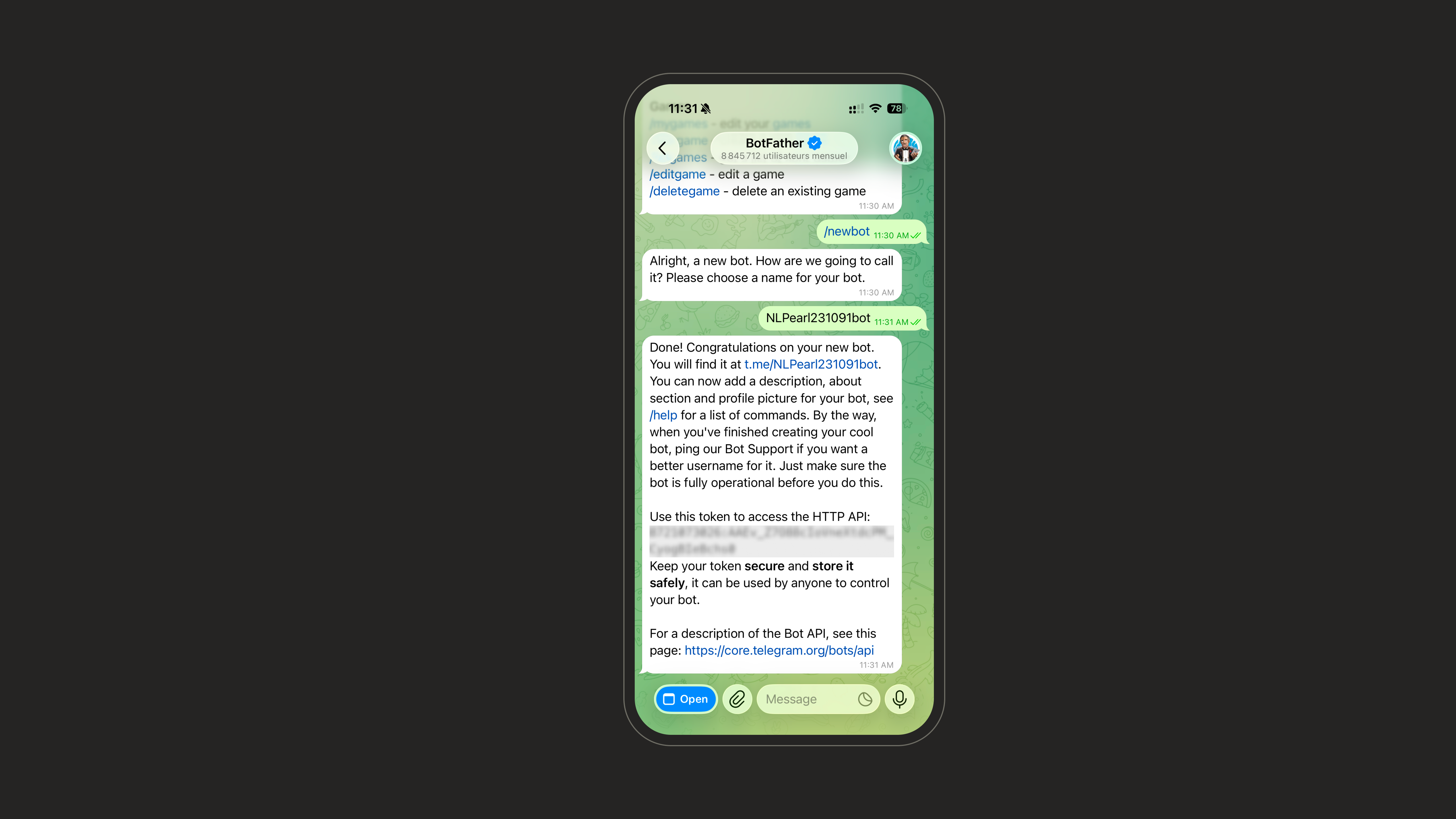
Step 2 - Connect Telegram on the platform
1
Open the Text Channel settings
On the platform, go to Settings, then open the Text Channel page.
2
Connect to Telegram
Select Telegram and start a new connection.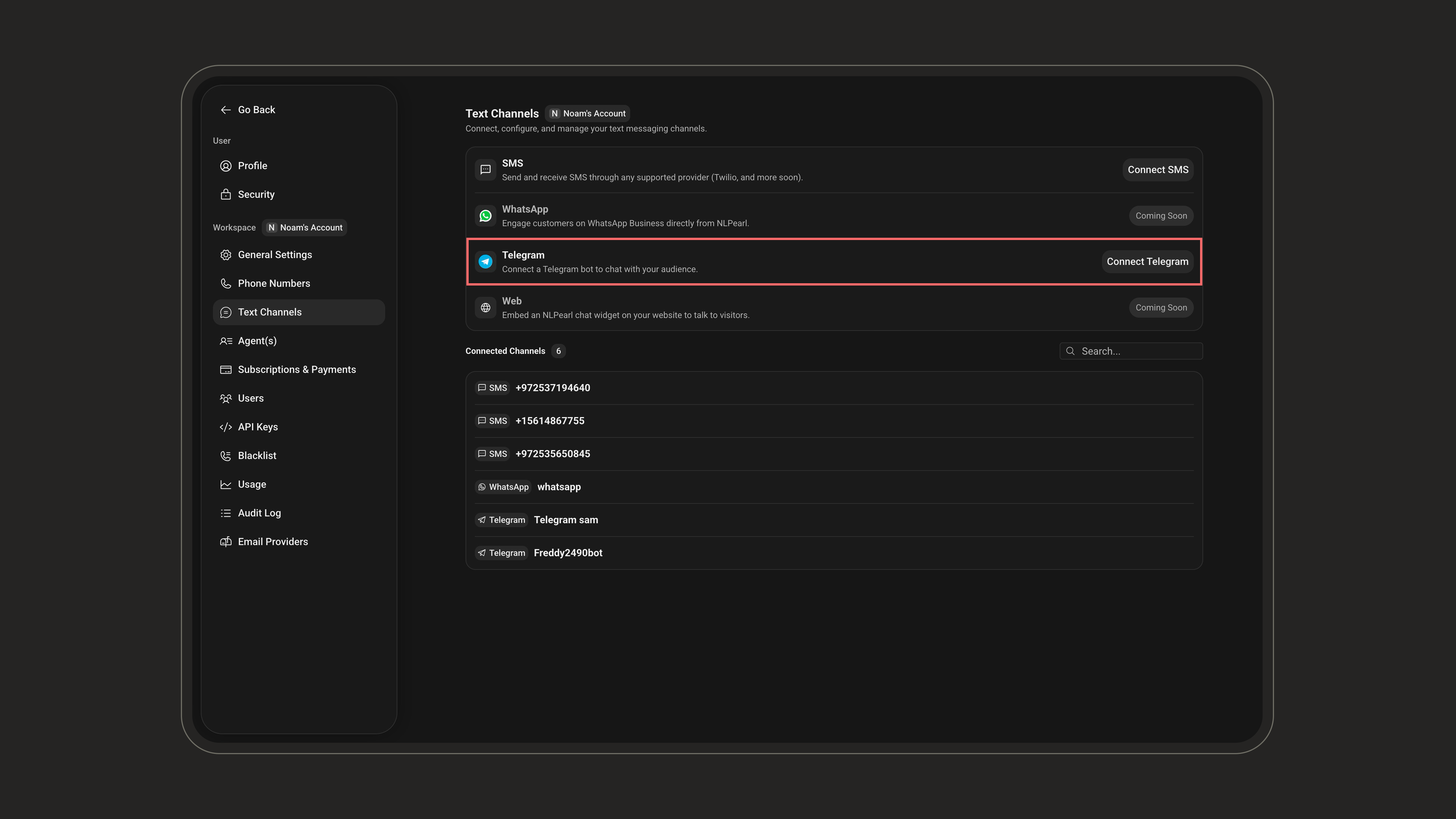
3
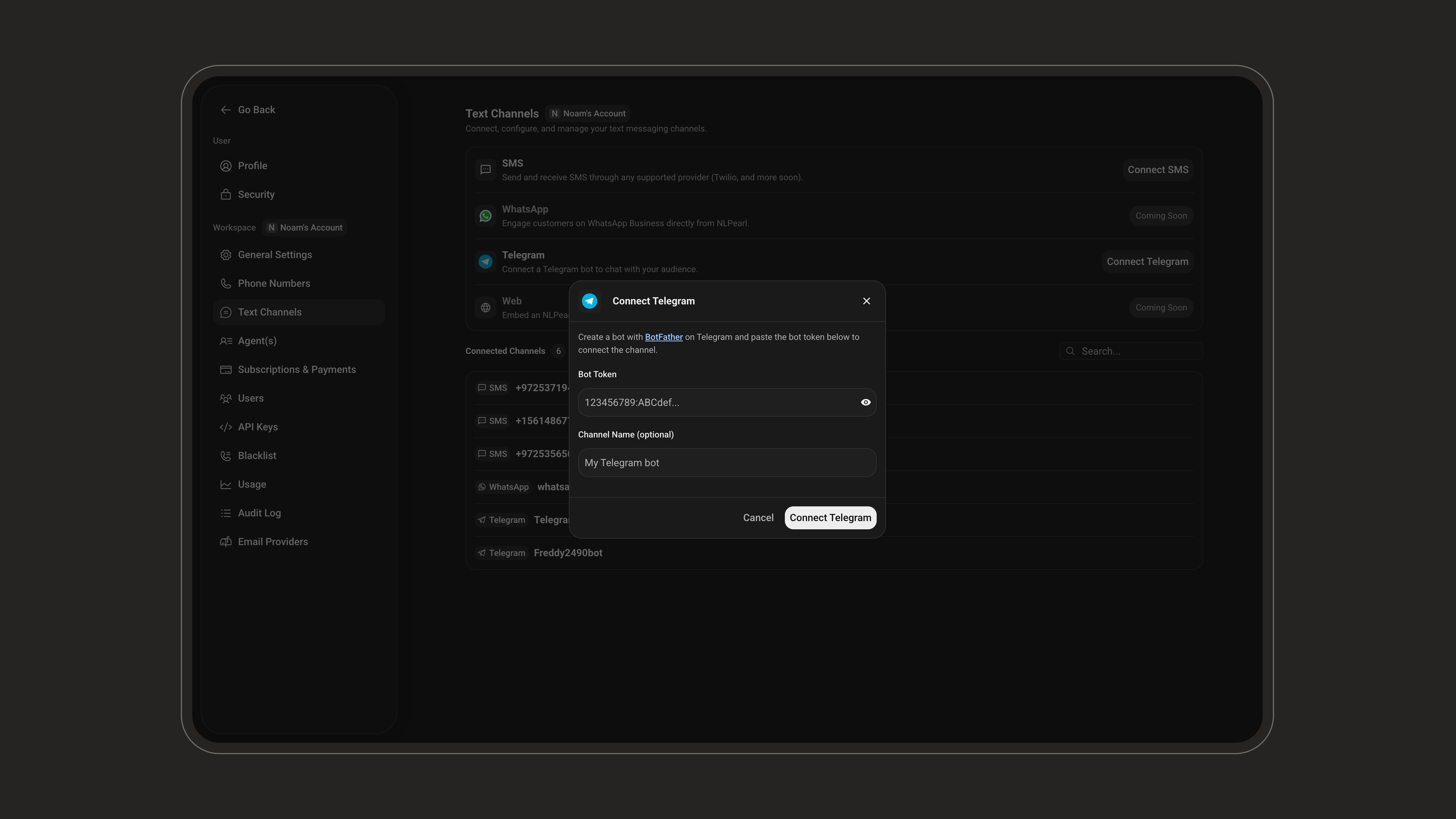
Enter the bot details
- Token: paste the access token you received from BotFather.
- Channel Name (optional): give the connection a name to identify it later.
4
Save and test
Save the connection, then message your bot on Telegram to confirm Pearl replies as expected.
5
Assign the channel to a Pearl
Open the Pearl you want to use for inbound conversations, go to Settings, and set the connected Telegram bot as its Text Channel.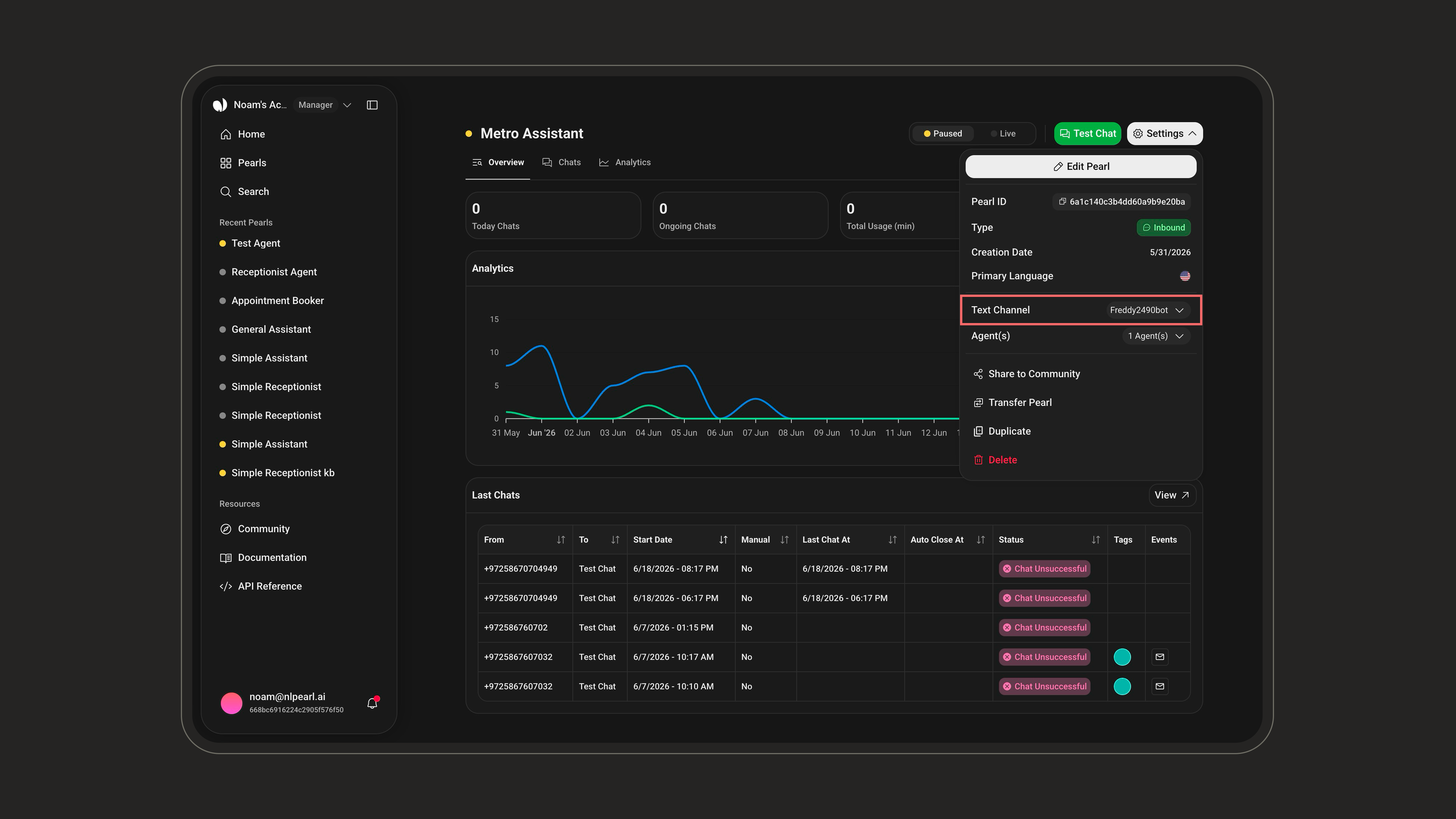
Inbound
Deploy your agent on inbound channels to answer incoming Telegram messages instantly.