


Generic Channel
The Generic channel connects your own messaging system to a Pearl Text agent. Use it with a web chat, mobile app, CRM inbox, or any custom platform instead of one of NLPearl’s built-in integrations. The integration uses two webhooks:202 Accepted. Pearl’s reply is delivered shortly afterward as a separate POST request to your outbound URL.
Set Up the Channel
1
Open Text Channels
On the platform, go to Settings, open Text Channels, then find Generic and click Connect Generic.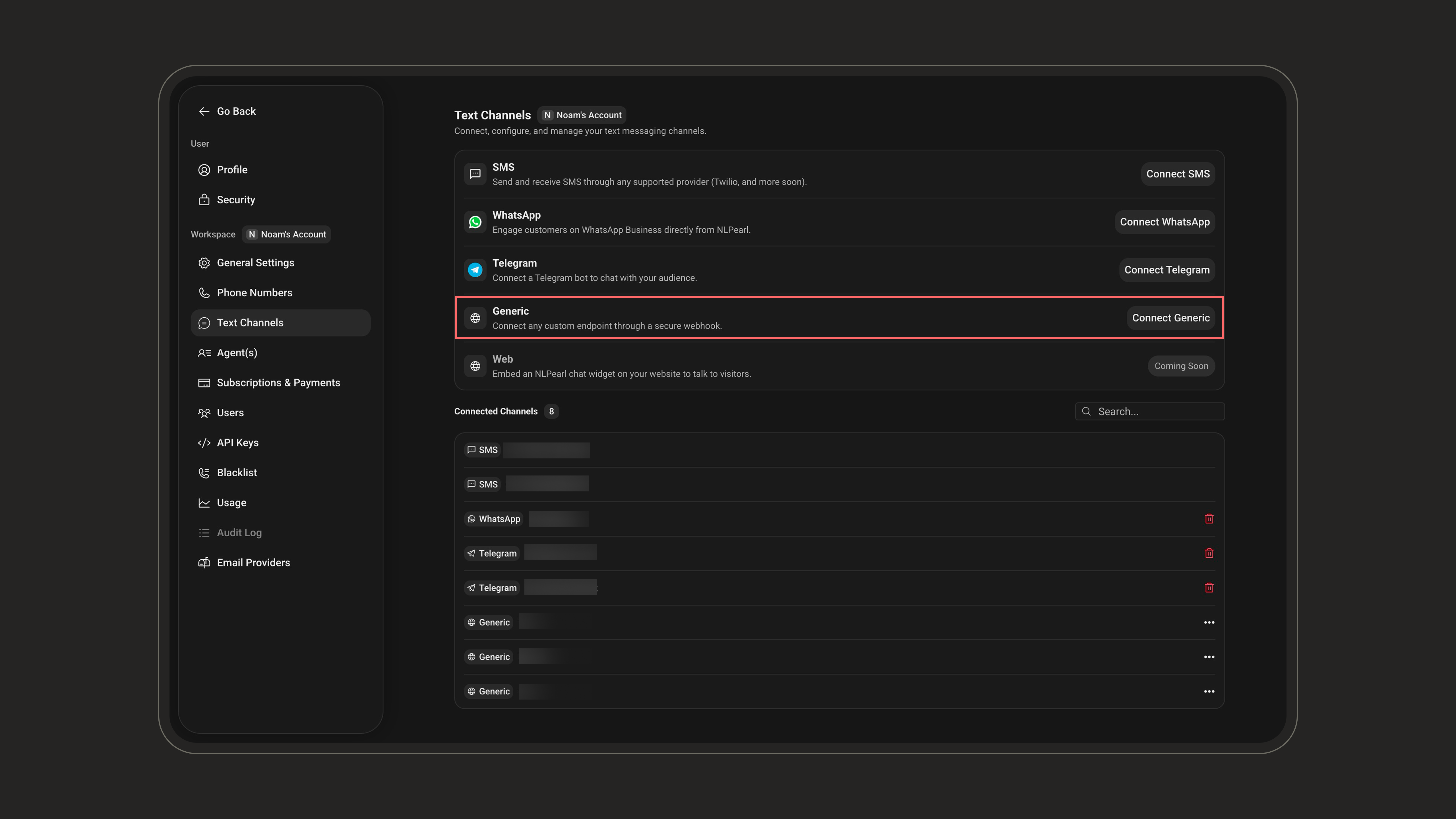
2
Configure your endpoint
Enter the details NLPearl will use to send events to your system: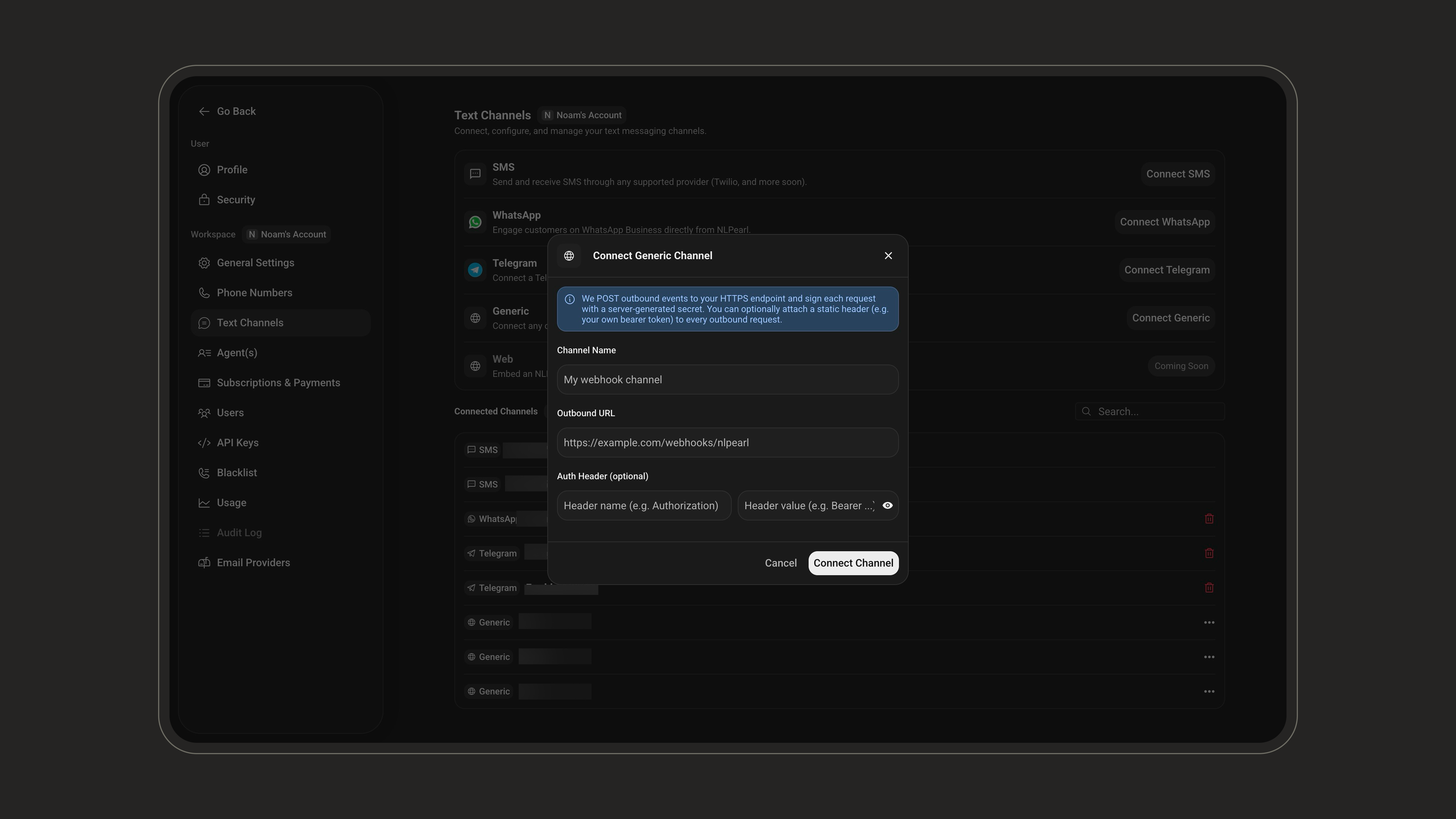
If your outbound URL is behind a firewall, allow the NLPearl IP addresses listed in IP Whitelisting.
3
Save your channel credentials
Click Connect Channel. Open the connected channel to access the credentials required by your integration: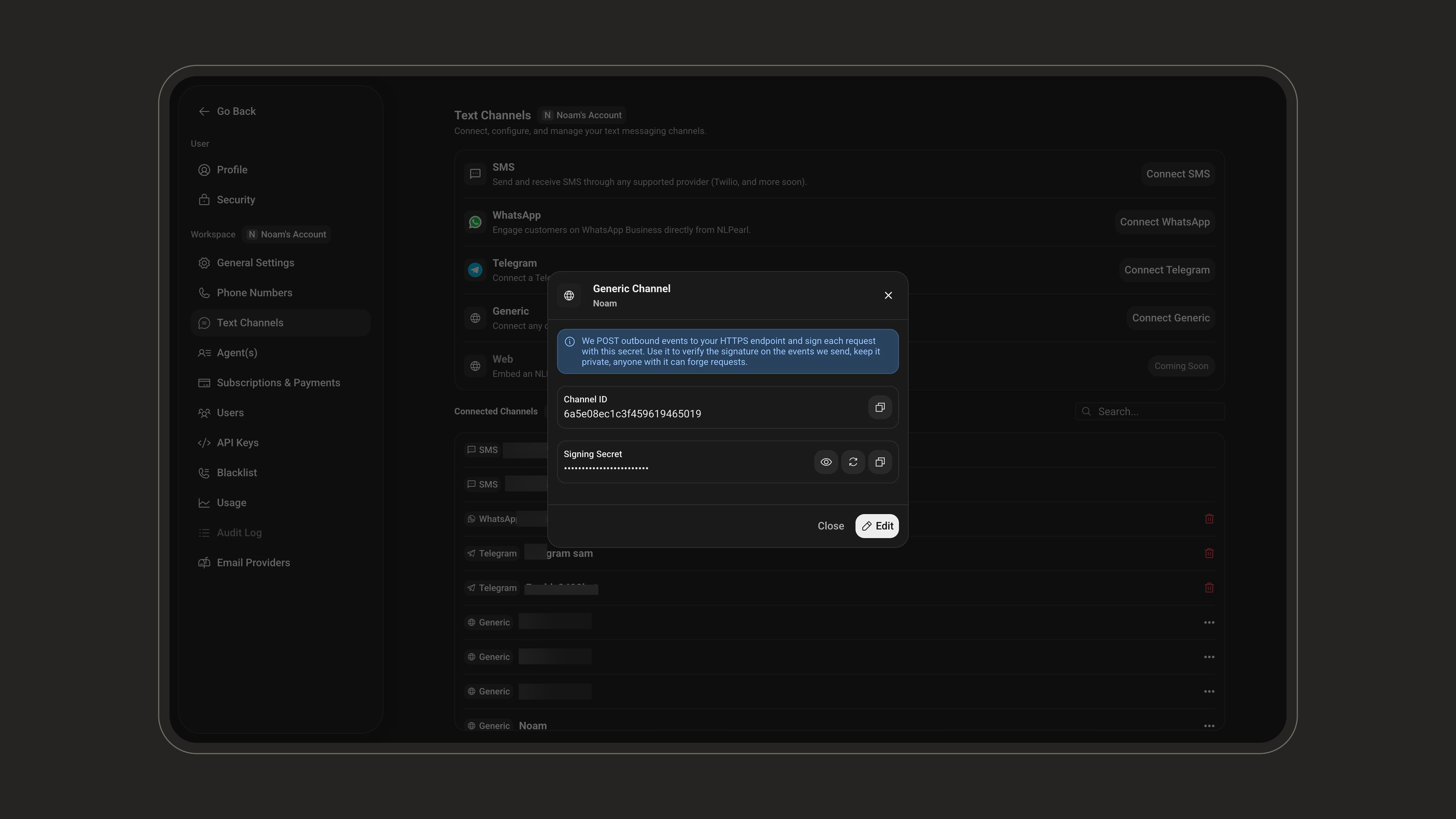
4
Assign the channel to a Pearl
Open the Pearl that should handle these conversations. From its Overview page, open Settings, select Text Channel, and choose the Generic channel you created.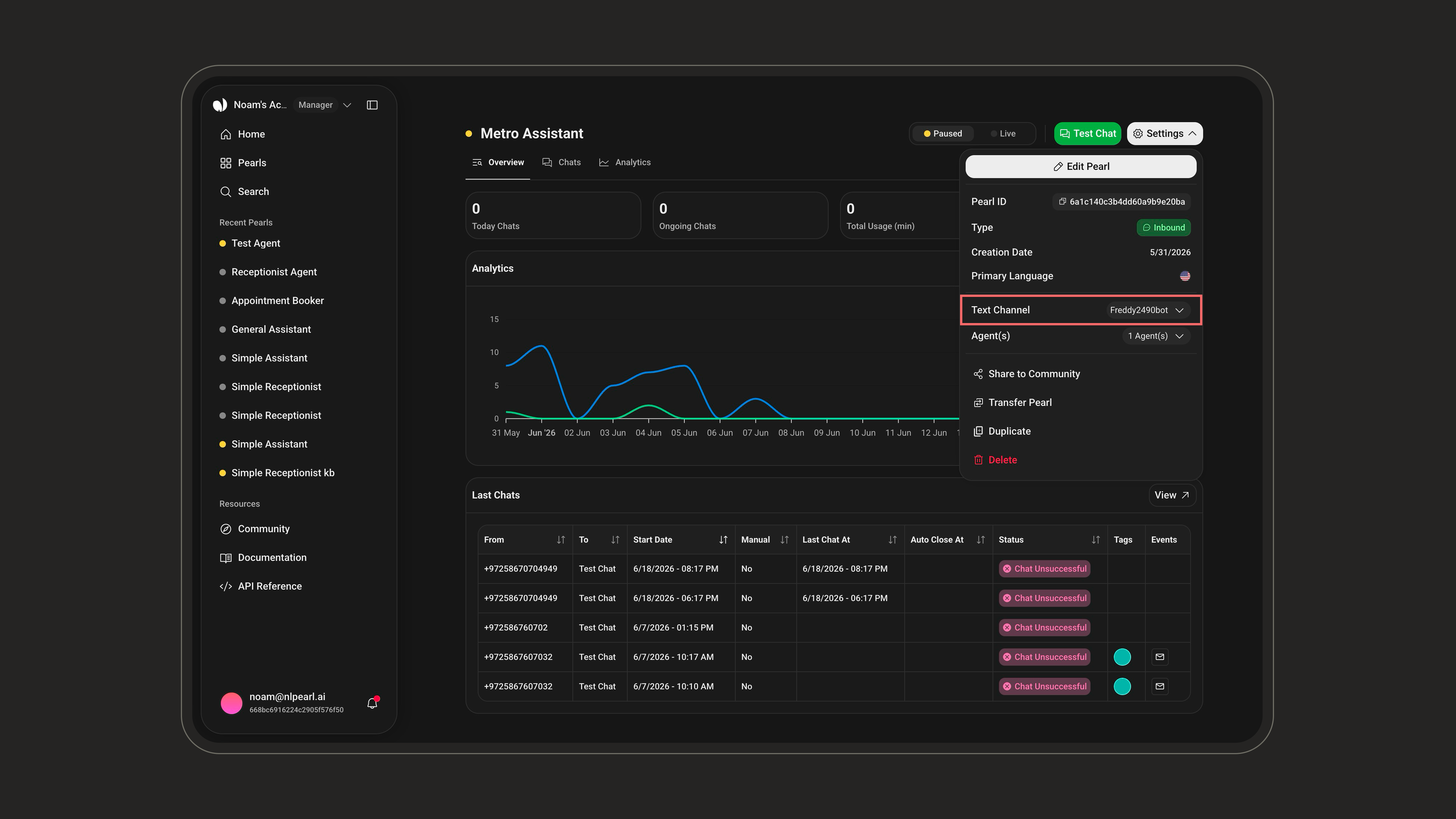
Send Requests to NLPearl
Send every request as JSON and include the channel secret:Send a User Message
Send a user message to:chatId is the conversation key. Every message with the same chatId belongs to the same conversation, and every outbound event for that conversation includes it.Return Control to Pearl
After a human handoff, return the conversation to Pearl:End a Conversation
Close a conversation:Take Over a Conversation
Let a human agent take control at any time, without waiting for Pearl to hand off:handoff event. When your agent is finished, call /HandoffToPearl to resume Pearl or /EndConversation to close the conversation.
Record a Manual Reply
Add a reply your human agent sent from your own system to the NLPearl transcript, so Pearl resumes with full context:handoff event or your own /TakeOver — and otherwise returns 400.
These control actions return 200 when successful, or 404 when no active conversation exists for the supplied chatId.
Receive Events from NLPearl
NLPearl sends each event to your outbound URL as aPOST request with this envelope:
Event Types
New event types may be added over time. Ignore types your integration does not recognize.
Acknowledge Message Delivery
Your HTTP response controls delivery retries formessage events:
Other event types, including
typing and handoff, are best-effort notifications and are not retried.
Verify Webhook Signatures
NLPearl includes these headers in every request to your outbound URL:Handle Human Handoffs
A handoff can start in two ways: Pearl steps aside on its own and sends ahandoff event, or your agent takes control directly with /TakeOver. Either way, Pearl stays silent until the conversation is returned to it.
1
Start the handoff
Pearl sends a
handoff event with the reason it stepped aside, or your agent calls /TakeOver to step in directly. No handoff event is sent for your own takeover.2
Keep the transcript in sync
Let your human agent communicate with the user in your own system. Continue sending the user’s messages to
/Message, and record your agent’s replies with /ManualMessage. Pearl remains silent while handed off, but the transcript and inactivity timers stay up to date, so Pearl resumes with full context.3
Finish the handoff
Call
/HandoffToPearl when Pearl should resume, or /EndConversation when the conversation is complete. Your endpoint then receives ai_resumed or conversation_ended, respectively.Rotate the Secret
Open the connected Generic channel and click the rotate icon beside the Signing Secret to generate a new one.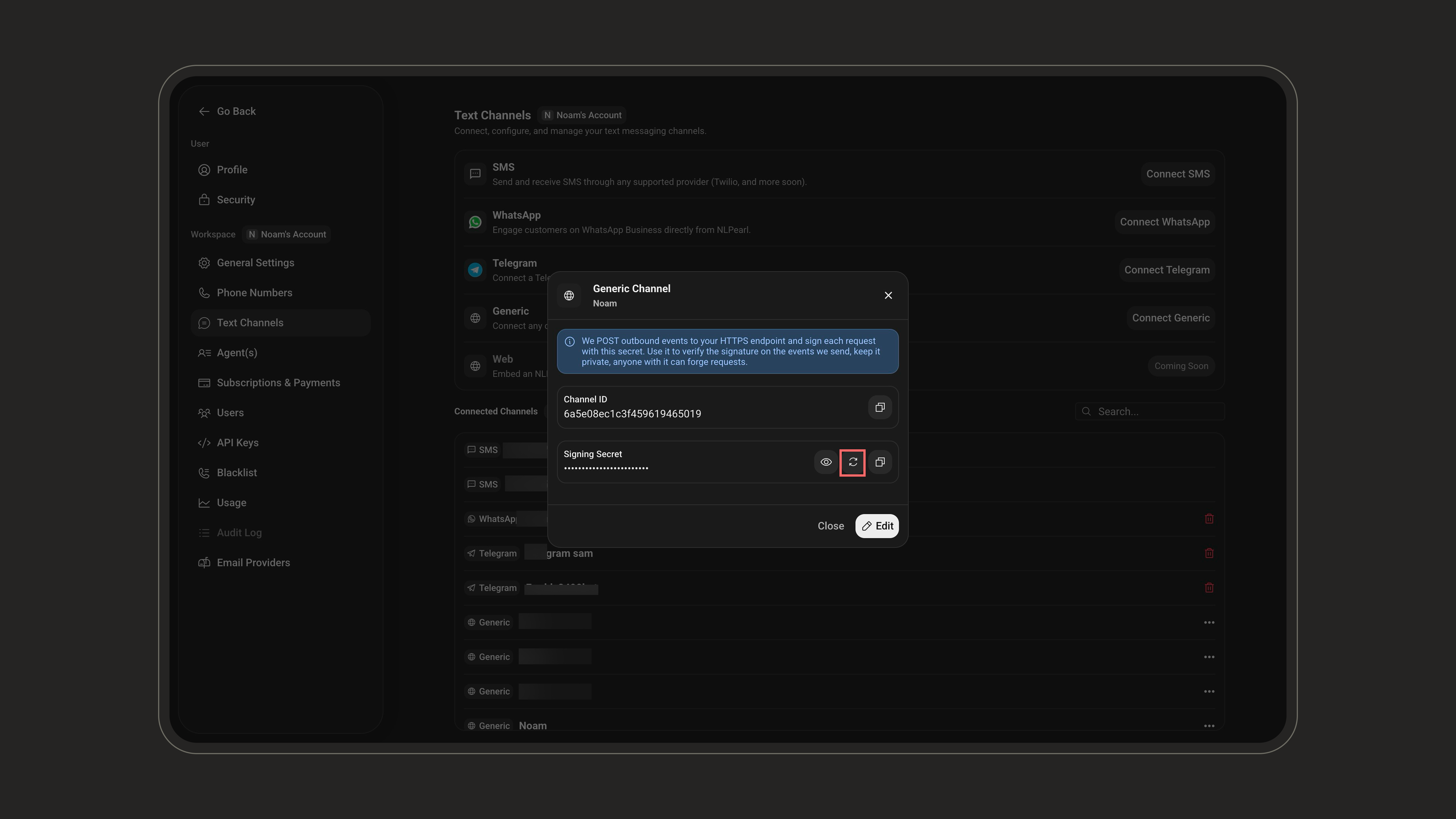
X-Pearl-Secret request header and webhook signature verification at the same time. Otherwise, your inbound requests and outbound webhook verification will fail until both sides use the new value.
Limits
Inbound
Configure how your Pearl handles incoming conversations, inactivity, transcripts, and webhooks.