


Why You Need Phone NumbersPhone numbers are required for both inbound and outbound activities on NLPearl.AI. Each phone number is tied to a specific country code, which defines the geographic area your campaign will cover. By associating phone numbers with your activities, you gain the following benefits:
- Localized Presence: Contact leads with a local number, increasing the likelihood of engagement.
- Compliance: Ensure that your activities meet country-specific regulations.
- Flexibility: Choose from multiple options to purchase or integrate phone numbers depending on your needs.
Available Options for Phone Numbers
NLPearl.AI offers you three main ways to acquire or integrate phone numbers into your activities. You can choose the option that best suits your business needs and geographic requirements. All three start from Settings → Phone Numbers: click Purchase or Connect, then choose Purchase NLPearl Number, Custom VoIP, or Connect to Twilio.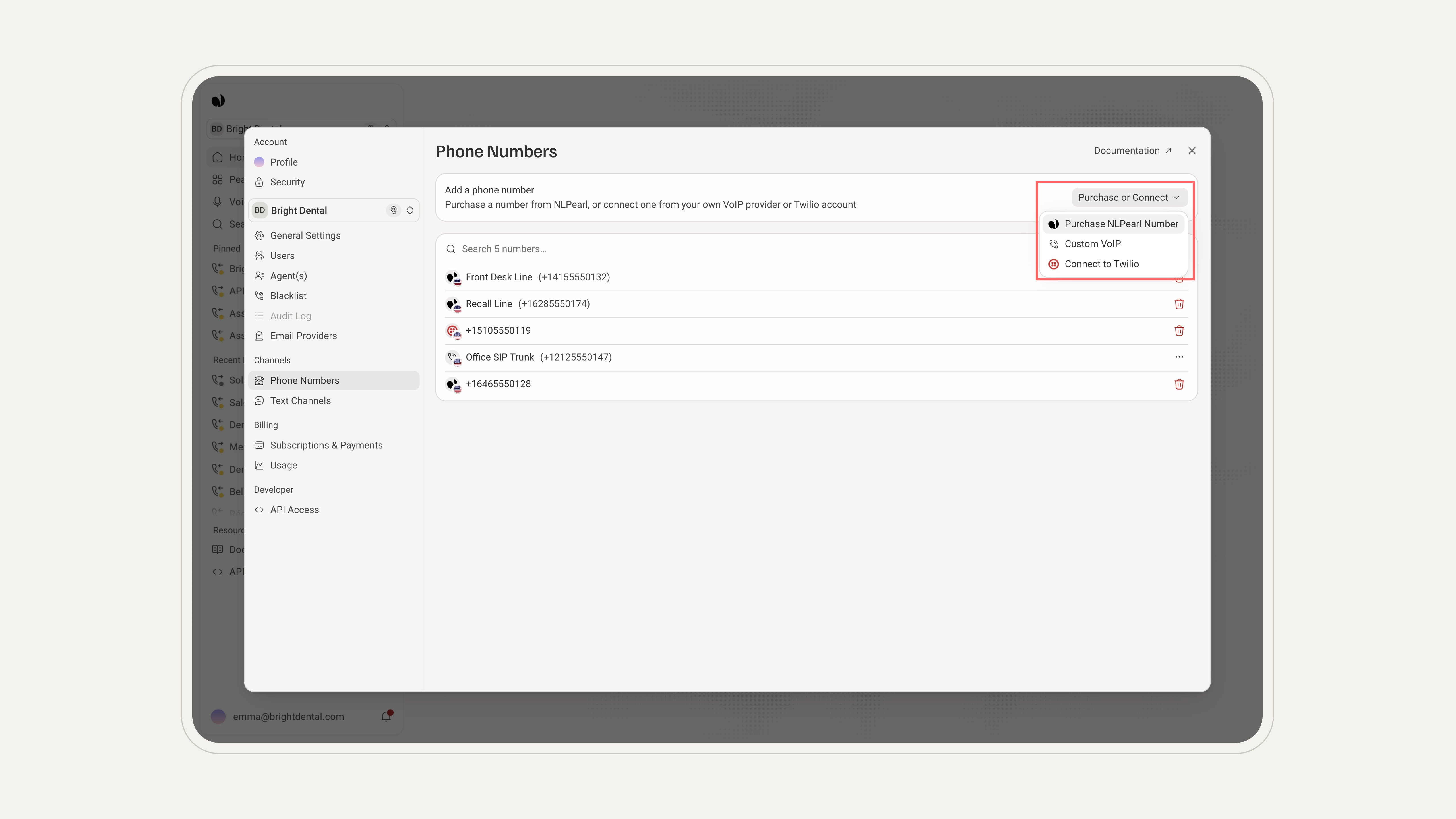
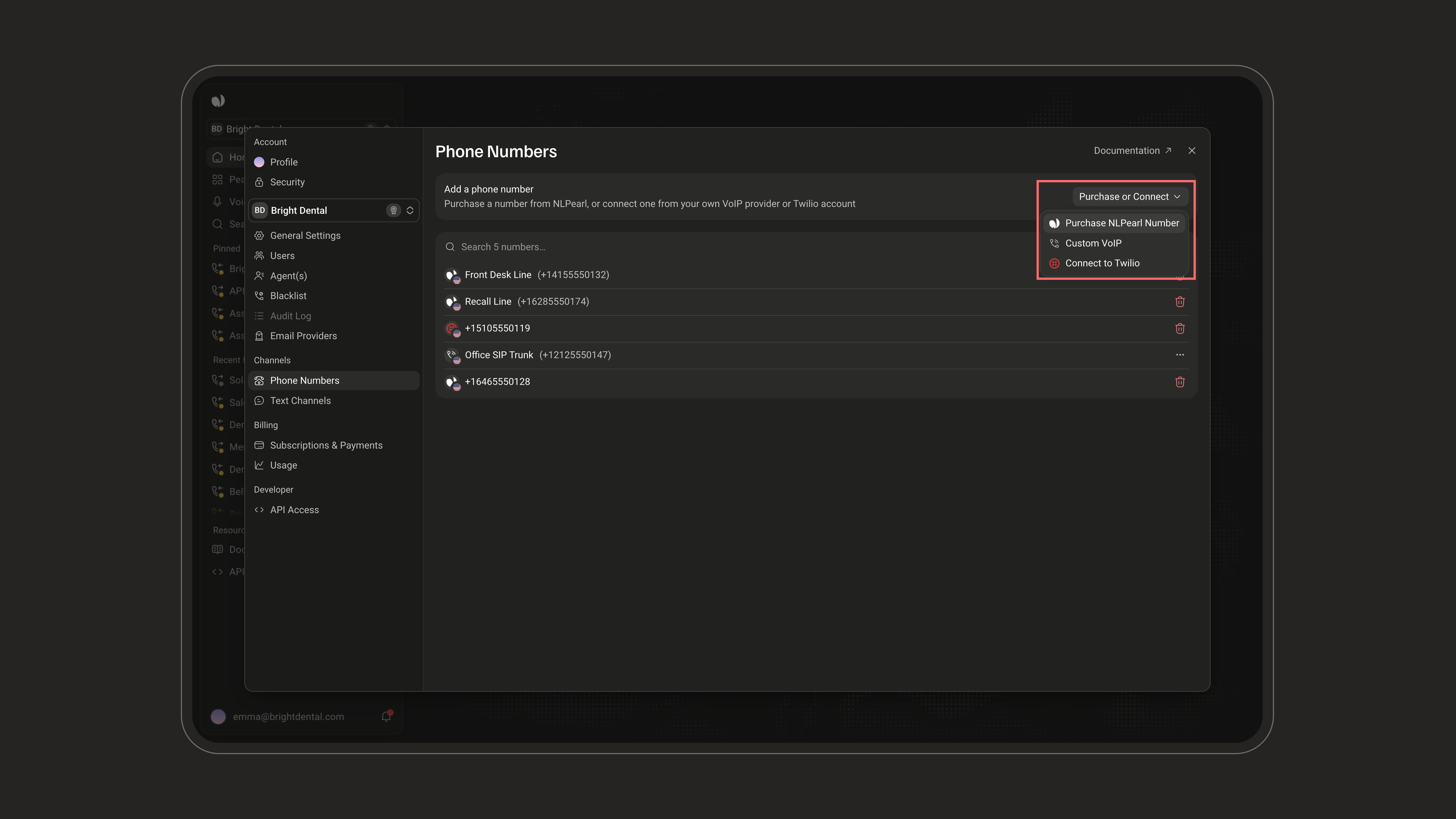
NLPearl provides an easy solution to purchase phone numbers directly from the platform. This option is ideal if you need a quick and straightforward way to acquire phone numbers, currently available for the United States. By purchasing a phone number from NLPearl, you can easily manage and assign it to your inbound and outbound campaigns.


For more details, visit the NLPearl Phone Numbers page.
If you already have a Twilio account, you can integrate it directly with NLPearl.AI and import the phone numbers you have from Twilio. This option allows for more flexibility as Twilio provides phone numbers for multiple countries, enabling you to extend your campaigns to a broader audience.

Visit Twilio Integration for details on how to import and manage your Twilio phone numbers.
For businesses with custom VoIP providers, NLPearl.AI supports the integration of your own VoIP services. This gives you full control over the phone numbers and configurations, making it ideal for those with specific telecom setups.


To learn more about integrating your own VoIP service, check out Custom VoIP Integration.
Naming Your Phone Numbers
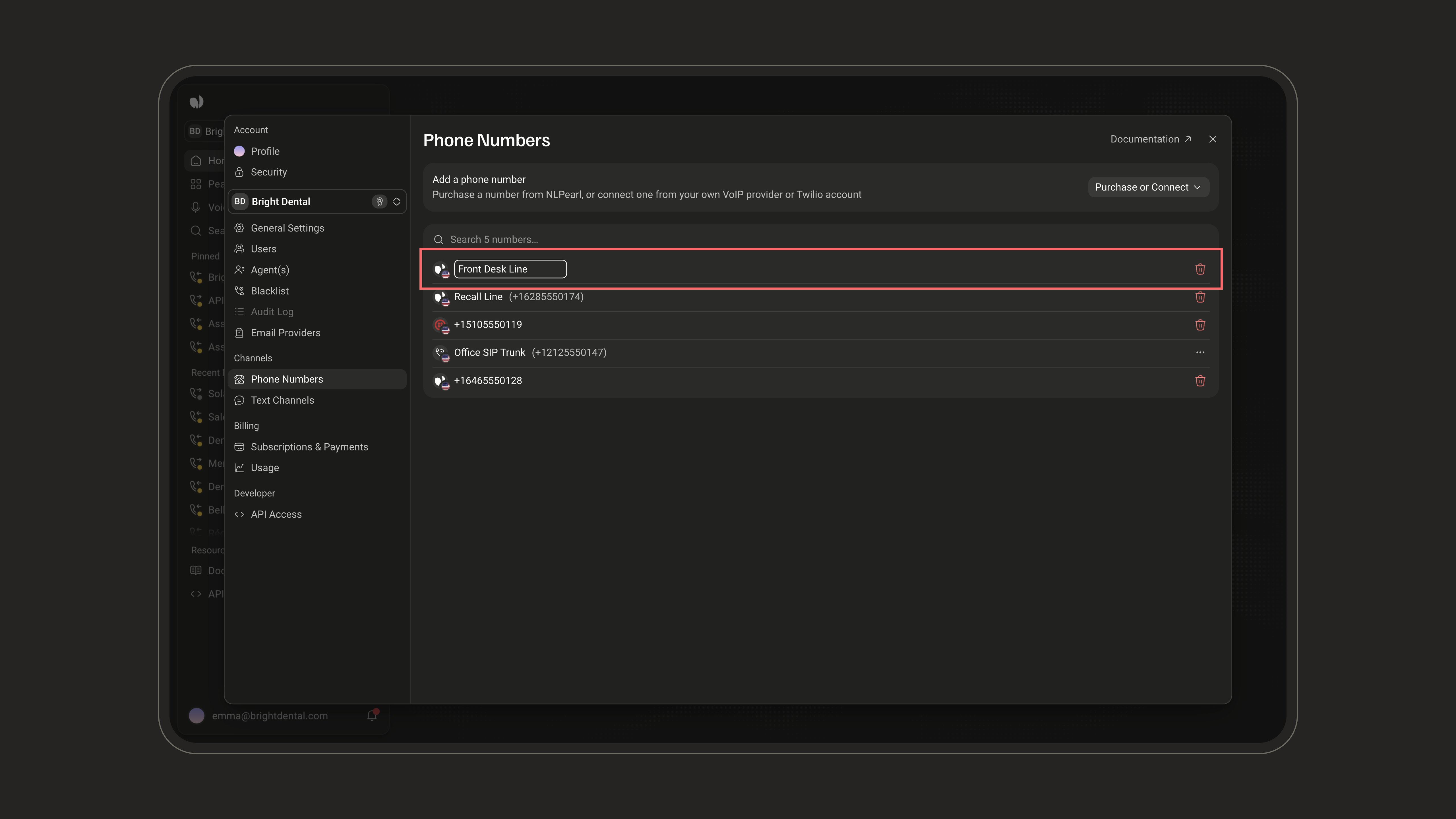
Once numbers are in your account, you can give each one a display name to recognize it easily (for example, “Front Desk Line”). In the Phone Numbers list, hover a number, click its pencil (Edit Display Name), enter a name, and save.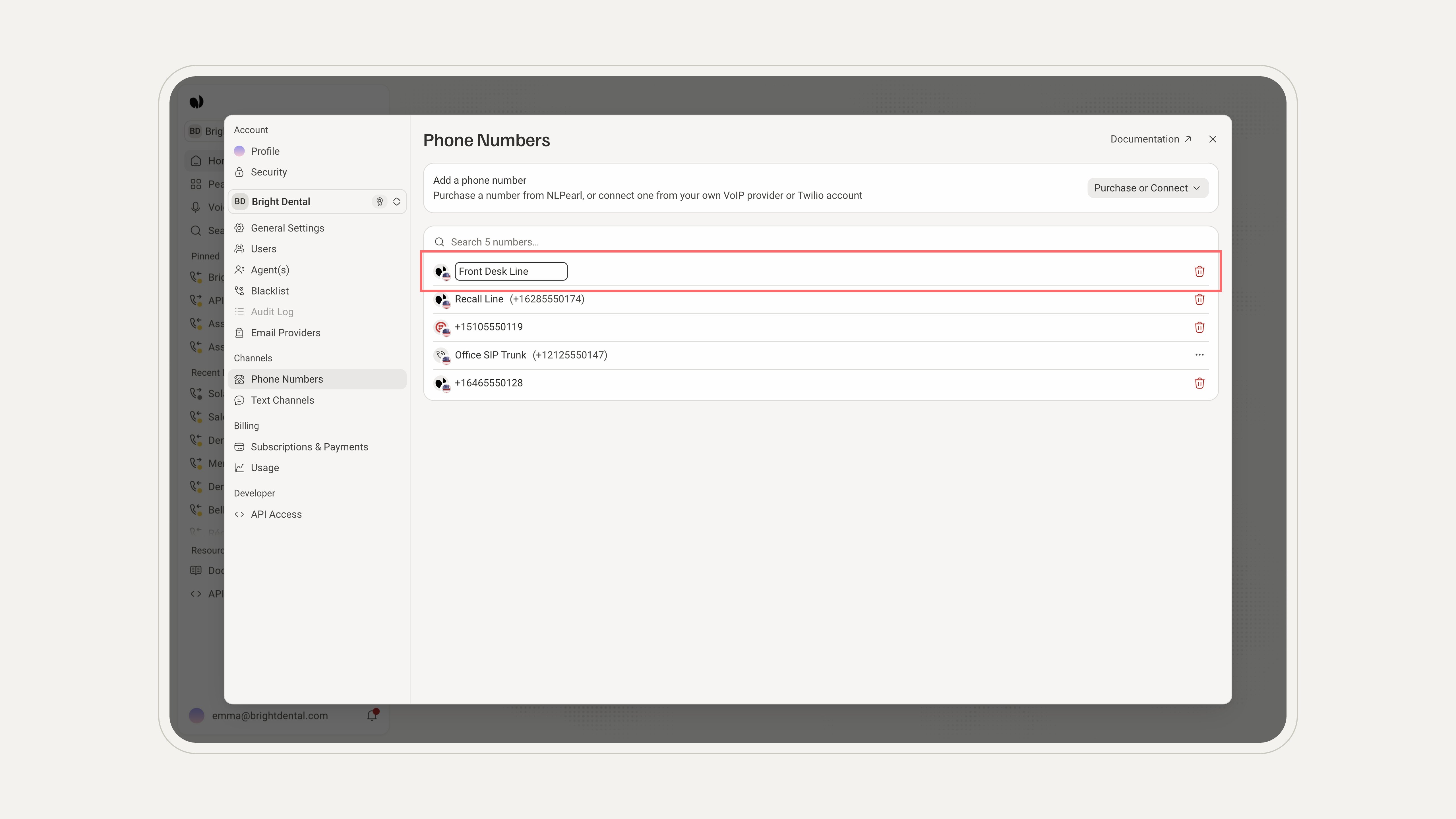
Phone numbers are the foundation of your communication activities on NLPearl.AI. Depending on your business needs, you can choose from NLPearl-provided numbers, integrate your Twilio account, or use your own VoIP provider to ensure full flexibility and coverage for your campaigns.