> ## Documentation Index
> Fetch the complete documentation index at: https://developers.nlpearl.ai/llms.txt
> Use this file to discover all available pages before exploring further.
# SMS
> Connect your Pearl Text agent to SMS through Twilio to send and receive text messages with your customers.
***
## SMS Channel
Connect your Pearl Text agent to **SMS** to handle conversations over standard text messaging. SMS runs through **Twilio**, so the connection works exactly like the [Twilio Integration](/pages/twilio_integration) used for voice phone numbers - you link your Twilio account once, then use your numbers across NLPearl.
SMS works for both [inbound](/pages/text/inbound) conversations, where the customer messages you first, and [outbound](/pages/text/outbound) campaigns, where Pearl reaches out proactively.
***
### Step 1 - Connect your Twilio account
Connecting SMS uses the same flow as importing voice phone numbers. Follow the [Twilio Integration](/pages/twilio_integration) guide to link your Twilio account with NLPearl, then come back here to buy a number dedicated to SMS.
Link your Twilio account with NLPearl to use your Twilio numbers on the platform.
***
### Step 2 - Buy a phone number for SMS
The only difference with SMS is that you buy a number specifically enabled for messaging. You do this directly in the [Twilio Console](https://www.twilio.com/console), in three steps.
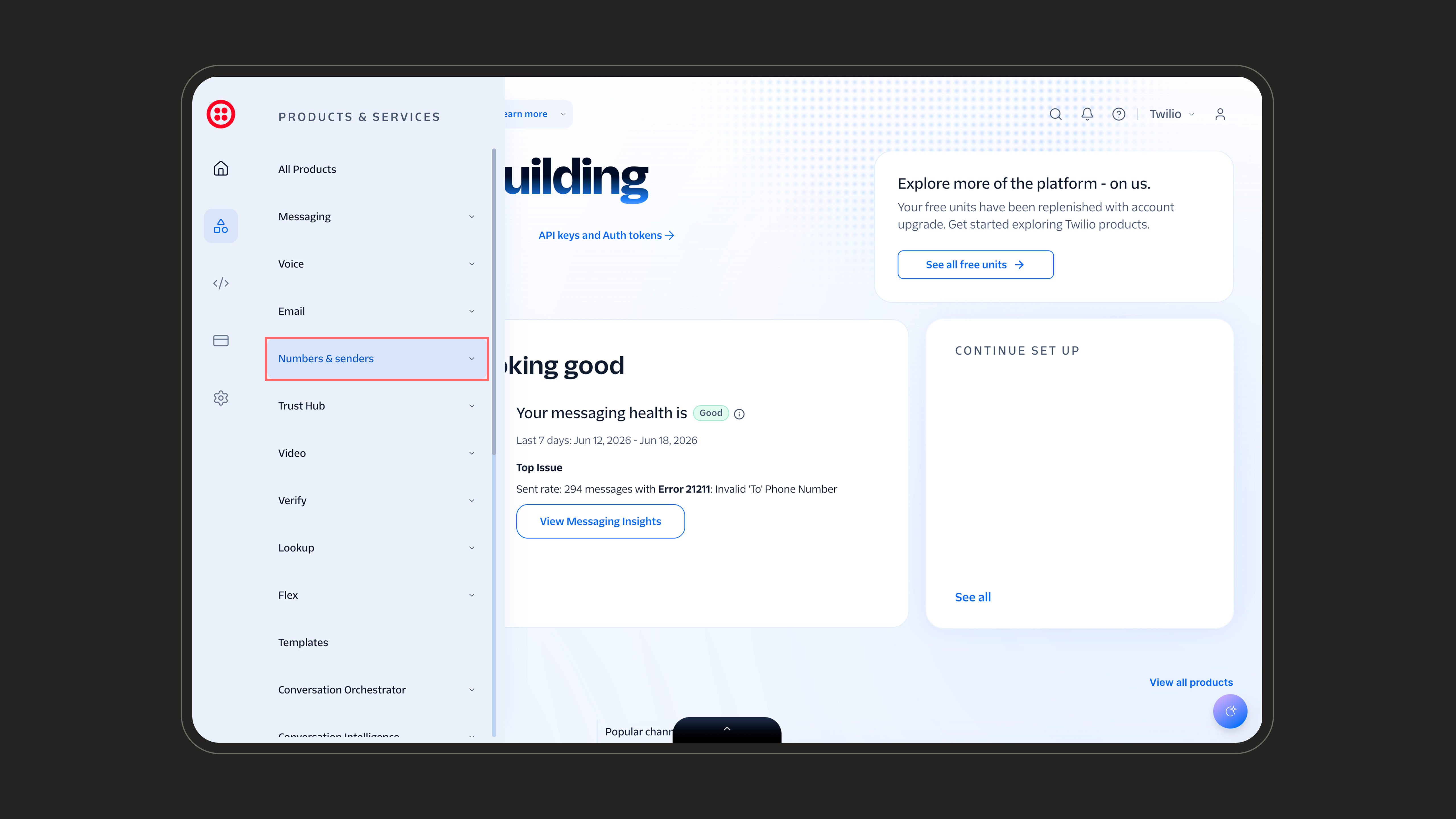
In the Twilio Console, open the **Products & Services** menu and select **Numbers & senders**.
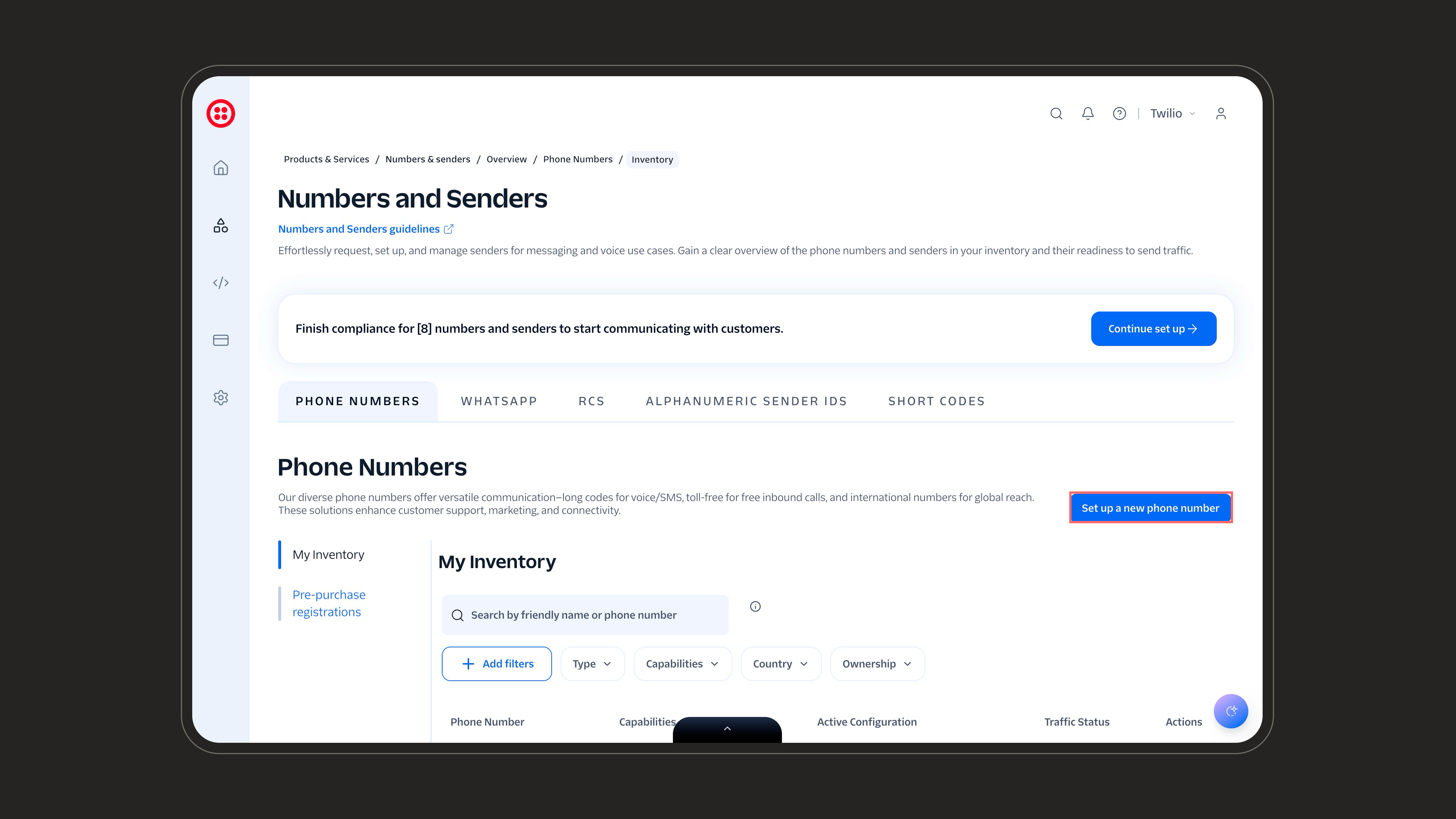
 Open the **Phone Numbers** tab and click **Set up a new phone number** on the top right to start the purchase flow.
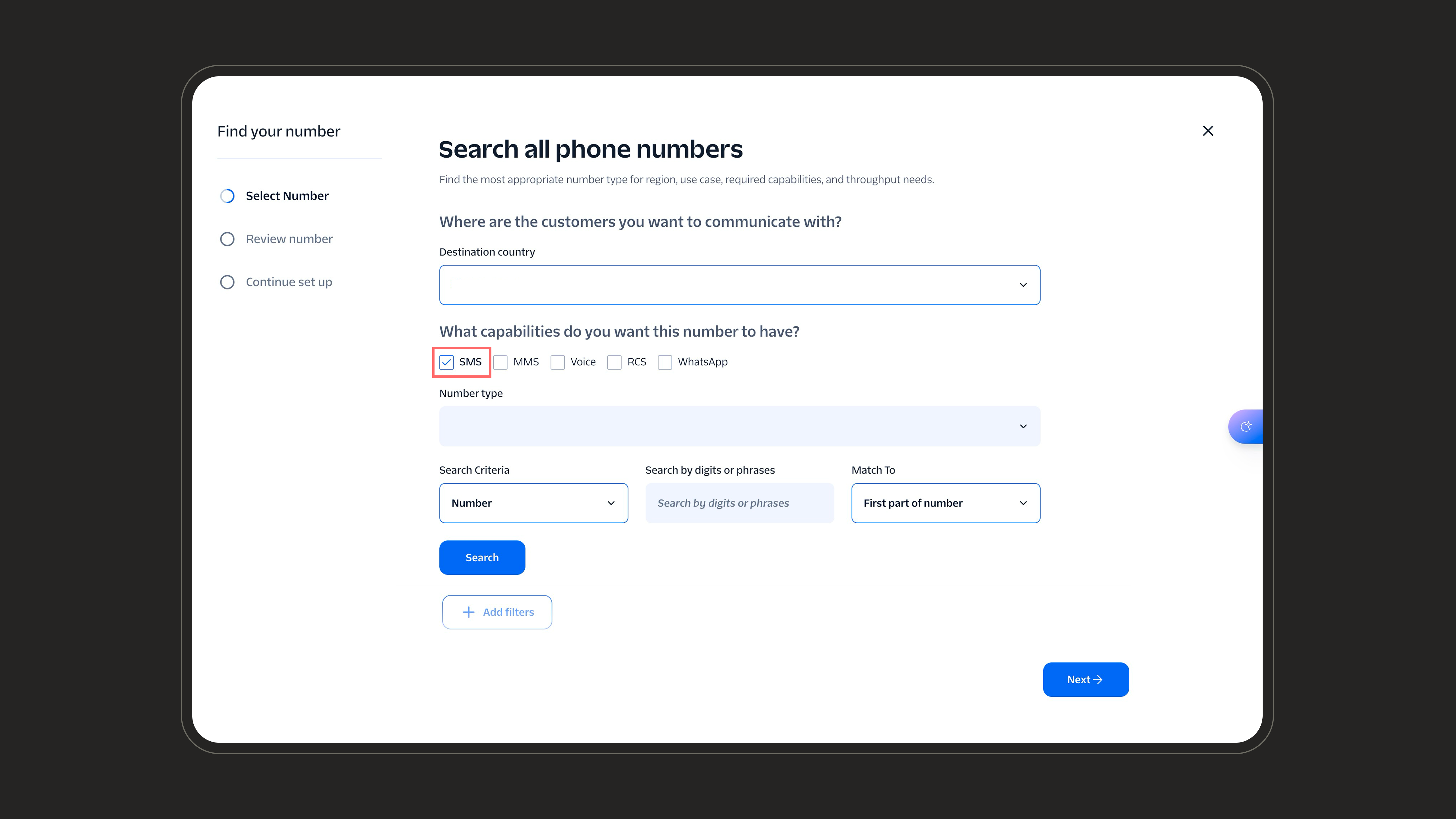
 Choose the **destination country** where your customers are, then under **capabilities** make sure **SMS** is checked. Search for a number, pick one, and complete the purchase.
 Once purchased, the SMS number appears in Twilio. Import it into NLPearl from the [Twilio Integration](/pages/twilio_integration) screen, just like any other Twilio number.
***
Deploy your agent on inbound channels to answer incoming SMS instantly.
Launch outbound SMS campaigns to reach customers proactively.
Once purchased, the SMS number appears in Twilio. Import it into NLPearl from the [Twilio Integration](/pages/twilio_integration) screen, just like any other Twilio number.
***
Deploy your agent on inbound channels to answer incoming SMS instantly.
Launch outbound SMS campaigns to reach customers proactively.
