> ## Documentation Index
> Fetch the complete documentation index at: https://developers.nlpearl.ai/llms.txt
> Use this file to discover all available pages before exploring further.
# Recording Node
Available for **Pearl Voice** only.
The **Start Recording** node gives you control over when call recording begins in a Pearl Voice flow.
## What it does
Starts recording at the exact point where Pearl reaches this node in a Pearl Voice flow.
Recording is usually managed at campaign level. In most cases, calls are recorded automatically according to the **Recording** settings in your **Inbound Campaign** or **Outbound Campaign** settings.
**Feature-flagged node.** Start Recording is hidden by default and is not available in every workspace or plan.
To add it to your flow, ask **PearlVibe** in natural language:
```text Example prompt for PearlVibe theme={null}
Add a Start Recording node after Pearl asks the caller for permission to record the call.
```
If Start Recording does not appear in the toolbar or add-node panel after asking PearlVibe, it is not enabled for your account.
## When to use it
Use Start Recording when recording should begin only after a specific moment in the call:
| Use case | Recording begins |
| --------------------- | ------------------------------------------------------------ |
| **Disclosure** | Once Pearl informs the caller the call may be recorded |
| **Consent** | Once the caller agrees to be recorded |
| **Specific branches** | Only on selected paths of the flow |
| **Compliance** | When a process requires recording to begin later in the call |
## How it works
Automatic recording is configured in your **Inbound Campaign** or **Outbound Campaign** settings. When it is enabled, recording begins at the start of the call and you do not need this node.
To trigger recording from the flow instead, set it up as a conditional action:
Turn off automatic recording in the relevant Inbound or Outbound Campaign settings, so recording starts only from the flow.
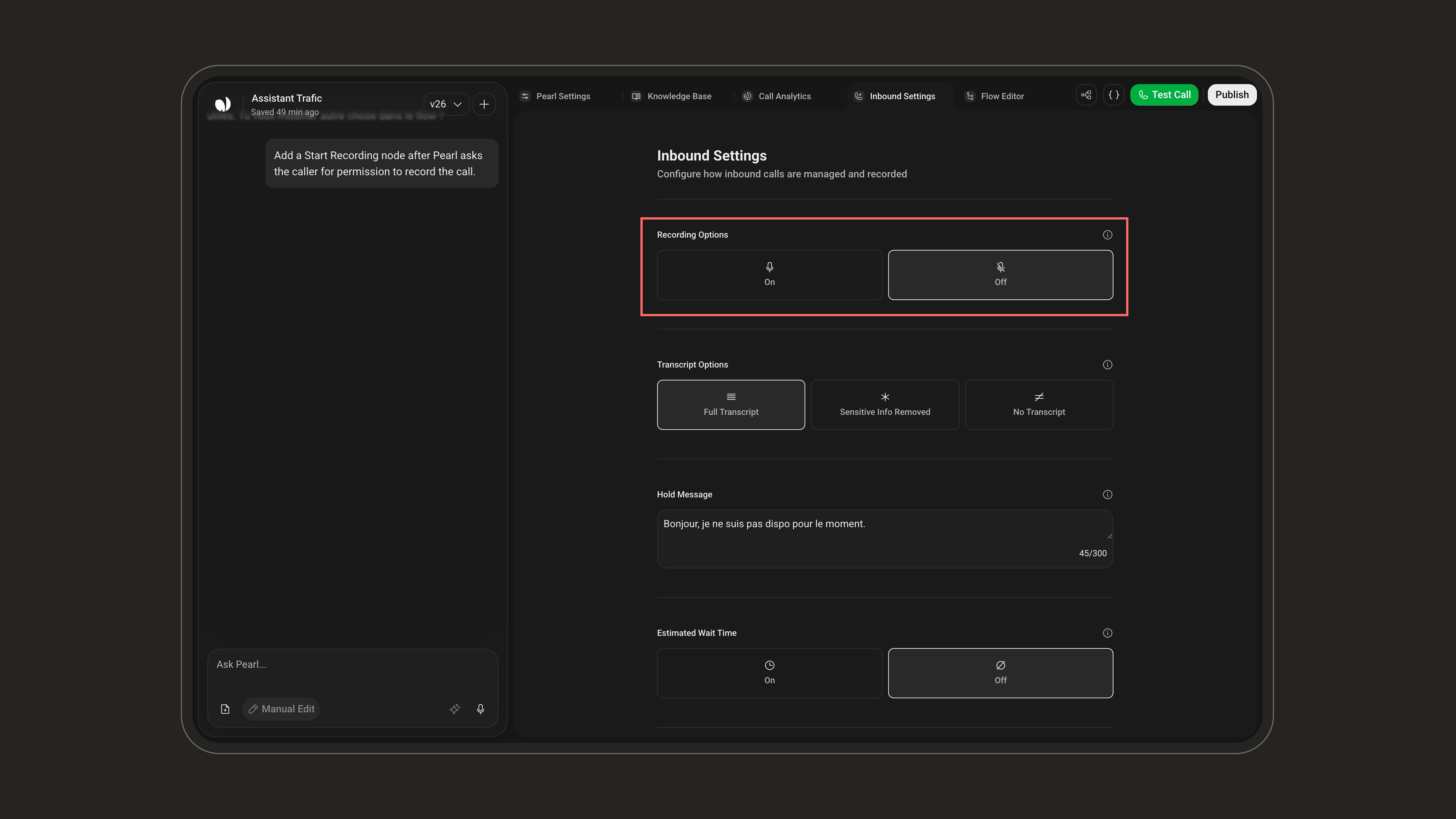 Once automatic recording is disabled, any call that does not reach the Start Recording node will **not** be recorded. Make sure every path that requires a recording leads to the node.
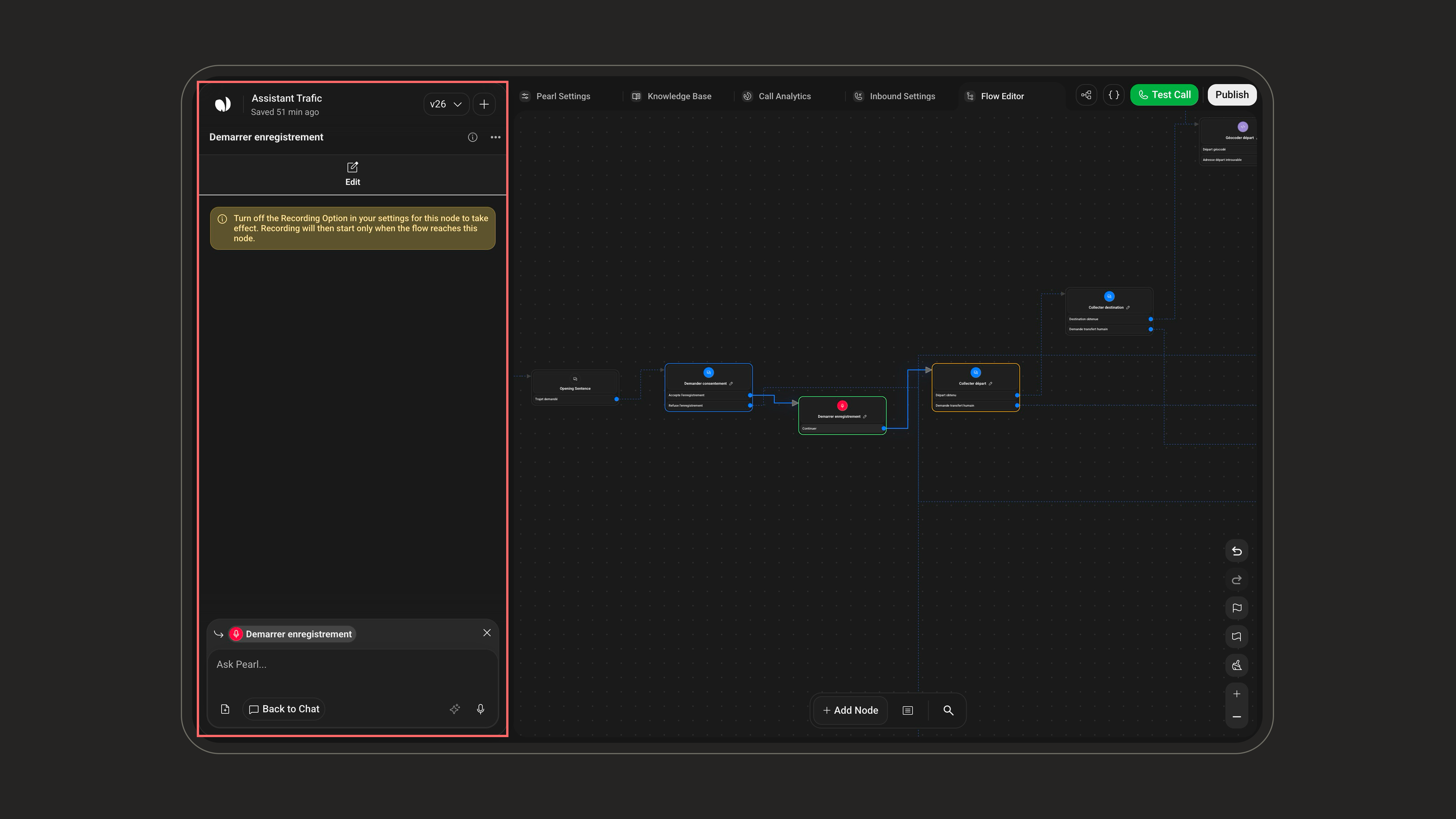
Add a [Dialogue](/pages/dialogue) node before Start Recording to explain the recording policy and collect the caller's answer. Start Recording does not ask for permission by itself.
Use a conditional transition to send callers who agree to the **Start Recording** node.
Put **Start Recording** exactly where recording should begin. It has no configuration fields, it is an action marker inside the flow.
Once automatic recording is disabled, any call that does not reach the Start Recording node will **not** be recorded. Make sure every path that requires a recording leads to the node.
Add a [Dialogue](/pages/dialogue) node before Start Recording to explain the recording policy and collect the caller's answer. Start Recording does not ask for permission by itself.
Use a conditional transition to send callers who agree to the **Start Recording** node.
Put **Start Recording** exactly where recording should begin. It has no configuration fields, it is an action marker inside the flow.
 Recordings are always active during test calls, regardless of this node or your campaign recording settings.
