> ## Documentation Index
> Fetch the complete documentation index at: https://developers.nlpearl.ai/llms.txt
> Use this file to discover all available pages before exploring further.

# Post-Call

> All you need to know about Post-Call in NLPearl

<div className="block dark:hidden">
  <Frame>
    <div className="p-1">
      <img src="https://mintcdn.com/nlpearl/tAyL-PAMsD9LnbQ9/images/light_mode/postcall-cover.svg?fit=max&auto=format&n=tAyL-PAMsD9LnbQ9&q=85&s=0e4ad833868d12e5bdfd43e27b829c8b" alt="Post-Call cover" className="rounded-[14px]" width="1048" height="720" data-path="images/light_mode/postcall-cover.svg" />
    </div>
  </Frame>
</div>

<div className="hidden dark:block">
  <Frame>
    <div className="p-1">
      <img src="https://mintcdn.com/nlpearl/tAyL-PAMsD9LnbQ9/images/dark_mode/postcall-cover.svg?fit=max&auto=format&n=tAyL-PAMsD9LnbQ9&q=85&s=372648b5ff9e0ad6ee5973d23433c46b" alt="Post-Call cover" className="rounded-[14px]" width="1048" height="720" data-path="images/dark_mode/postcall-cover.svg" />
    </div>
  </Frame>
</div>

***

## What is a Post-Call?

In NLPearl, a **post-call** is a structured summary generated after each phone conversation handled by Pearl. It centralizes all key information captured before, during, and after the call to ensure full traceability, improve quality, and support human follow‑up when needed.

***

## What Does the Post-Call Include?

A post-call provides multiple key sections to review and analyze the outcome of a conversation:

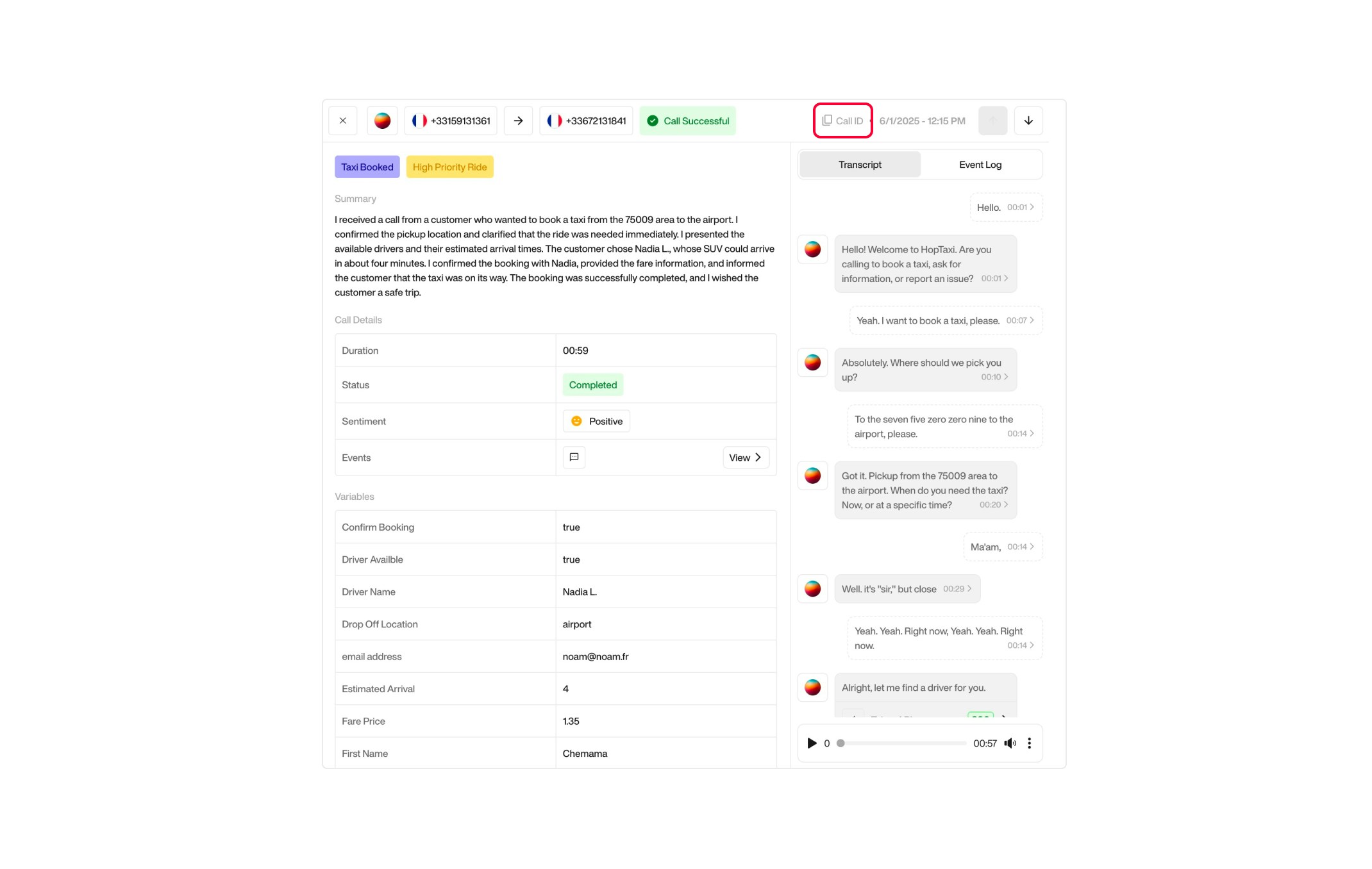
### Call ID

A unique identifier for each call, displayed at the top right of the page. It allows you to quickly reference or search for a specific call across the system.

<div className="block dark:hidden">
  <Frame>
    <div className="p-1">
      <img src="https://mintcdn.com/nlpearl/dWWMdFzyPk-9Vcky/images/light_mode/postcall_callid.jpg?fit=max&auto=format&n=dWWMdFzyPk-9Vcky&q=85&s=503474519aaa906ff10f66311cca8b28" alt="Send Email action interface on light mode" className="rounded-[14px]" width="2140" height="1356" data-path="images/light_mode/postcall_callid.jpg" />
    </div>
  </Frame>
</div>

<div className="hidden dark:block">
  <Frame>
    <div className="p-1">
      <img src="https://mintcdn.com/nlpearl/nyDvVX0ZPwzeAWkt/images/dark_mode/postcall_callid.jpg?fit=max&auto=format&n=nyDvVX0ZPwzeAWkt&q=85&s=99dc6d1ab35e537acd91fd2350e47725" alt="Send Email action interface on dark mode" className="rounded-[14px]" width="2140" height="1356" data-path="images/dark_mode/postcall_callid.jpg" />
    </div>
  </Frame>
</div>

***

### Call Details

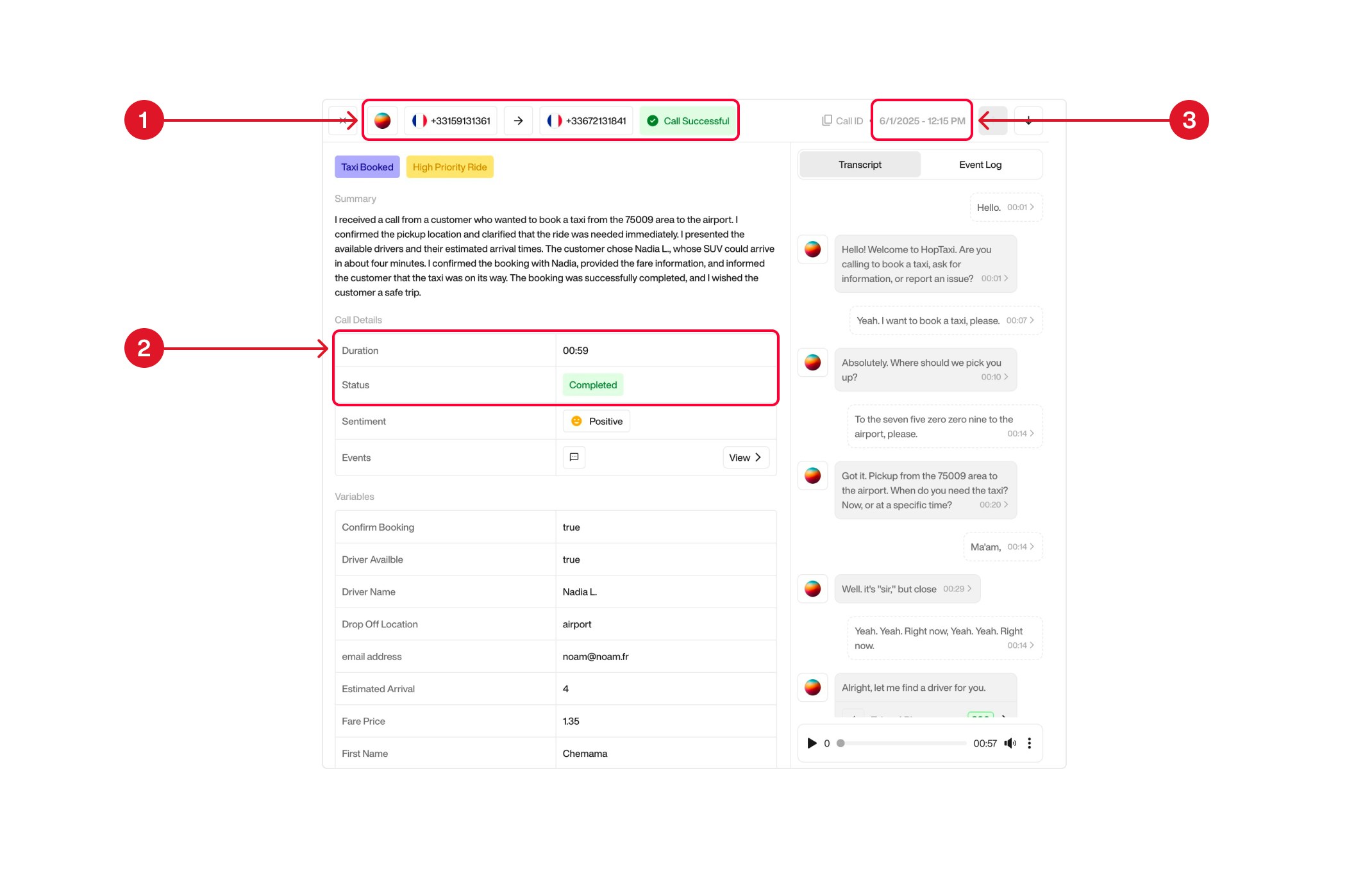
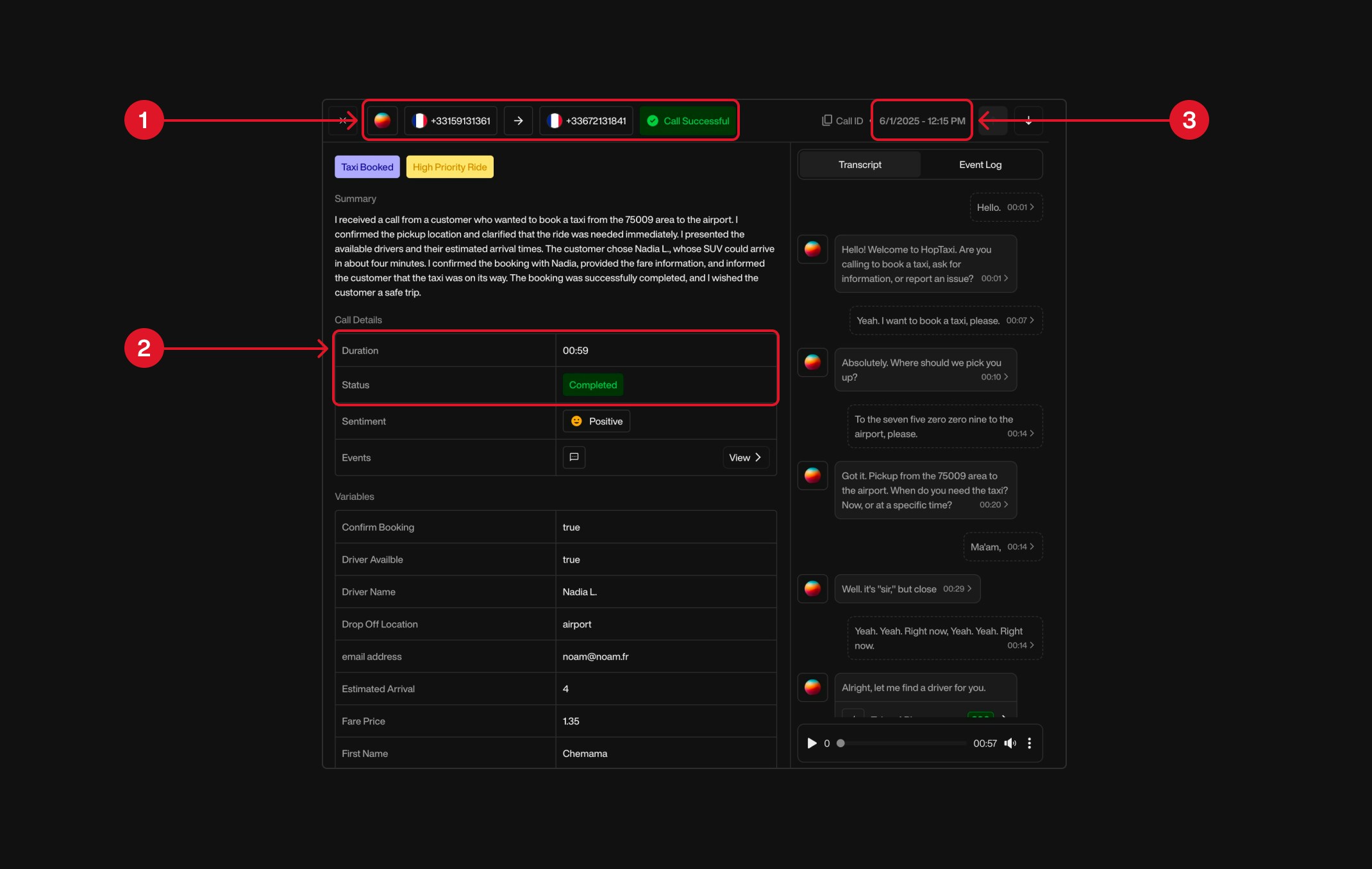
This section summarizes the essential metadata captured during the call, including participant details, call status, timing, and performance metrics.

| Ref | Section                | Description                                                                                                                                                    |
| --- | ---------------------- | -------------------------------------------------------------------------------------------------------------------------------------------------------------- |
| ①   | **Header Information** | Displays the phone numbers for both the caller and the receiver. Also includes the name of the Pearl used and the status of the call (e.g. “Call Successful”). |
| ②   | **Call Metrics**       | Shows the duration of the call (in mm:ss) and the final call status (e.g. Completed, Busy, Missed).                                                            |
| ③   | **Timestamp**          | Located on the right-hand side, this shows the exact date and time the call took place.                                                                        |

<div className="block dark:hidden">
  <Frame>
    <div className="p-1">
      <img src="https://mintcdn.com/nlpearl/dWWMdFzyPk-9Vcky/images/light_mode/postcall_details.jpg?fit=max&auto=format&n=dWWMdFzyPk-9Vcky&q=85&s=9af17fc6c6f882032e85e822d3342b3e" alt="Send Email action interface on light mode" className="rounded-[14px]" width="2140" height="1356" data-path="images/light_mode/postcall_details.jpg" />
    </div>
  </Frame>
</div>

<div className="hidden dark:block">
  <Frame>
    <div className="p-1">
      <img src="https://mintcdn.com/nlpearl/nyDvVX0ZPwzeAWkt/images/dark_mode/postcall_details.jpg?fit=max&auto=format&n=nyDvVX0ZPwzeAWkt&q=85&s=371579735e54249ce124986838972f61" alt="Send Email action interface on dark mode" className="rounded-[14px]" width="2140" height="1356" data-path="images/dark_mode/postcall_details.jpg" />
    </div>
  </Frame>
</div>

***

**Call Status** <br />
The technical status of the call (whether the user answered or not). Possible values include:

| Status        | Description                                                         |
| ------------- | ------------------------------------------------------------------- |
| `In Progress` | The call is currently ongoing or being connected.                   |
| `Completed`   | The call was successfully connected and ended normally.             |
| `Busy`        | The receiver was already on another call or rejected the call.      |
| `Failed`      | The call could not be established due to an error or network issue. |
| `No Answer`   | The call rang but no one picked up before the timeout.              |

<Info>Call Status refers to the telephony-level result of the call connection, such as whether the call was picked up, missed, busy, or failed to connect.</Info>

***

**Conversation Status** <br />
Indicates the outcome of the conversation from a business or process perspective. Possible values include:

| Status            | Description                                                          |
| ----------------- | -------------------------------------------------------------------- |
| `Voice Mail Left` | A voicemail was successfully left. *(Outbound only)*                 |
| `Need Retry`      | The contact attempt failed and should be retried. *(Outbound only)*  |
| `Unreachable`     | The user could not be reached. *(Outbound only)*                     |
| `Call Successful` | The conversation achieved its expected outcome.                      |
| `Not Successful`  | The conversation failed to meet its objective.                       |
| `Completed`       | The conversation was conducted and finalized, regardless of outcome. |

<Card icon="circle-info" iconType="light">
  <b>Important distinctions about Conversation Status</b>:

  * `Voice Mail Left`, `Need Retry`, and `Unreachable` are **only shown for outbound activities**; these statuses are not applicable for inbound calls.

  * The difference between `Successful`, `Not Successful`, and `Complete` depends on whether a **Success Definition** was configured when creating the Pearl:
    * If a **Success Definition** was configured:
      * `Successful` → the Success Definition criteria were met during the conversation.
      * `Not Successful` → the conversation did not meet the Success Definition criteria.
    * If **no Success Definition** was configured:
      * `Complete` → the conversation was completed without any Success Definition evaluation.
</Card>

<Note> For more information on Success Definitions, see [How to Create a Pearl – Step 4: Flow Configuration](/pages/create_pearl#step-4-flow-configuration).</Note>

***

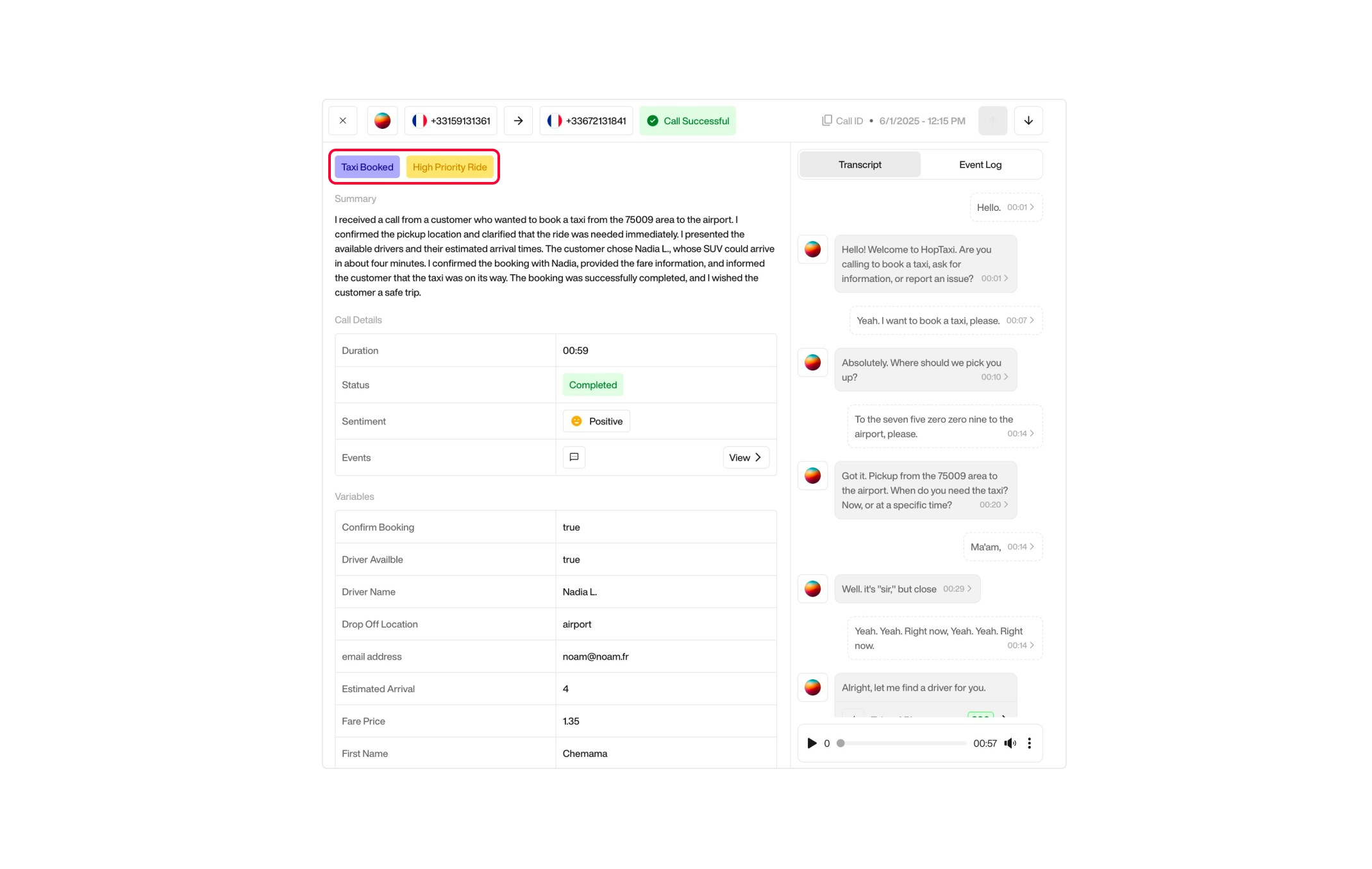
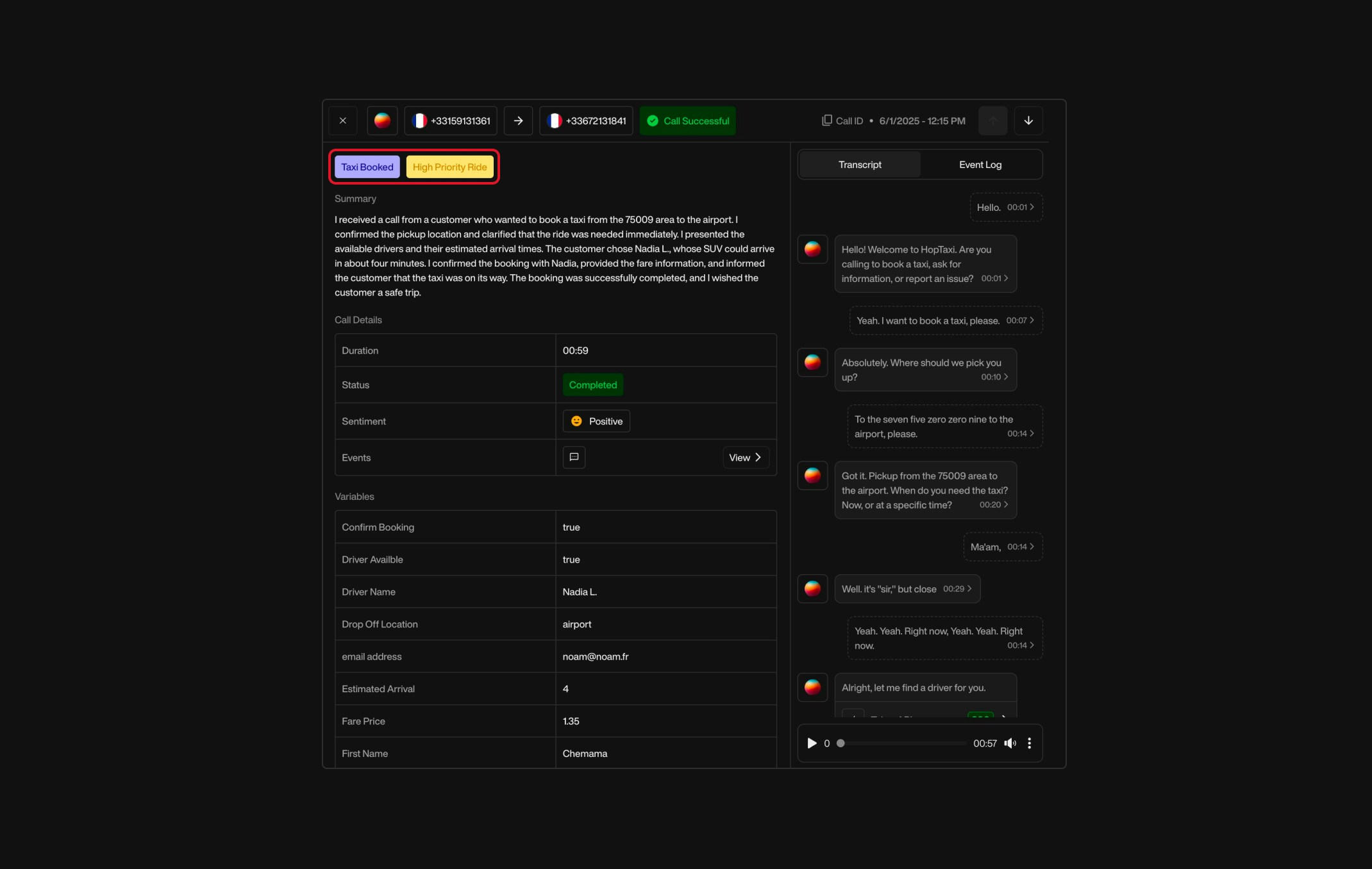
**Tags** <br />
The list of **tags defined during the last step of the Pearl creation process**. These tags represent key topics or categories you chose when setting up the Pearl configuration.

<div className="block dark:hidden">
  <Frame>
    <div className="p-1">
      <img src="https://mintcdn.com/nlpearl/dWWMdFzyPk-9Vcky/images/light_mode/postcall_tags.jpg?fit=max&auto=format&n=dWWMdFzyPk-9Vcky&q=85&s=9502bd274d44ee67148ee4b18d6ff62a" alt="Send Email action interface on light mode" className="rounded-[14px]" width="2140" height="1356" data-path="images/light_mode/postcall_tags.jpg" />
    </div>
  </Frame>
</div>

<div className="hidden dark:block">
  <Frame>
    <div className="p-1">
      <img src="https://mintcdn.com/nlpearl/nyDvVX0ZPwzeAWkt/images/dark_mode/postcall_tags.jpg?fit=max&auto=format&n=nyDvVX0ZPwzeAWkt&q=85&s=3d6473ada1884c12176660a468128a2d" alt="Send Email action interface on dark mode" className="rounded-[14px]" width="2140" height="1356" data-path="images/dark_mode/postcall_tags.jpg" />
    </div>
  </Frame>
</div>

<Note>For more information on setting up tags, see [How to Create a Pearl – Step 4: Flow Configuration](/pages/create_pearl#step-4-flow-configuration).</Note>

***

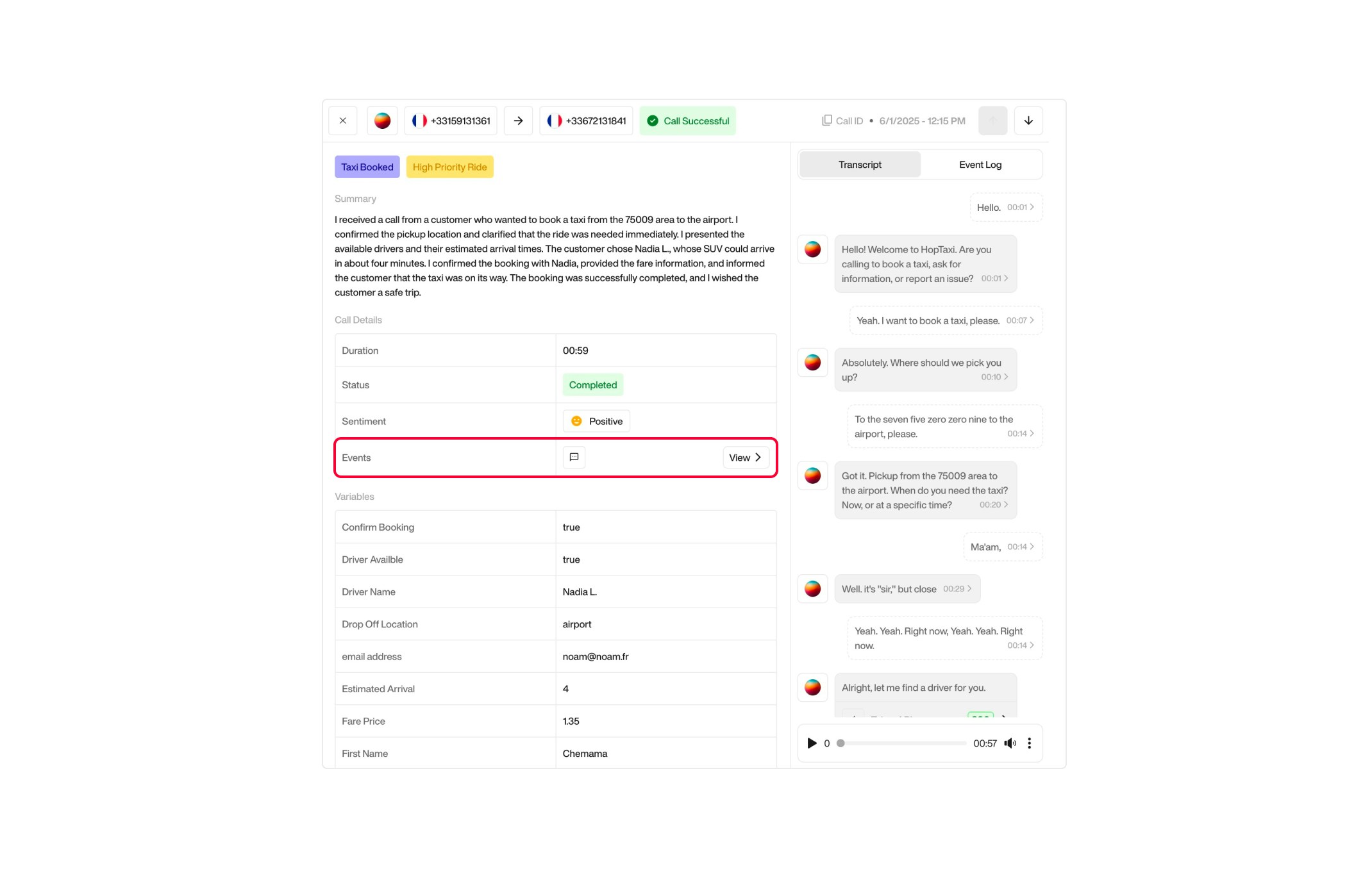
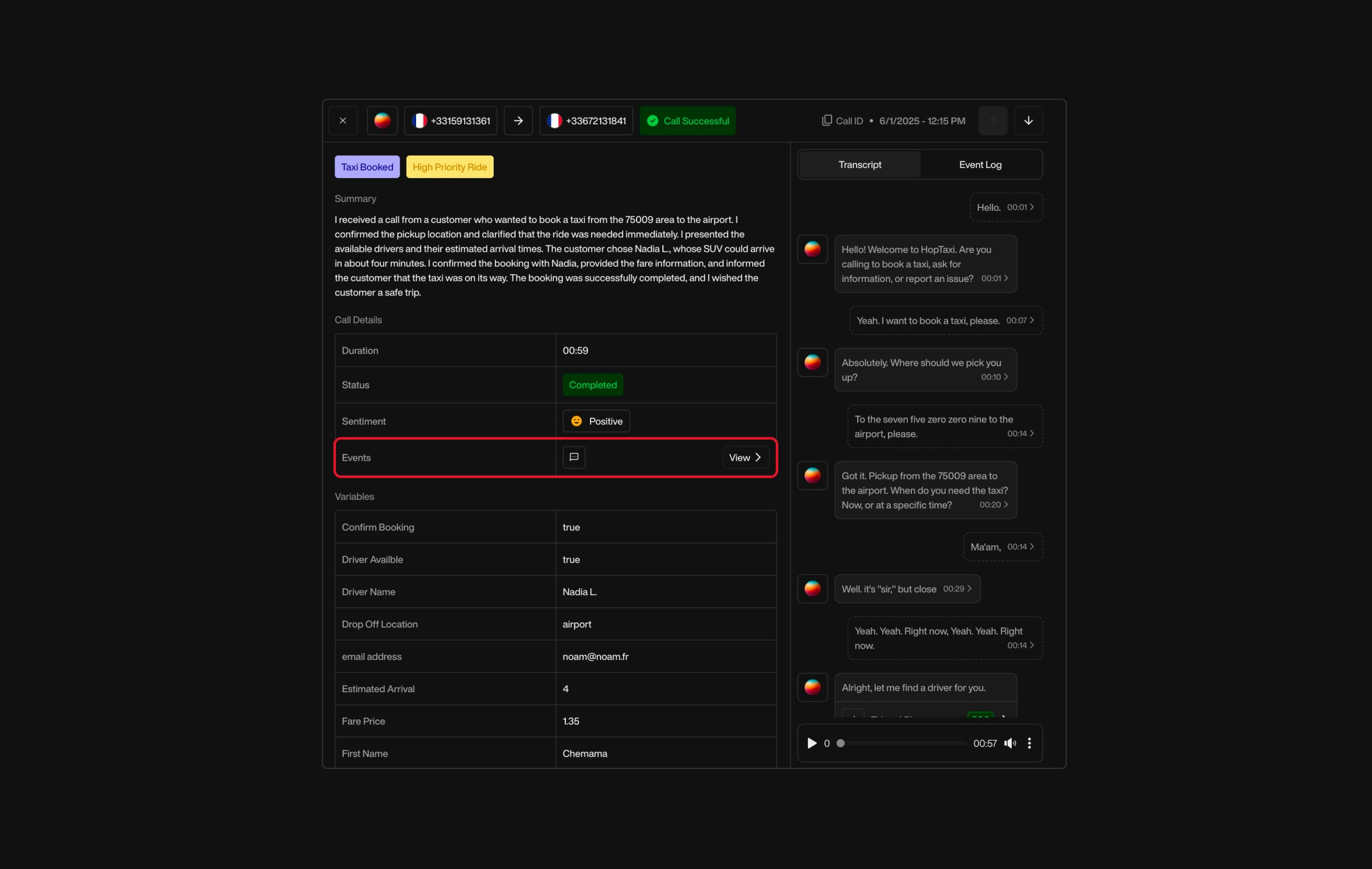
**Events** <br />
A log of the actions triggered by Pearl during the call. Each event includes a timestamp and details about the action.

Possible event types include:

| Event Type           | Description                                      |
| -------------------- | ------------------------------------------------ |
| `Call Transferred`   | The call was transferred to another destination. |
| `SMS Sent`           | A text message was sent to the customer.         |
| `API`                | An API was triggered during the conversation.    |
| `Email Sent`         | An email was sent during the call.               |
| `Appointment Booked` | An appointment was booked in the calendar.       |

<div className="block dark:hidden">
  <Frame>
    <div className="p-1">
      <img src="https://mintcdn.com/nlpearl/dWWMdFzyPk-9Vcky/images/light_mode/postcall_events.jpg?fit=max&auto=format&n=dWWMdFzyPk-9Vcky&q=85&s=b2595e222b690d3c6415d61d85027ede" alt="Send Email action interface on light mode" className="rounded-[14px]" width="2140" height="1356" data-path="images/light_mode/postcall_events.jpg" />
    </div>
  </Frame>
</div>

<div className="hidden dark:block">
  <Frame>
    <div className="p-1">
      <img src="https://mintcdn.com/nlpearl/nyDvVX0ZPwzeAWkt/images/dark_mode/postcall_events.jpg?fit=max&auto=format&n=nyDvVX0ZPwzeAWkt&q=85&s=7001c2bc96cbde72b0f2e819056410ae" alt="Send Email action interface on dark mode" className="rounded-[14px]" width="2140" height="1356" data-path="images/dark_mode/postcall_events.jpg" />
    </div>
  </Frame>
</div>

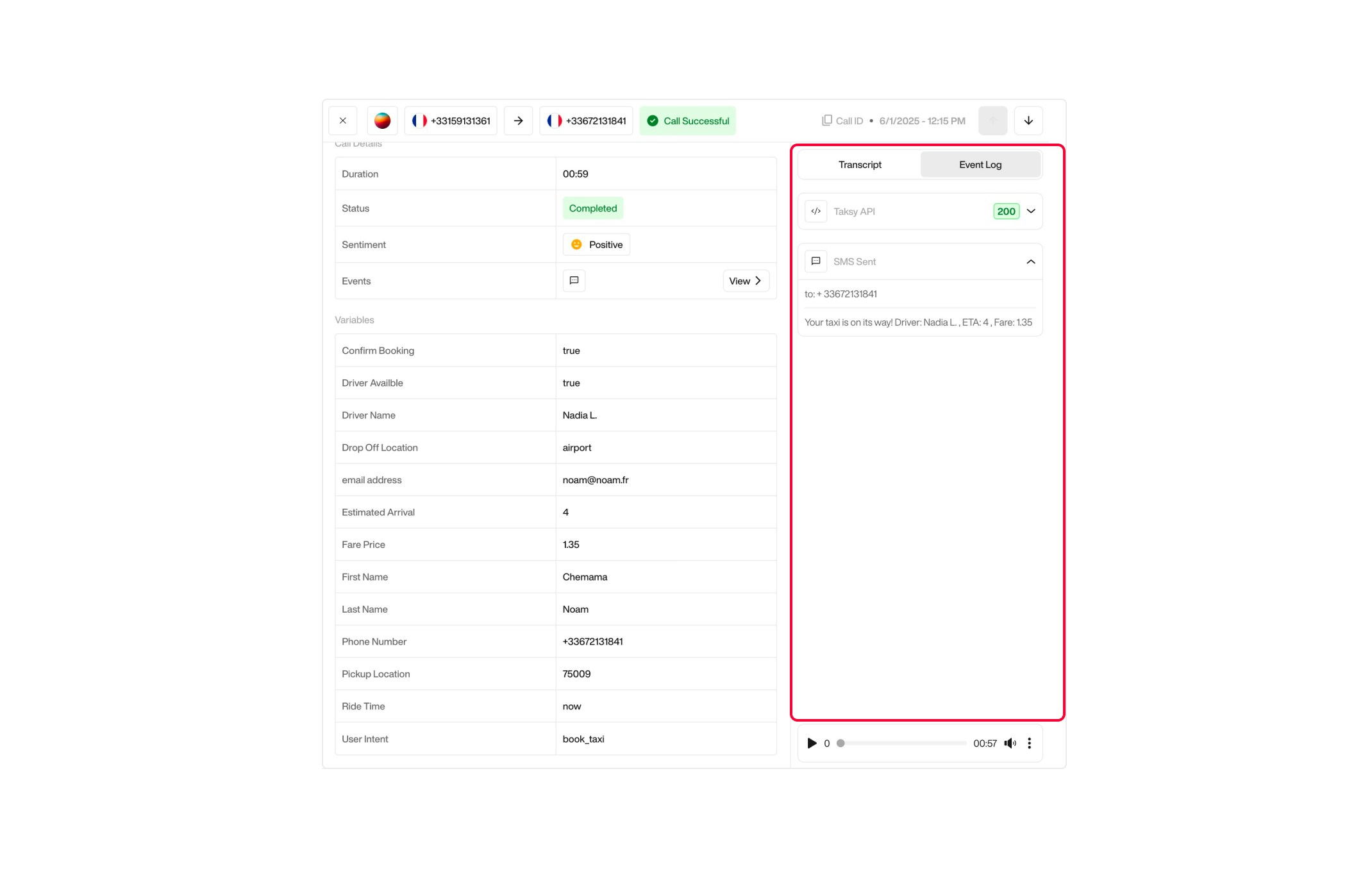
**Events Log** <br />

The Event Log provides a chronological view of all actions triggered by Pearl during the call. Each entry includes the action type (such as API call, SMS sent, or email), the execution status, and contextual data.

This section allows users to review the flow of automated operations, verify that each action was successfully executed, and understand the resulting outputs in detail.

<div className="block dark:hidden">
  <Frame>
    <div className="p-1">
      <img src="https://mintcdn.com/nlpearl/dWWMdFzyPk-9Vcky/images/light_mode/postcall_eventlog.jpg?fit=max&auto=format&n=dWWMdFzyPk-9Vcky&q=85&s=d0345502ced78e2bfdf61d4d06a9299c" alt="Send Email action interface on light mode" className="rounded-[14px]" width="2140" height="1356" data-path="images/light_mode/postcall_eventlog.jpg" />
    </div>
  </Frame>
</div>

<div className="hidden dark:block">
  <Frame>
    <div className="p-1">
      <img src="https://mintcdn.com/nlpearl/nyDvVX0ZPwzeAWkt/images/dark_mode/postcall_eventlog.jpg?fit=max&auto=format&n=nyDvVX0ZPwzeAWkt&q=85&s=8b635d17f86506f4930ca9b20d5661e5" alt="Send Email action interface on dark mode" className="rounded-[14px]" width="2140" height="1356" data-path="images/dark_mode/postcall_eventlog.jpg" />
    </div>
  </Frame>
</div>

***

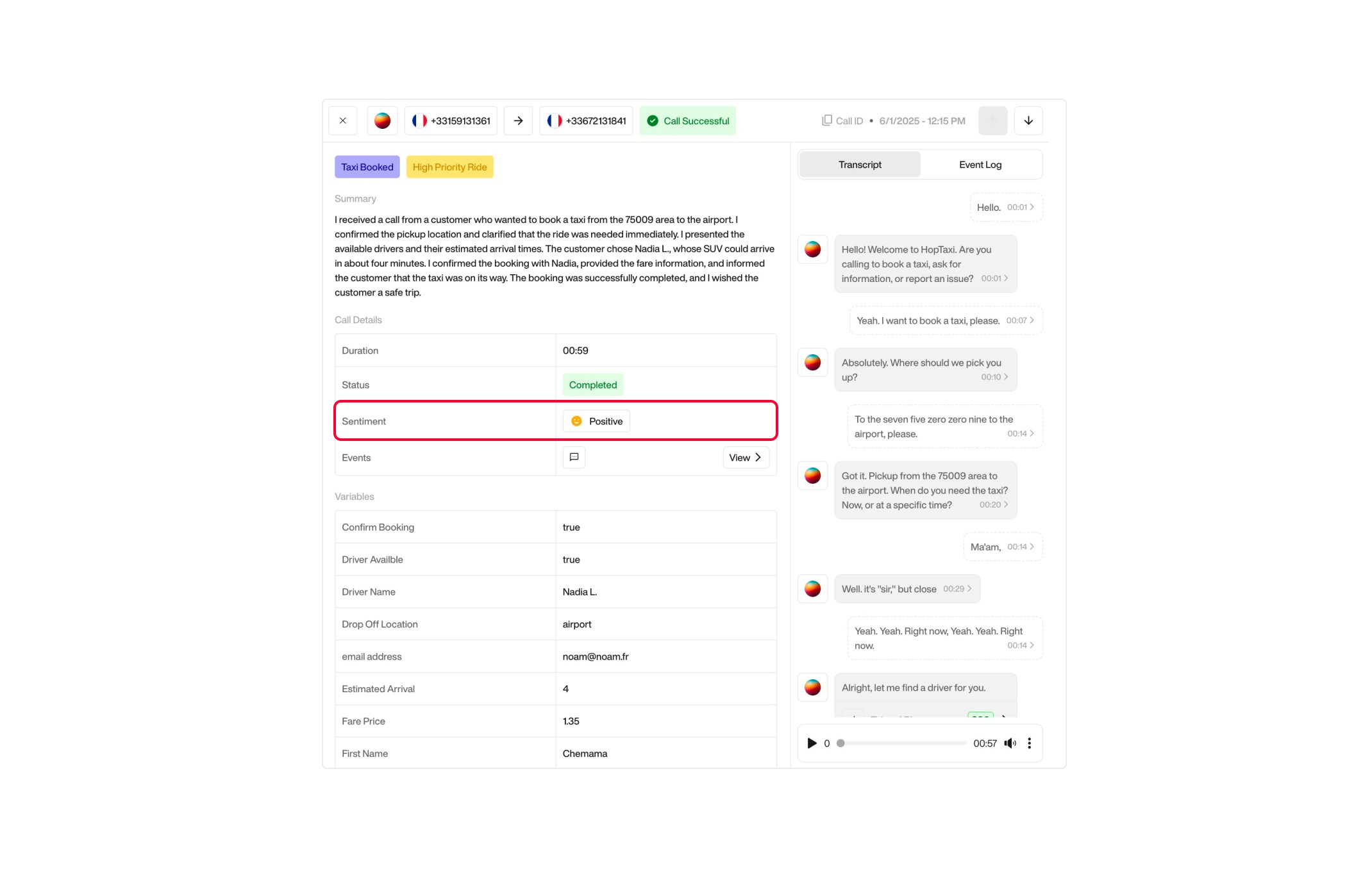
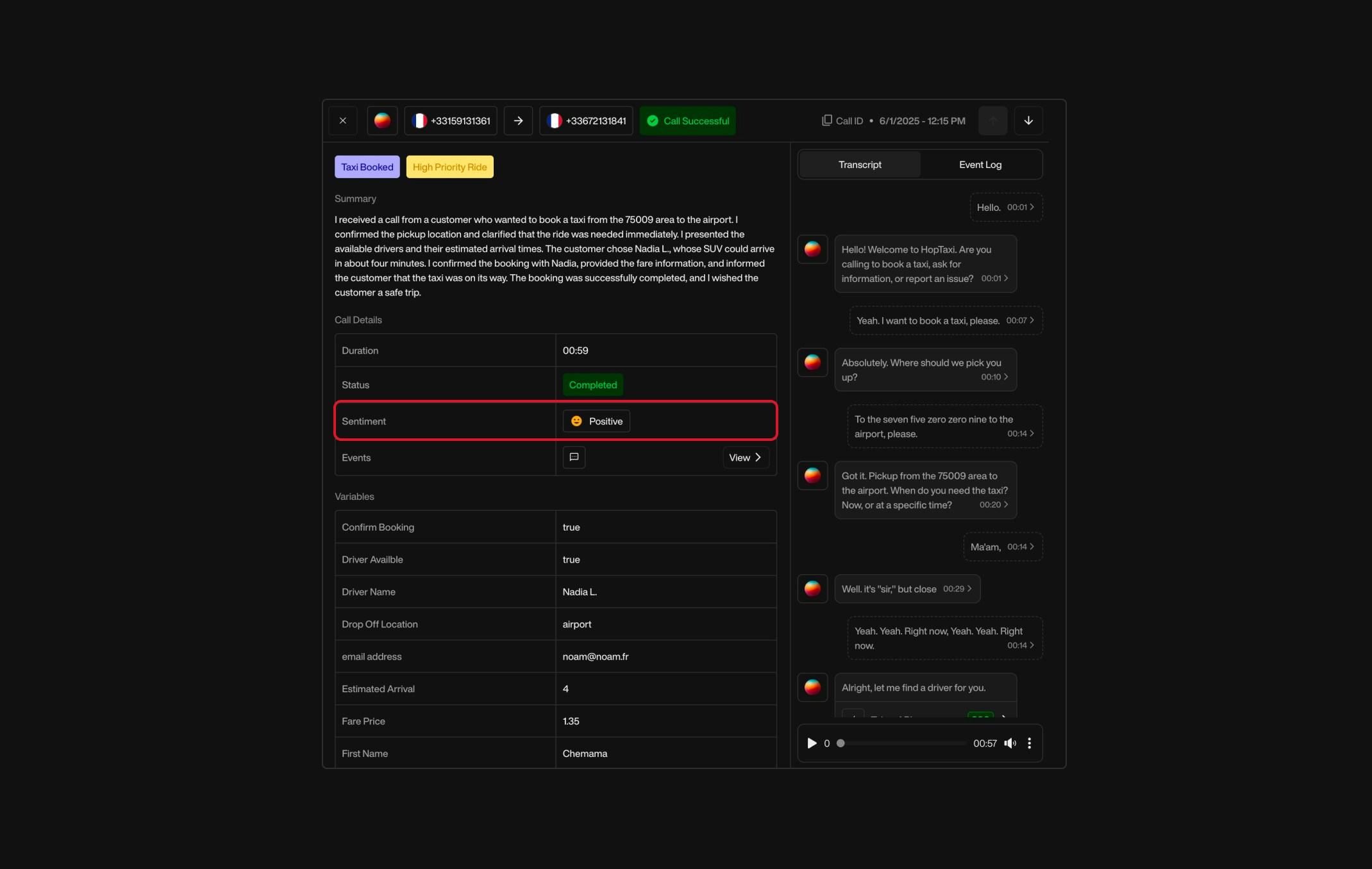
**Sentiment Analysis**  <br />
An automatic classification of the customer's tone and emotional state throughout the conversation. Possible sentiment values include:

| Sentiment Value     | Description                                                       |
| ------------------- | ----------------------------------------------------------------- |
| `Positive`          | The conversation was clearly positive in tone and emotion.        |
| `Slightly Positive` | The overall tone was mostly positive, with minor neutral moments. |
| `Neutral`           | The sentiment was balanced or emotionless.                        |
| `Slightly Negative` | The tone leaned slightly negative, but not strongly so.           |
| `Negative`          | The conversation had a clearly negative emotional tone.           |

<div className="block dark:hidden">
  <Frame>
    <div className="p-1">
      <img src="https://mintcdn.com/nlpearl/dWWMdFzyPk-9Vcky/images/light_mode/postcall_sentiments.jpg?fit=max&auto=format&n=dWWMdFzyPk-9Vcky&q=85&s=28b8fd7b4944b5187abaf5ee9ba1db75" alt="Send Email action interface on light mode" className="rounded-[14px]" width="2140" height="1356" data-path="images/light_mode/postcall_sentiments.jpg" />
    </div>
  </Frame>
</div>

<div className="hidden dark:block">
  <Frame>
    <div className="p-1">
      <img src="https://mintcdn.com/nlpearl/nyDvVX0ZPwzeAWkt/images/dark_mode/postcall_sentiments.jpg?fit=max&auto=format&n=nyDvVX0ZPwzeAWkt&q=85&s=397f283a124d7c41197f21da4df9f9b7" alt="Send Email action interface on dark mode" className="rounded-[14px]" width="2140" height="1356" data-path="images/dark_mode/postcall_sentiments.jpg" />
    </div>
  </Frame>
</div>

***

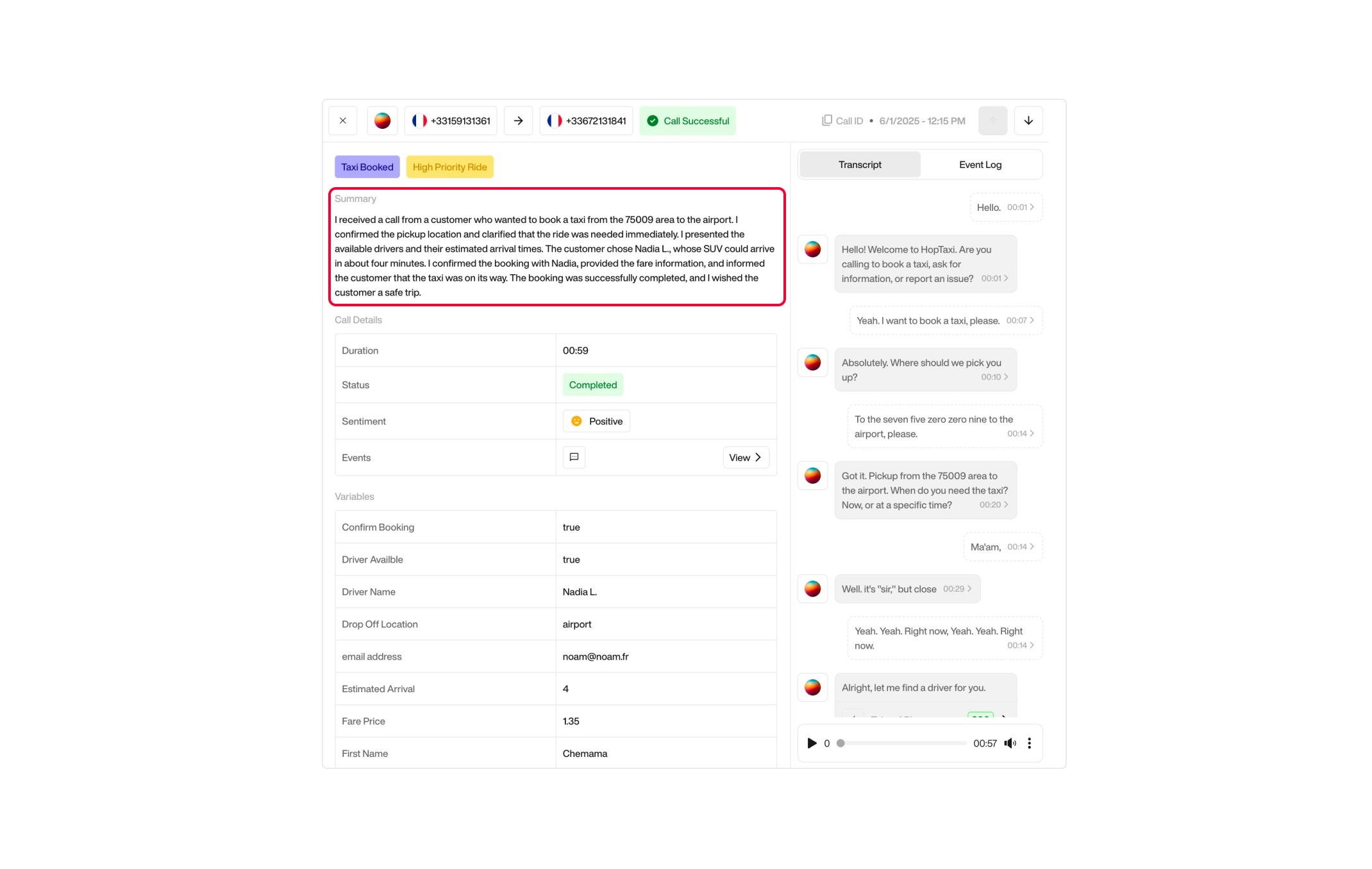
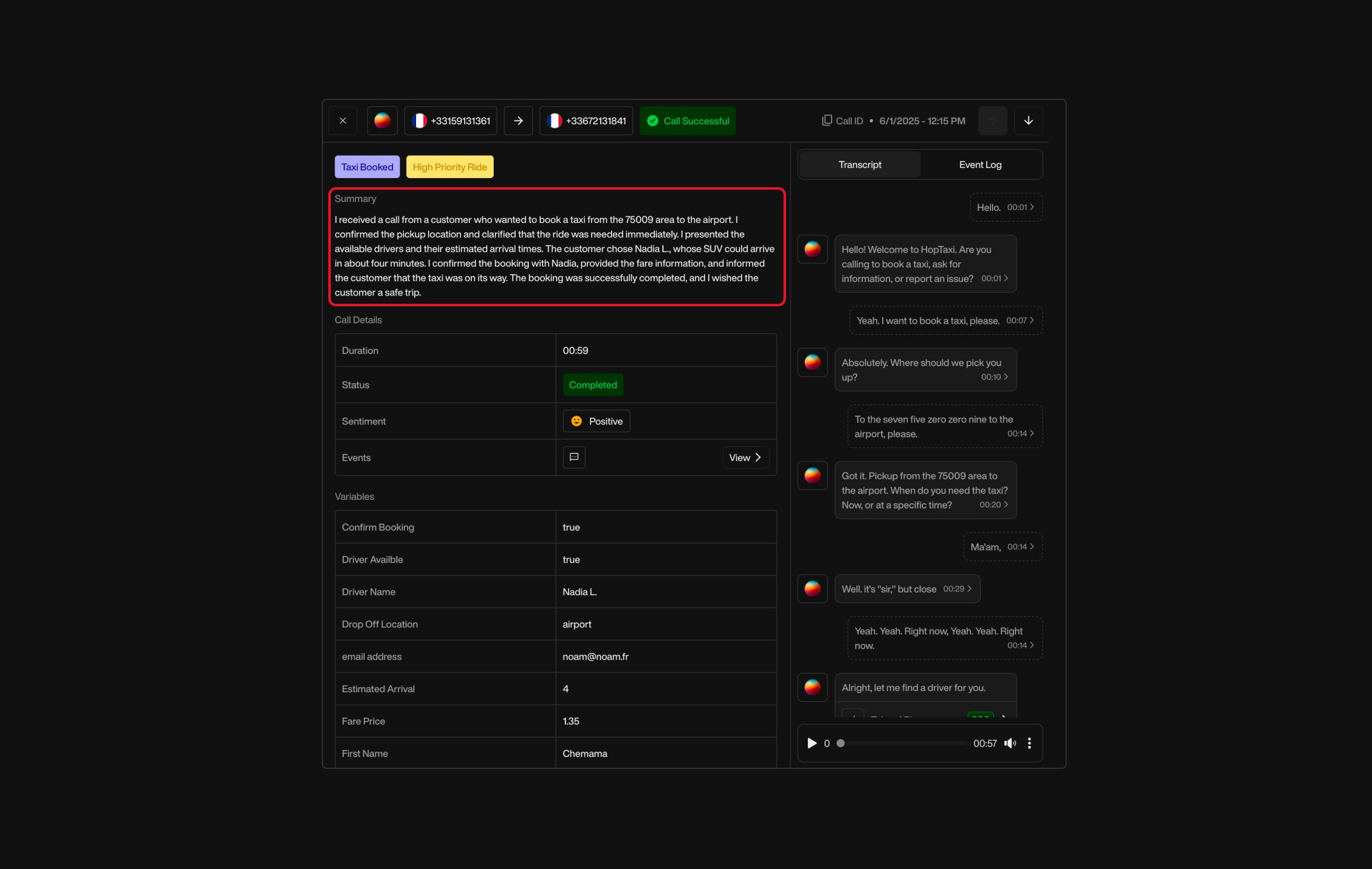
### Summary

A concise, human‑readable recap of the conversation, generated by Pearl. This includes:

* What the customer requested
* What was confirmed or declined
* The overall outcome of the interaction

<div className="block dark:hidden">
  <Frame>
    <div className="p-1">
      <img src="https://mintcdn.com/nlpearl/dWWMdFzyPk-9Vcky/images/light_mode/postcall_summary.jpg?fit=max&auto=format&n=dWWMdFzyPk-9Vcky&q=85&s=fdf337220365b43c40b88b2cc02c4a41" alt="Send Email action interface on light mode" className="rounded-[14px]" width="2140" height="1356" data-path="images/light_mode/postcall_summary.jpg" />
    </div>
  </Frame>
</div>

<div className="hidden dark:block">
  <Frame>
    <div className="p-1">
      <img src="https://mintcdn.com/nlpearl/nyDvVX0ZPwzeAWkt/images/dark_mode/postcall_summary.jpg?fit=max&auto=format&n=nyDvVX0ZPwzeAWkt&q=85&s=141aad42fda6f0fa2f7b49fe7ca255d4" alt="Send Email action interface on dark mode" className="rounded-[14px]" width="2140" height="1356" data-path="images/dark_mode/postcall_summary.jpg" />
    </div>
  </Frame>
</div>

***

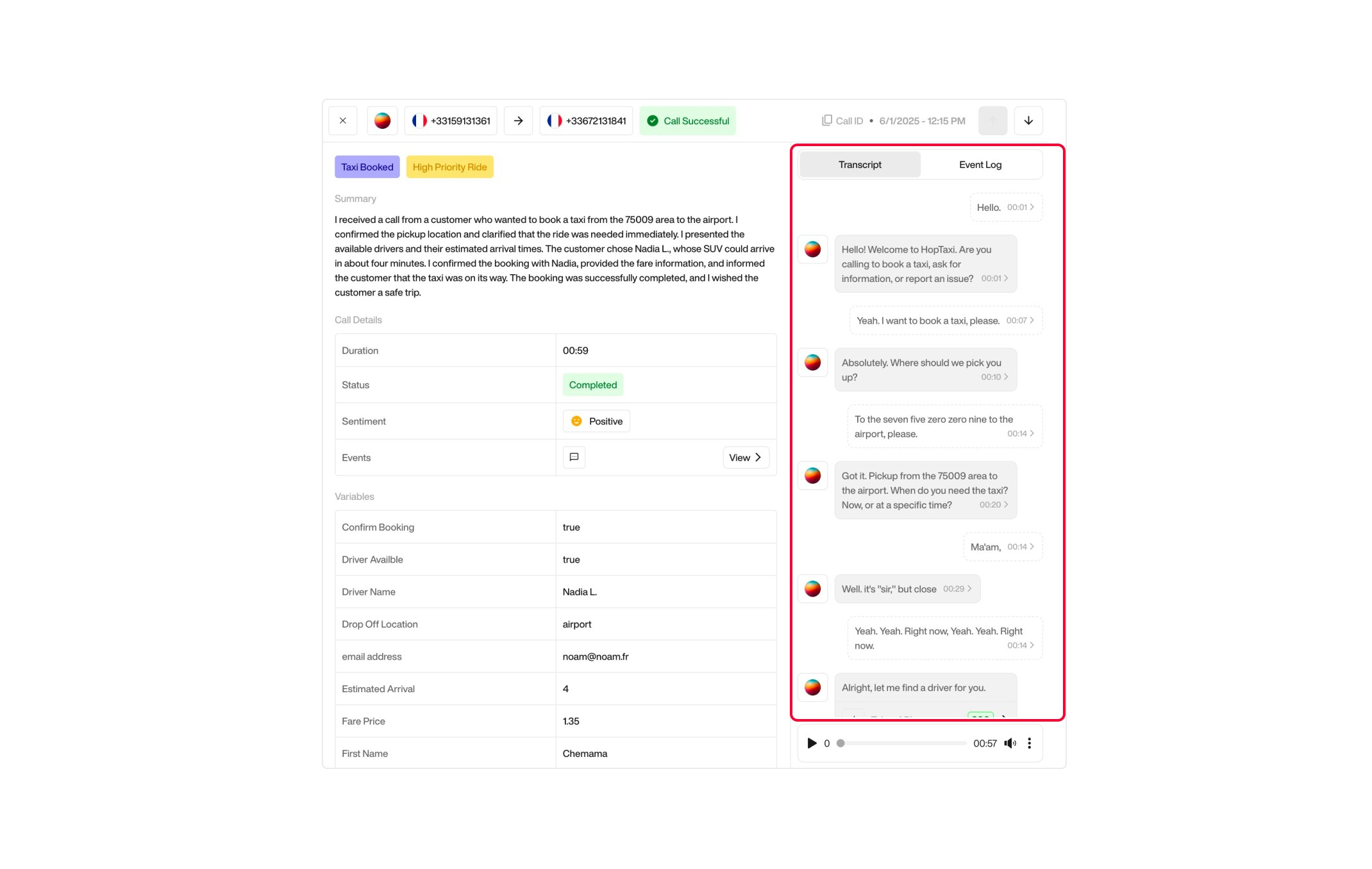
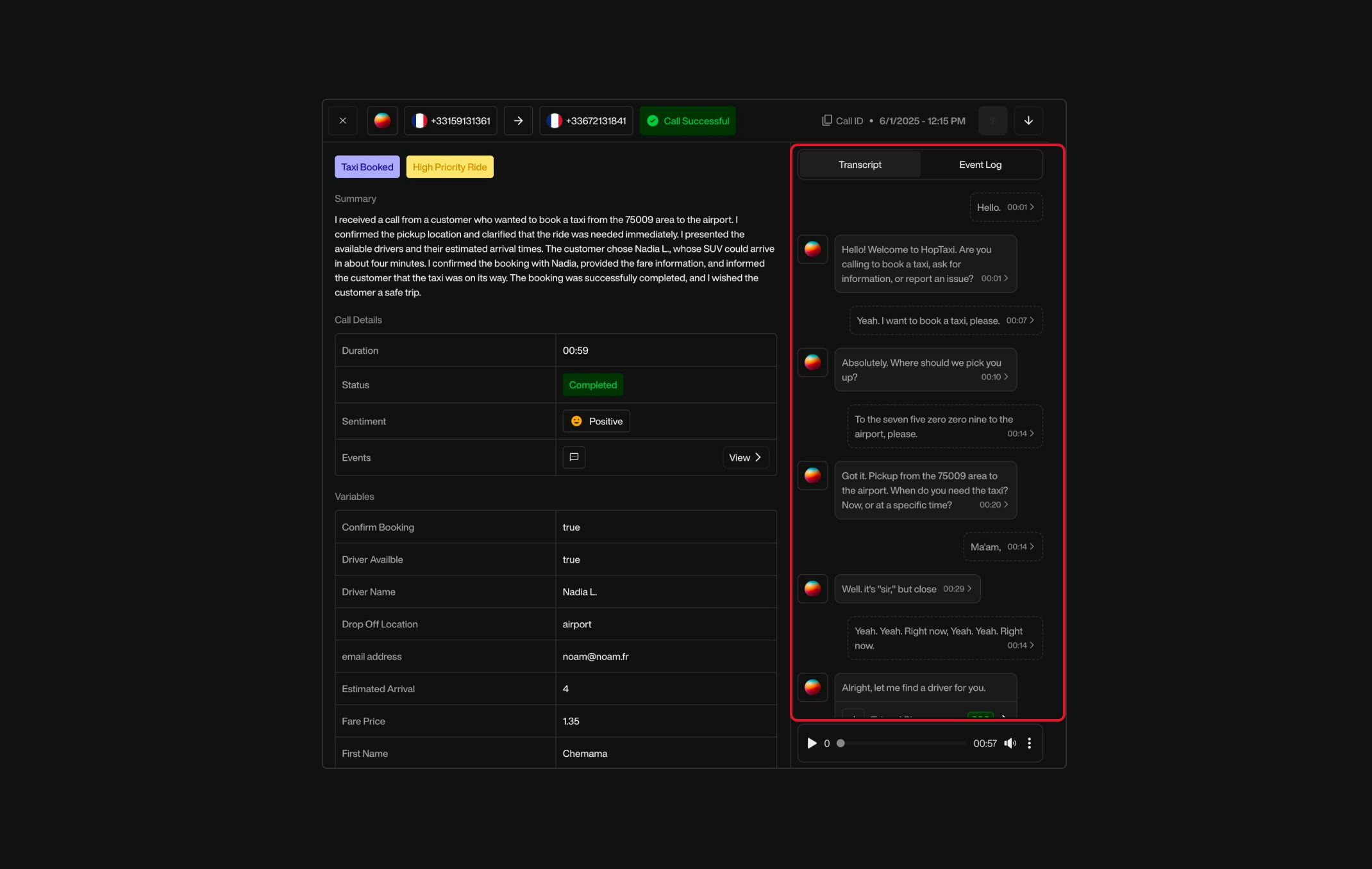
### Transcript

A full text version of the conversation between the customer and Pearl. Always available. Useful for:

* Reviewing the interaction
* Auditing purposes
* Training and improvement

<div className="block dark:hidden">
  <Frame>
    <div className="p-1">
      <img src="https://mintcdn.com/nlpearl/dWWMdFzyPk-9Vcky/images/light_mode/postcall_transcript.jpg?fit=max&auto=format&n=dWWMdFzyPk-9Vcky&q=85&s=4c37a50ae83b1d7a8a12efb3905fa8bf" alt="Send Email action interface on light mode" className="rounded-[14px]" width="2140" height="1356" data-path="images/light_mode/postcall_transcript.jpg" />
    </div>
  </Frame>
</div>

<div className="hidden dark:block">
  <Frame>
    <div className="p-1">
      <img src="https://mintcdn.com/nlpearl/nyDvVX0ZPwzeAWkt/images/dark_mode/postcall_transcript.jpg?fit=max&auto=format&n=nyDvVX0ZPwzeAWkt&q=85&s=96bda69b9f14f2824a364103dbe8dd52" alt="Send Email action interface on dark mode" className="rounded-[14px]" width="2140" height="1356" data-path="images/dark_mode/postcall_transcript.jpg" />
    </div>
  </Frame>
</div>

***

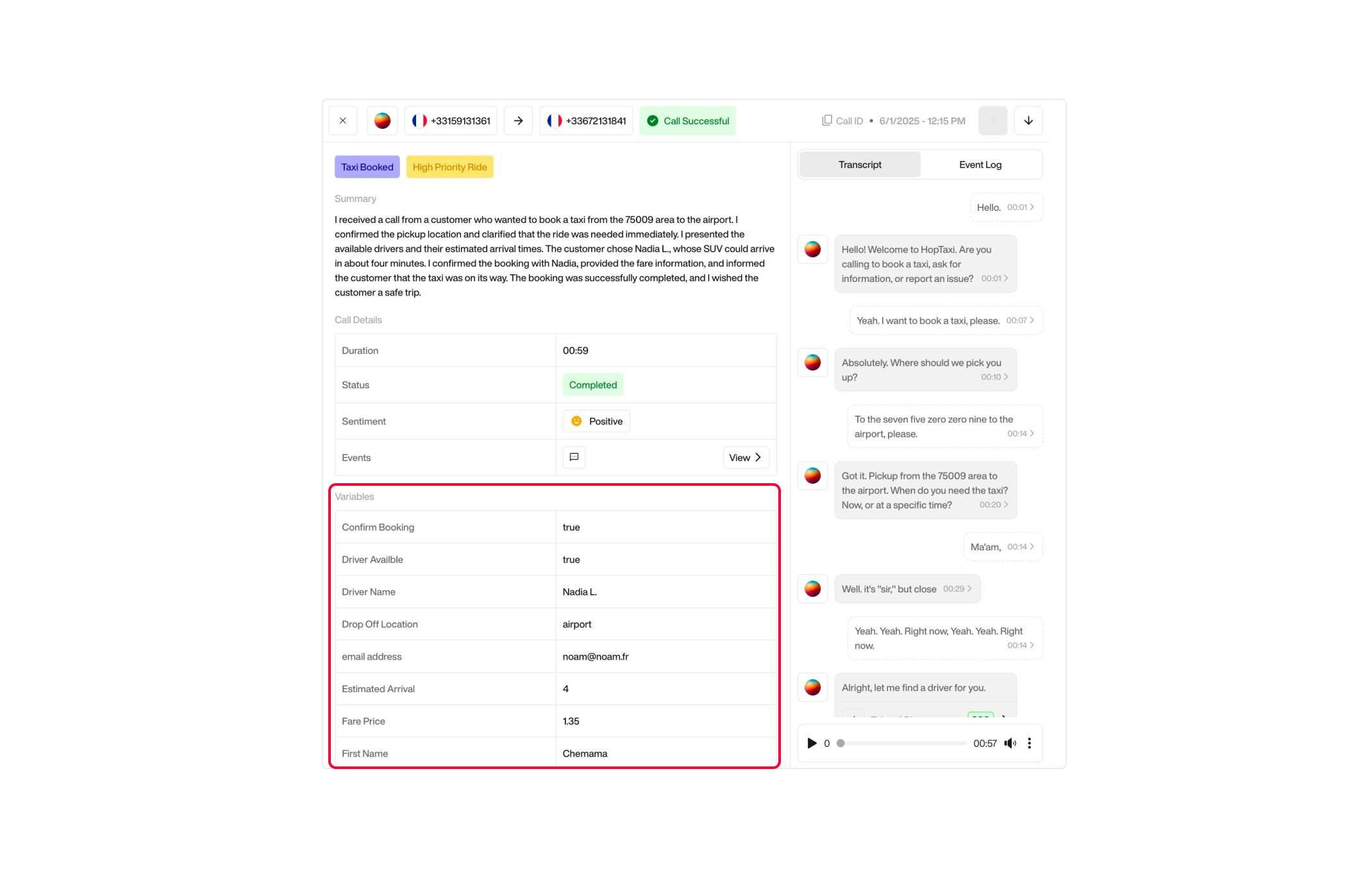
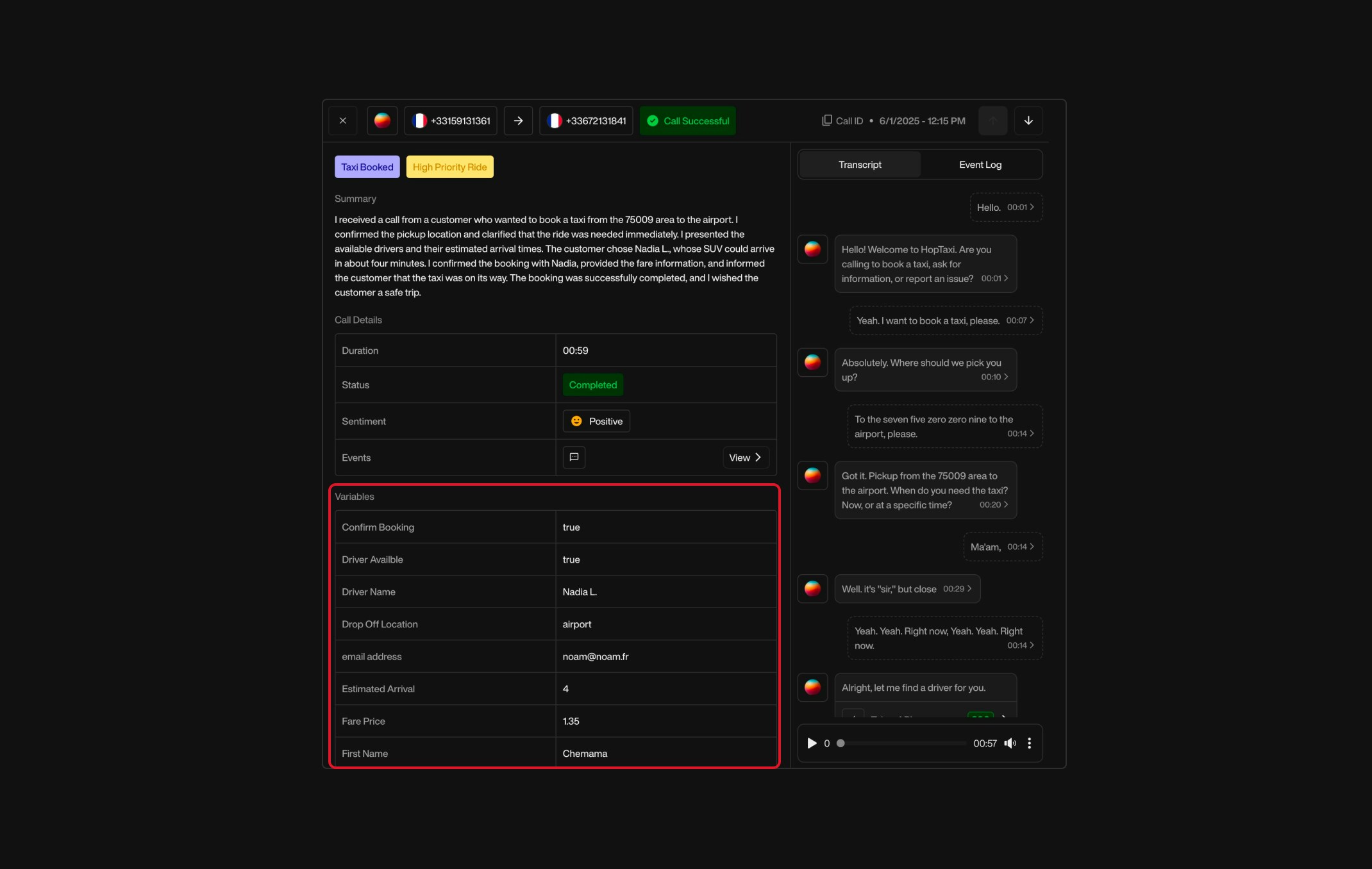
### Call Information

This section displays **structured variables captured before or during the call**, corresponding to the dynamic data collected through the Pearl configuration.\
Examples:

* Delivery type
* Selected options (e.g. “Dessert: Cheesecake”)
* Customer preferences

Variables displayed here are based on those defined in your **Pearl configuration**.

<div className="block dark:hidden">
  <Frame>
    <div className="p-1">
      <img src="https://mintcdn.com/nlpearl/dWWMdFzyPk-9Vcky/images/light_mode/postcall_callinfo.jpg?fit=max&auto=format&n=dWWMdFzyPk-9Vcky&q=85&s=a801b317cb4c5706f78680c2582e9f38" alt="Send Email action interface on light mode" className="rounded-[14px]" width="2140" height="1356" data-path="images/light_mode/postcall_callinfo.jpg" />
    </div>
  </Frame>
</div>

<div className="hidden dark:block">
  <Frame>
    <div className="p-1">
      <img src="https://mintcdn.com/nlpearl/nyDvVX0ZPwzeAWkt/images/dark_mode/postcall_callinfo.jpg?fit=max&auto=format&n=nyDvVX0ZPwzeAWkt&q=85&s=bfa4263557d8eb45f11f64ad40aa3b31" alt="Send Email action interface on dark mode" className="rounded-[14px]" width="2140" height="1356" data-path="images/dark_mode/postcall_callinfo.jpg" />
    </div>
  </Frame>
</div>

<Info>
  You can learn more about creating variables in the Pearl [here](/pages/variables).
</Info>

***

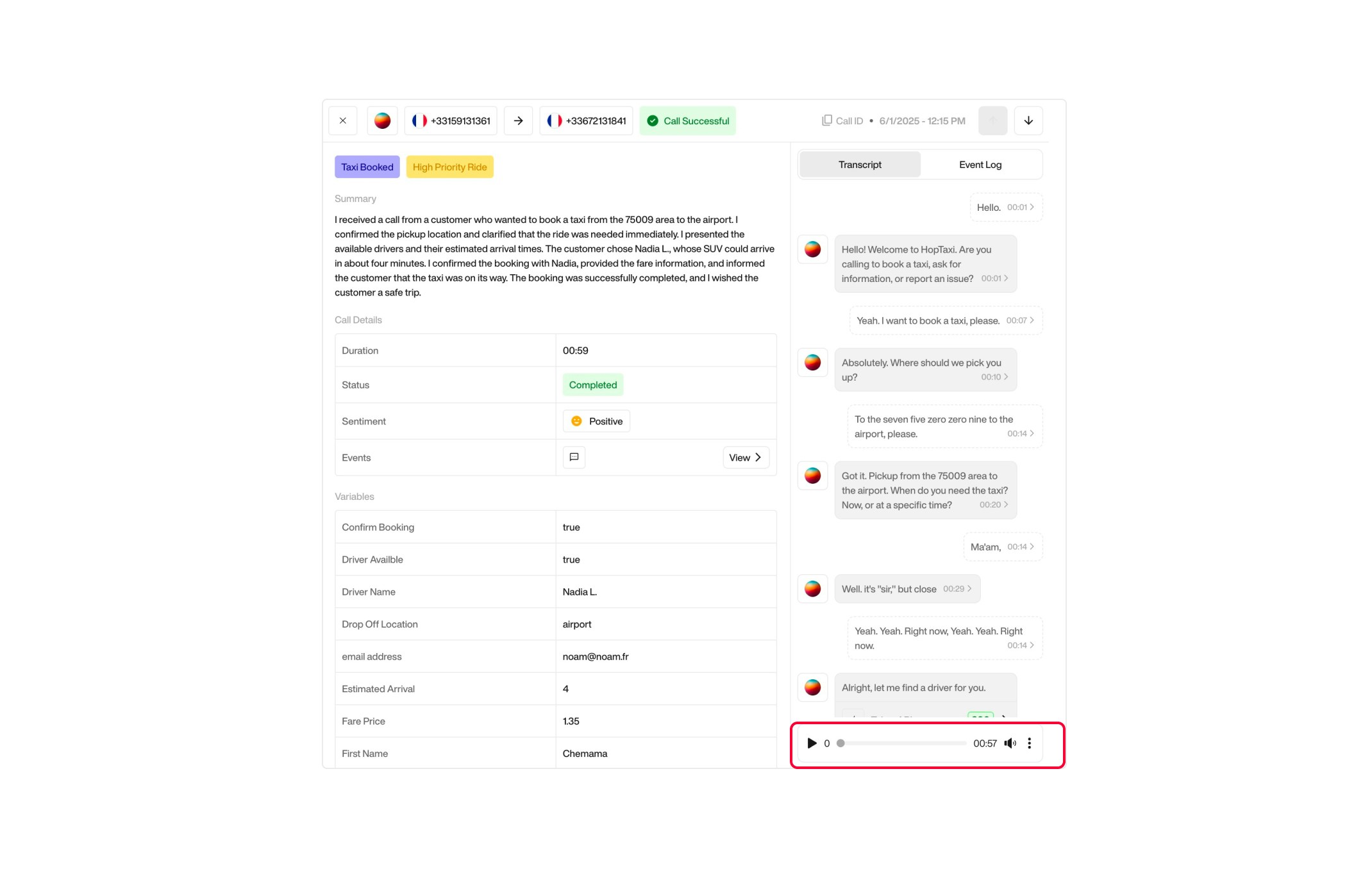
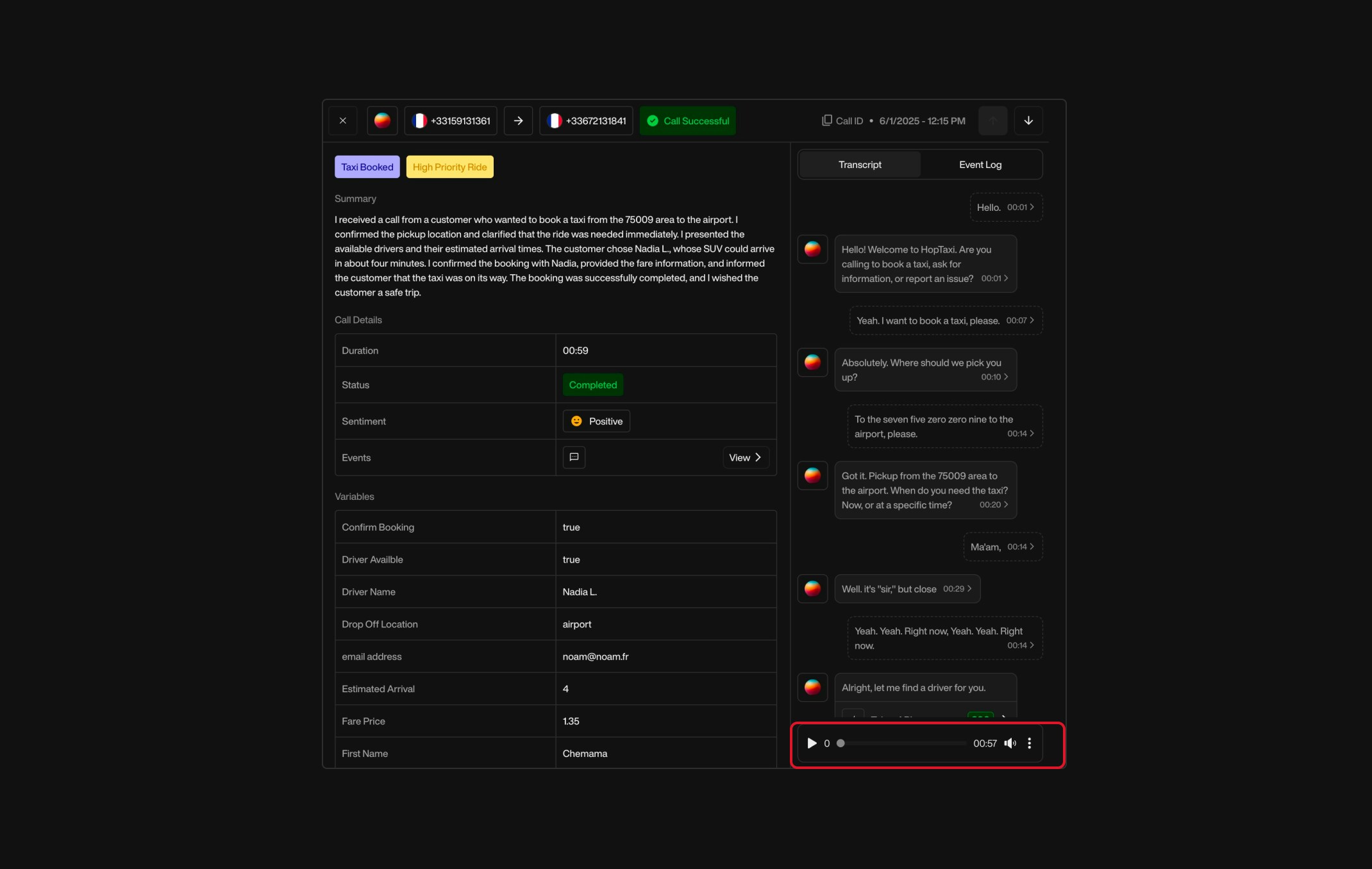
### Recording

The **recording is accessible directly from this page**, allowing you to listen to the entire conversation again for audit, training, or operational purposes.

<div className="block dark:hidden">
  <Frame>
    <div className="p-1">
      <img src="https://mintcdn.com/nlpearl/dWWMdFzyPk-9Vcky/images/light_mode/postcall_recording.jpg?fit=max&auto=format&n=dWWMdFzyPk-9Vcky&q=85&s=3d11c066c96fcf37cecb2845ab5ab8c9" alt="Send Email action interface on light mode" className="rounded-[14px]" width="2140" height="1356" data-path="images/light_mode/postcall_recording.jpg" />
    </div>
  </Frame>
</div>

<div className="hidden dark:block">
  <Frame>
    <div className="p-1">
      <img src="https://mintcdn.com/nlpearl/nyDvVX0ZPwzeAWkt/images/dark_mode/postcall_recording.jpg?fit=max&auto=format&n=nyDvVX0ZPwzeAWkt&q=85&s=dfe43593fc464f0f7ce07464c35f1d97" alt="Send Email action interface on dark mode" className="rounded-[14px]" width="2140" height="1356" data-path="images/dark_mode/postcall_recording.jpg" />
    </div>
  </Frame>
</div>

<Warning>If you wish to **disable call recording**, you can manage this setting from the activity configuration (whether **inbound** or **outbound**).</Warning>
👉 For more information on recording settings, see [Inbound Recording](/pages/inbound) or [Outbound Recording](/pages/outbound).

If you're unable to listen to your recording and you imported a phone number from your Twilio account by connecting it to the platform, it is possible that you cannot access the recording because you have not disabled the 'HTTP Basic Authentication' option in your Twilio settings. For more information see [Disable HTTP Auth from Twilio](/pages/twilio_integration#disabling-http-basic-authentication-for-media-access)

***

## Why the Post-Call Matters

<CardGroup cols={2}>
  <Card title="Traceability" icon="check" iconType="light">
    Every call leaves a documented trace for accountability.
  </Card>

  <Card title="Faster Follow‑Up" icon="check" iconType="light">
    Helps support and operations teams follow up efficiently with customers.
  </Card>

  <Card title="Quality & Analytics" icon="check" iconType="light">
    Enables continuous improvement through quality review, sentiment tracking, and conversation analysis.
  </Card>

  <Card title="Auditing & Compliance" icon="check" iconType="light">
    Provides an auditable record of AI-driven conversations to meet regulatory or internal policy needs.
  </Card>
</CardGroup>

***

By consolidating all these elements, the **Post-Call Activities** page provides a complete overview of each AI-handled conversation, ensuring transparency, traceability, and actionable insights for your team.