> ## Documentation Index
> Fetch the complete documentation index at: https://developers.nlpearl.ai/llms.txt
> Use this file to discover all available pages before exploring further.
# Groups
> Organize related Pearls into Groups so they can share the same contacts, interaction history, and optionally a common per-contact memory.
***
## Overview
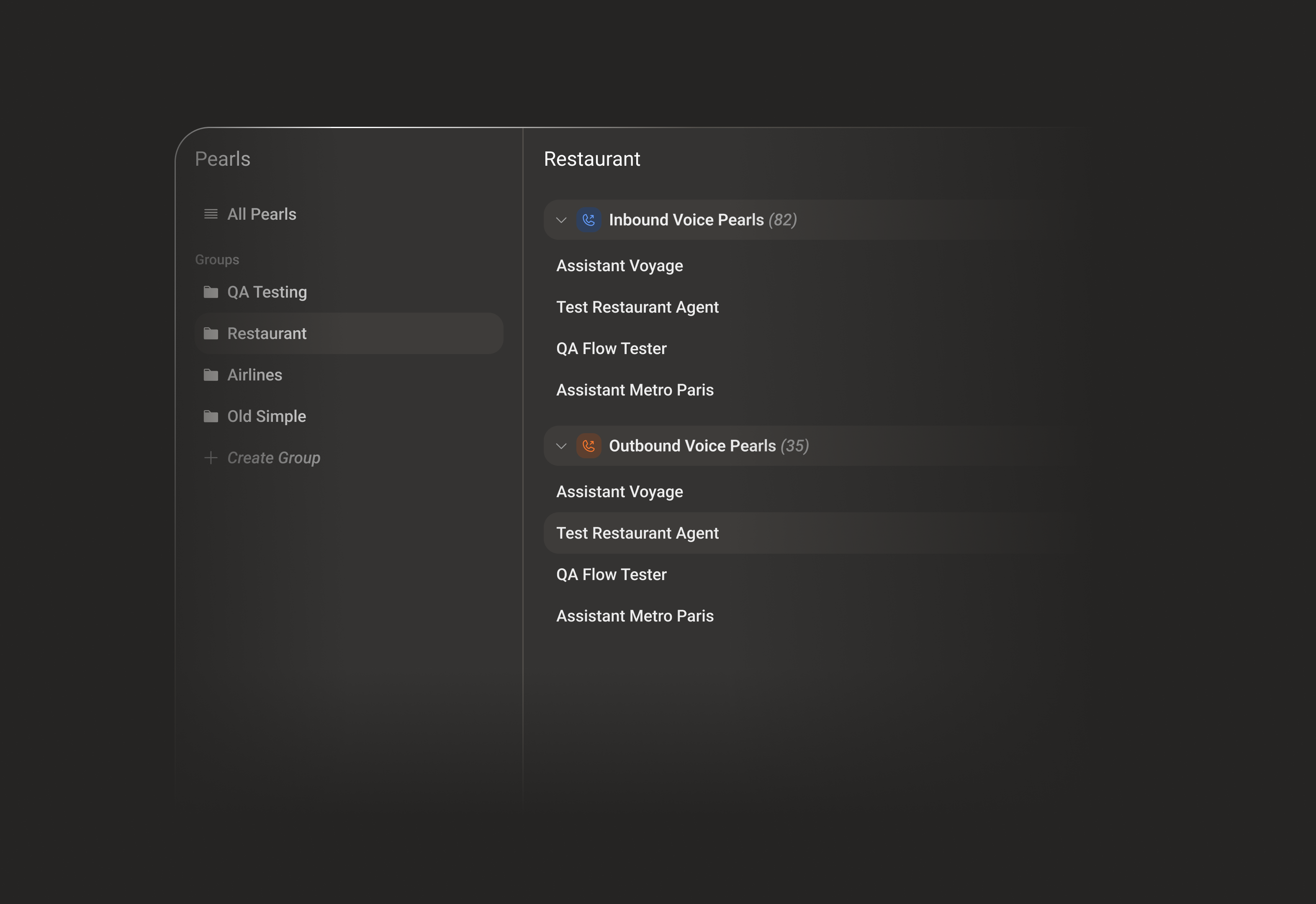
A **Group** brings together several Pearls - voice, text, or a mix of both - that serve the same customers or the same part of your business.
When Pearls belong to the same Group, they can share:
* **Contacts** - the same contact records across every Pearl in the Group.
* **Interaction history** - a combined view of the calls and chats a contact had with any Pearl in the Group.
* **Collected information** - the structured data gathered by any Pearl in the Group.
* **Memory** *(optional)* - a single, shared memory for each contact.
A Pearl can belong to **one Group at a time**. Moving it into another Group removes it from the previous one.
***
## Individual vs Shared Memory
Two related concepts control how a contact is remembered.
A per-Pearl setting (in a Pearl's **Knowledge Base**). When enabled, that specific Pearl remembers a contact and continues from where it left off - **within that single Pearl only**.
A **Group-level** setting. When enabled, every Pearl in the Group accesses and updates the **same memory** for a contact, so context carries over between Pearls.
Enabling **Shared Memory** at the Group level is not enough on its own. Each Pearl must **also** have its individual **Memory** toggle enabled (in its Knowledge Base) to participate in the Group's Shared Memory.
***
## Open the Pearls area
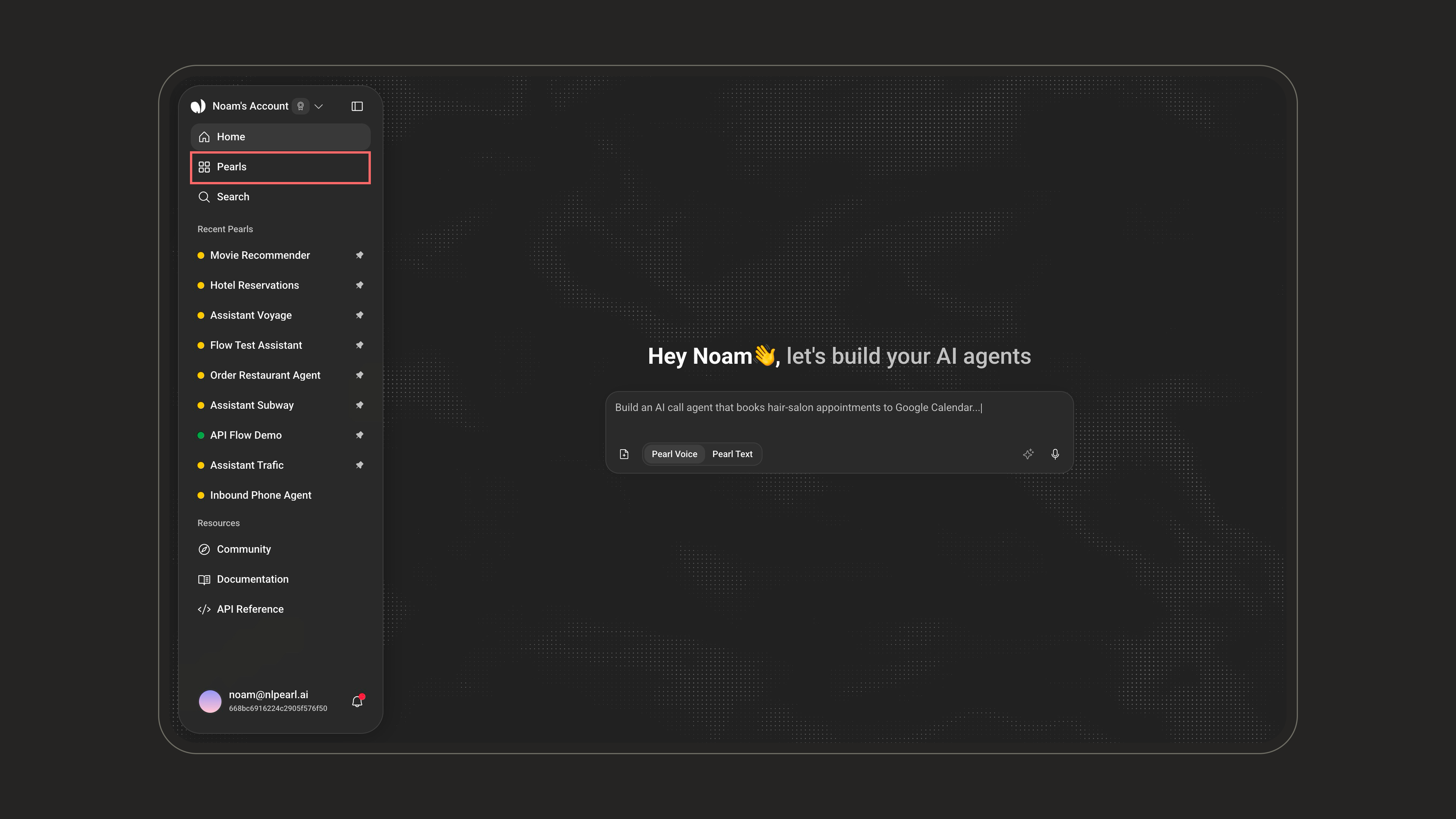
Groups live inside **Pearls**. Open **Pearls** from the left navigation.
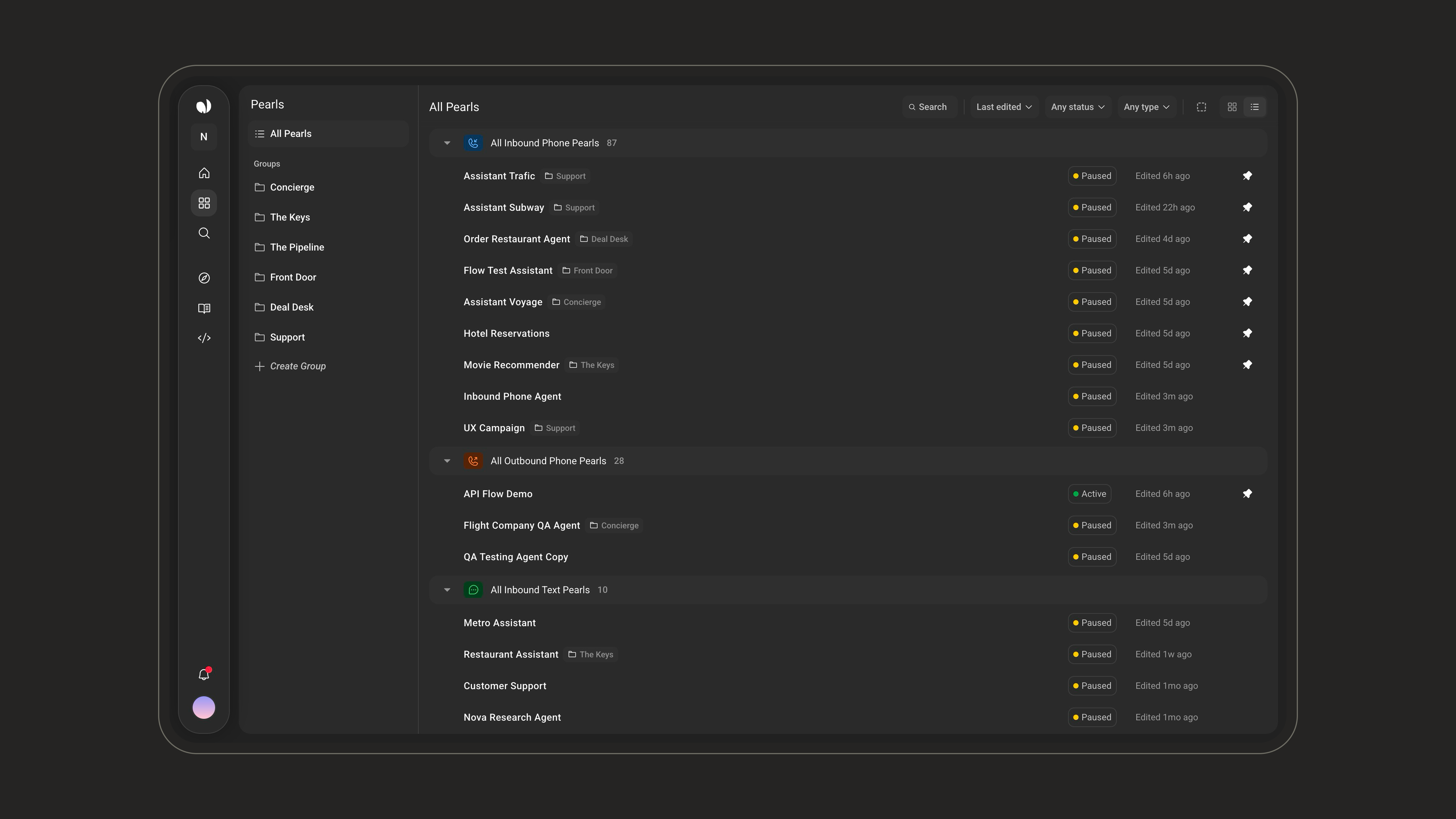
 Inside **Pearls**, the left sidebar shows **All Pearls** at the top, then a **Groups** section listing your Groups, ending with **Create Group**. **All Pearls** lists every Pearl grouped by type - **Inbound Phone**, **Outbound Phone**, and **Inbound Text** - and each Pearl that belongs to a Group shows the Group name as a **tag** next to its title.
 ***
## Create a Group
In the **Groups** section of the sidebar, click **Create Group**.
***
## Create a Group
In the **Groups** section of the sidebar, click **Create Group**.
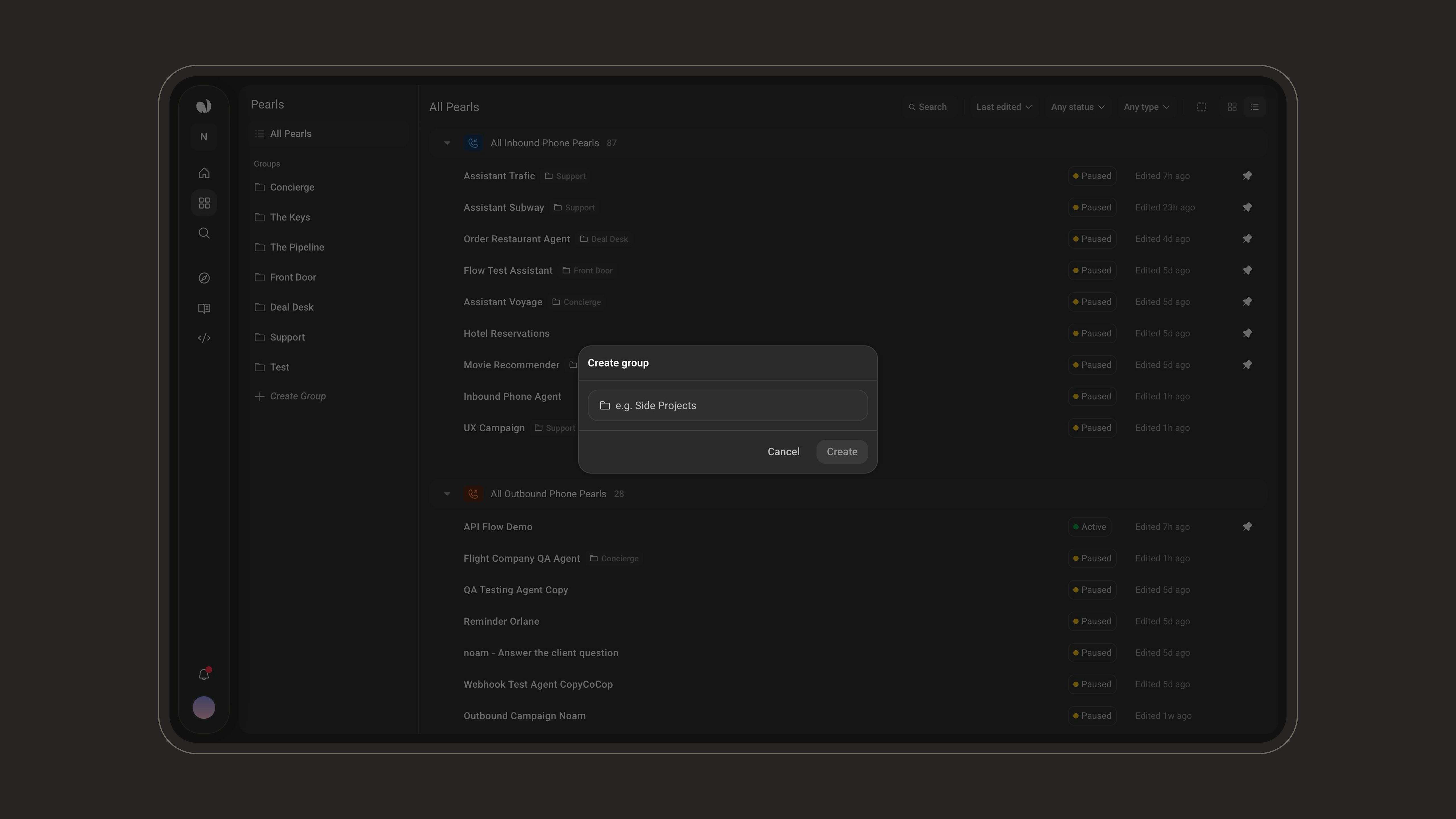
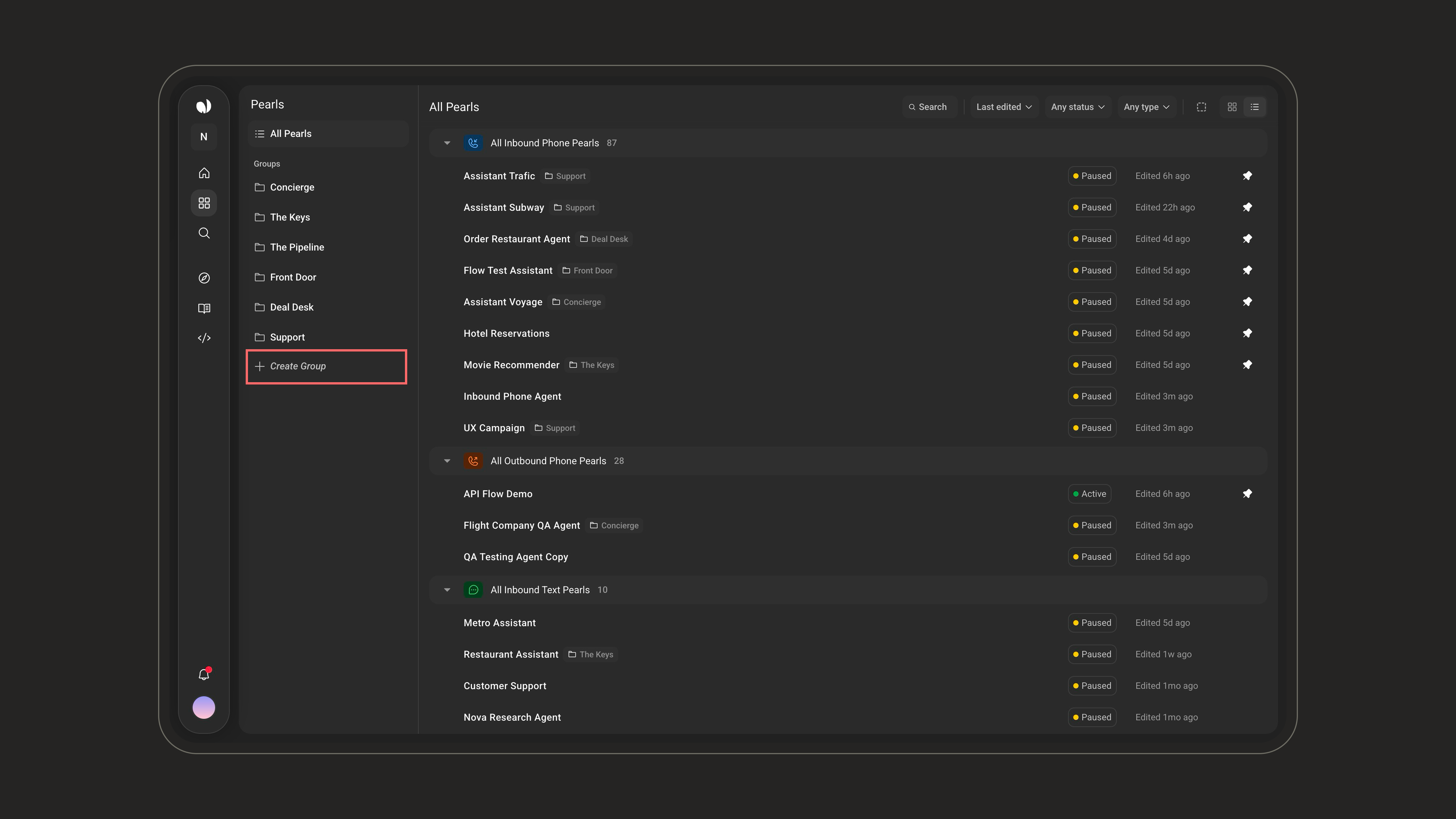 Enter a Group name (required, up to **50 characters**), then click **Create**.
 ***
## Assign Pearls to a Group
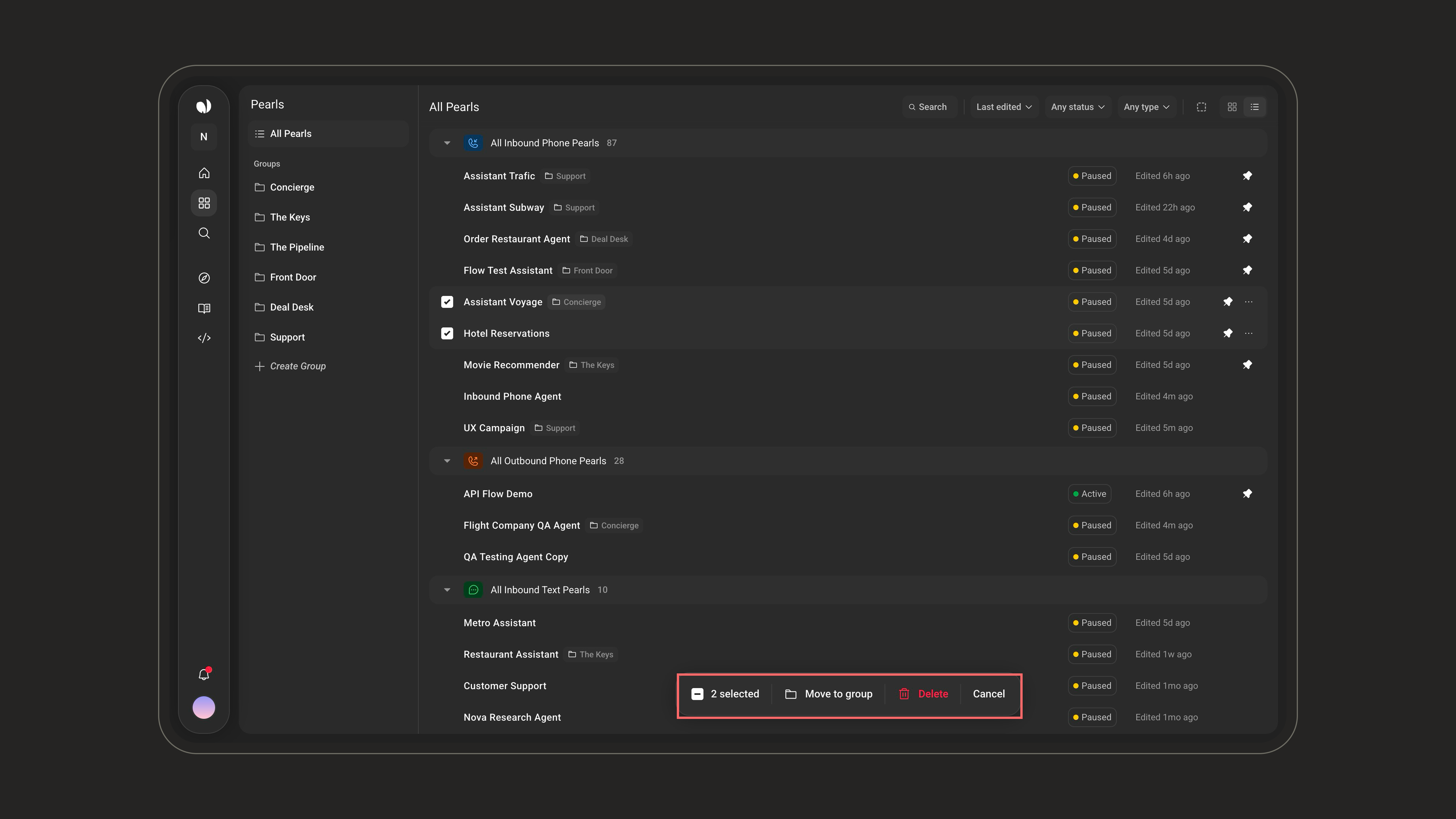
From **All Pearls**, select one or more Pearls. An action bar appears at the bottom showing the number selected, along with **Move to group**, **Delete**, and **Cancel**.
***
## Assign Pearls to a Group
From **All Pearls**, select one or more Pearls. An action bar appears at the bottom showing the number selected, along with **Move to group**, **Delete**, and **Cancel**.
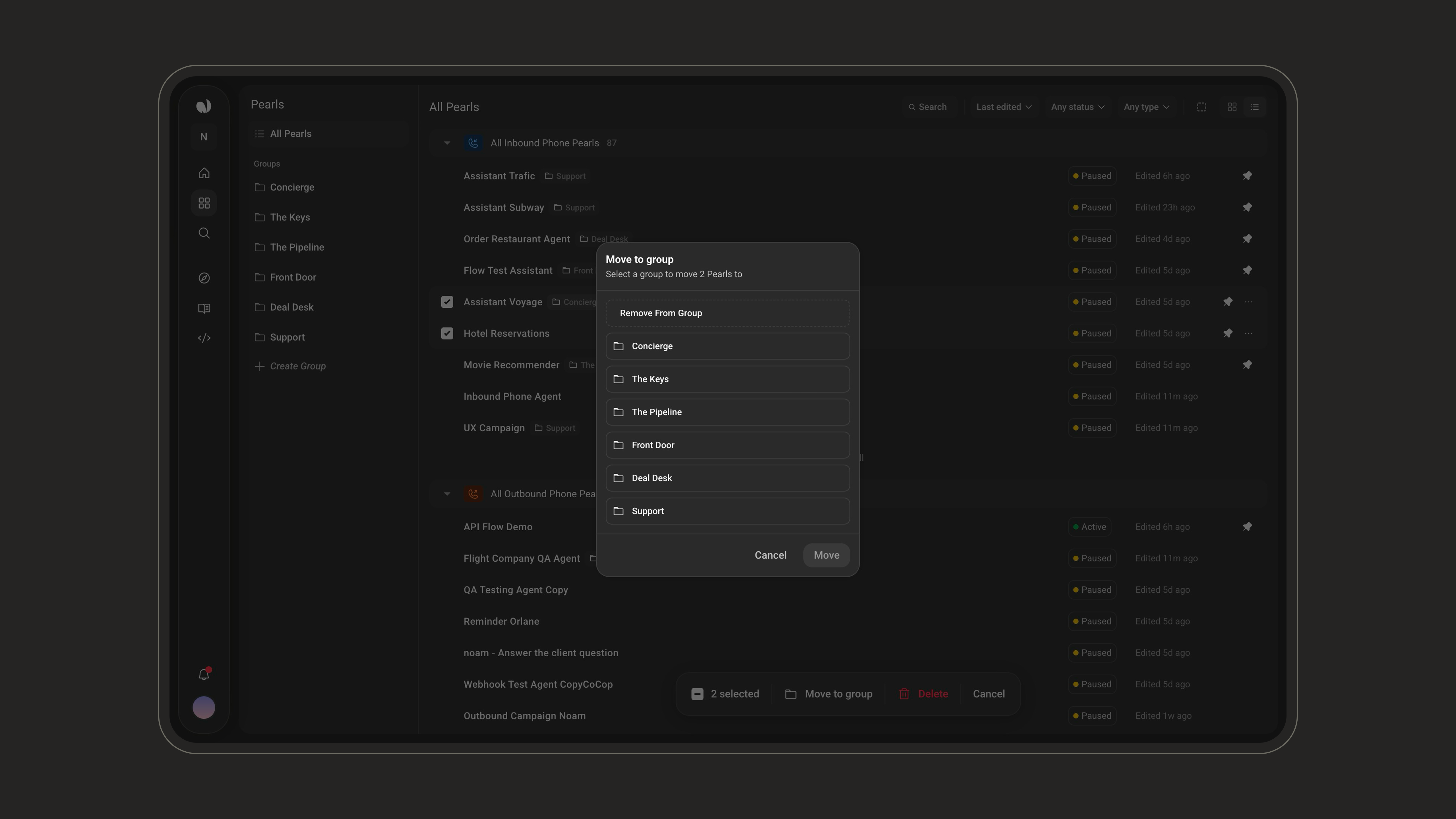
 Click **Move to group** to open the dialog, then choose the destination Group and click **Move**. Selecting **Remove From Group** takes the Pearls out of their current Group instead.
 You can also add Pearls from inside a Group, using the **+** action in the **Assigned Pearls** toolbar.
***
## Inside a Group
Opening a Group shows three tabs, starting on **Assigned Pearls**.
| Tab | Purpose |
| ------------------- | ------------------------------------------------------------------------------------------------------------------ |
| **Group Settings** | Configure the Group name, Shared Contacts, Shared Memory, Additional Details, Contact Retention, and Delete Group. |
| **Assigned Pearls** | View and manage the Pearls that belong to this Group. |
| **Shared Contacts** | Browse the contacts shared across the Group's Pearls. |
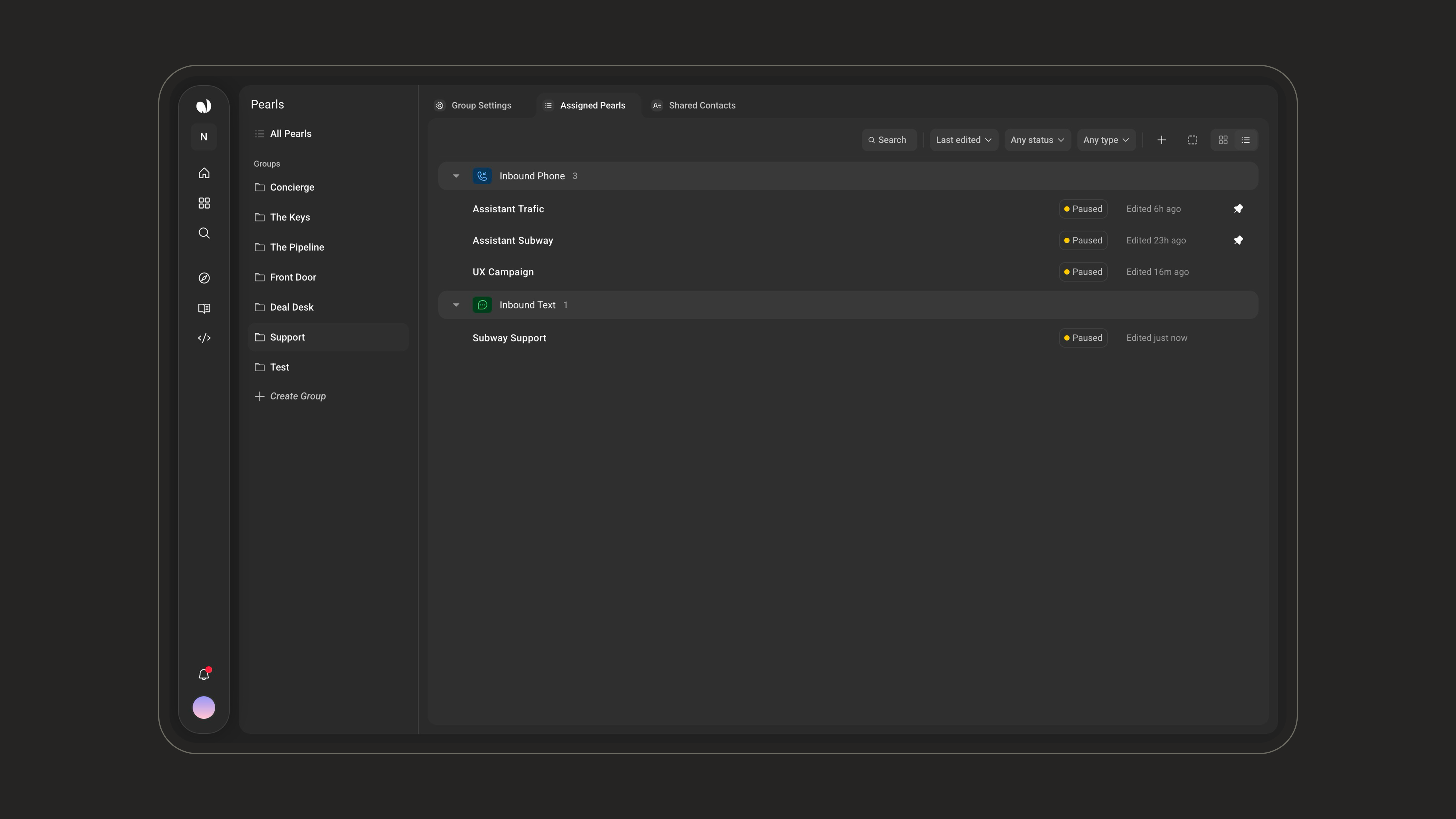
In **Assigned Pearls**, Pearls are grouped by type with a count per section. A toolbar lets you **search**, **sort** (Last edited, Date created, Alphabetical), **filter** by status and type, and switch between **grid** and **list** views.
You can also add Pearls from inside a Group, using the **+** action in the **Assigned Pearls** toolbar.
***
## Inside a Group
Opening a Group shows three tabs, starting on **Assigned Pearls**.
| Tab | Purpose |
| ------------------- | ------------------------------------------------------------------------------------------------------------------ |
| **Group Settings** | Configure the Group name, Shared Contacts, Shared Memory, Additional Details, Contact Retention, and Delete Group. |
| **Assigned Pearls** | View and manage the Pearls that belong to this Group. |
| **Shared Contacts** | Browse the contacts shared across the Group's Pearls. |
In **Assigned Pearls**, Pearls are grouped by type with a count per section. A toolbar lets you **search**, **sort** (Last edited, Date created, Alphabetical), **filter** by status and type, and switch between **grid** and **list** views.
 Removing a Pearl from a Group does **not** delete it. Only the **Delete** action permanently deletes a Pearl.
***
## Group Settings
The **Group Settings** tab is where the Group's behavior is defined. Changes are saved immediately.
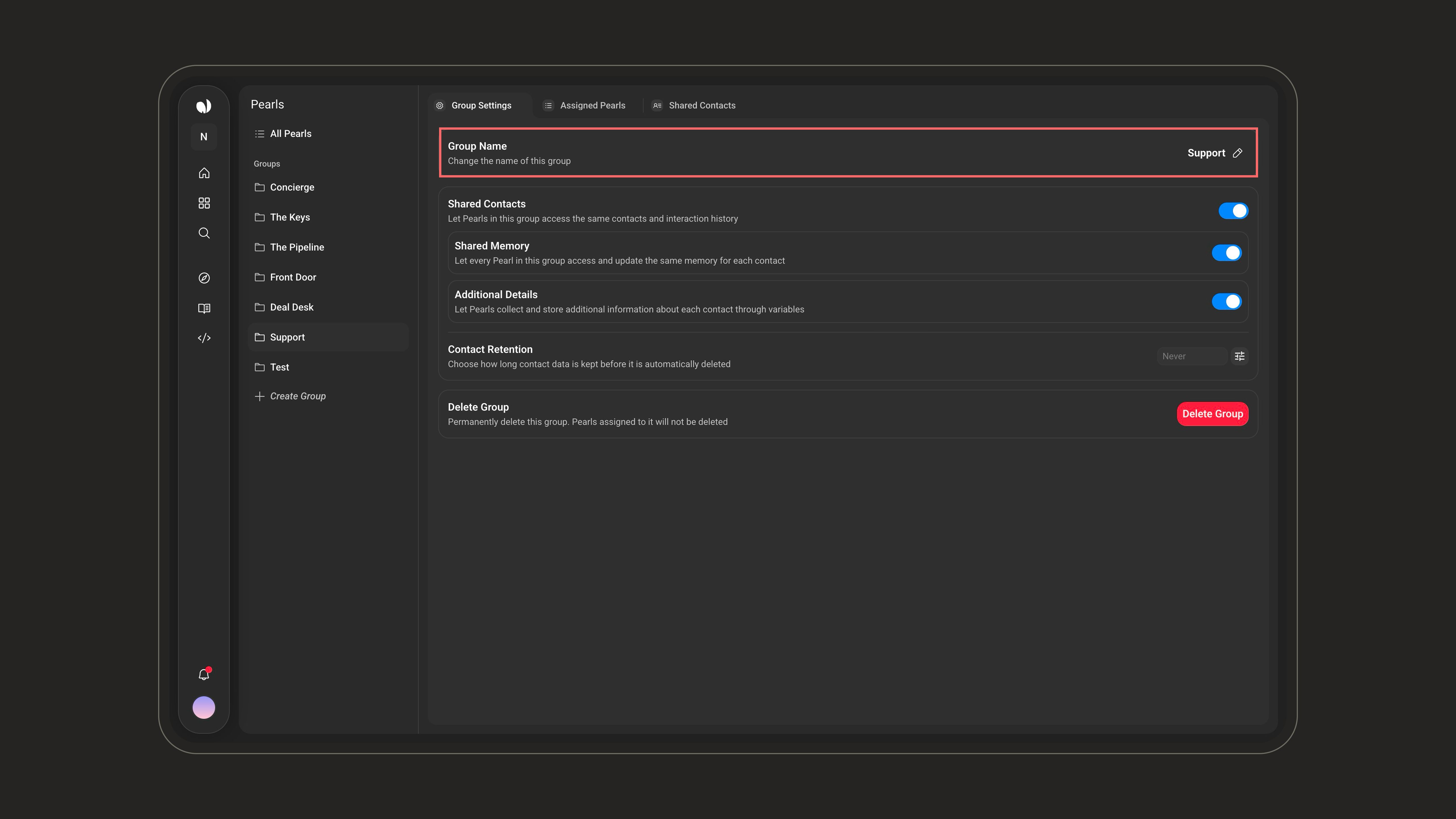
Change the name of this Group. Use the pencil next to the field to rename it.
Removing a Pearl from a Group does **not** delete it. Only the **Delete** action permanently deletes a Pearl.
***
## Group Settings
The **Group Settings** tab is where the Group's behavior is defined. Changes are saved immediately.
Change the name of this Group. Use the pencil next to the field to rename it.
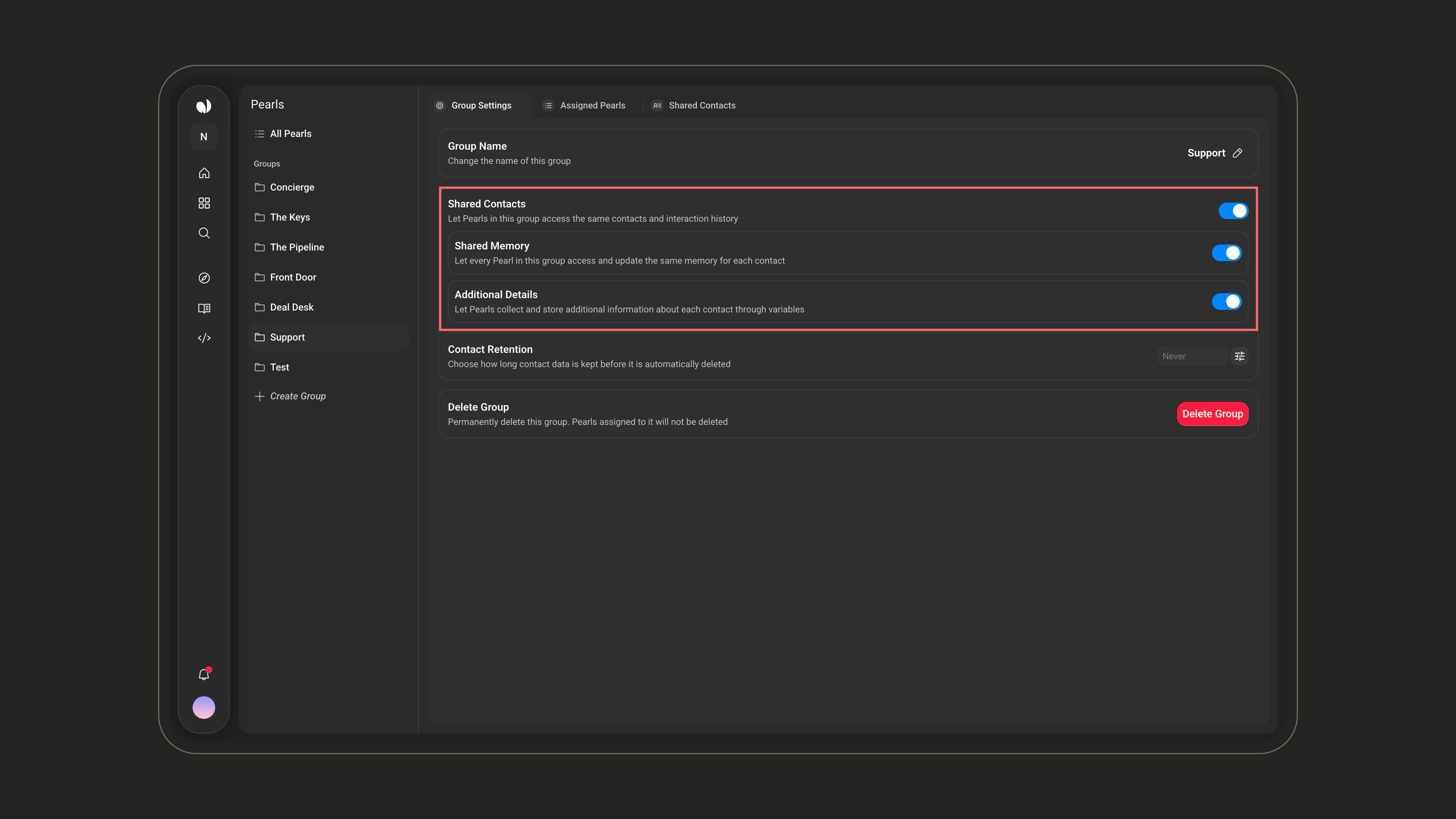
 These three toggles work together and control what Pearls in the Group share about each contact:
* **Shared Contacts** - Pearls in the Group use the same contact records and interaction history.
* **Shared Memory** - every Pearl accesses and updates the same per-contact memory (see the [memory warning](#individual-vs-shared-memory) above).
* **Additional Details** - additional information collected through variables is stored on the contact and shown under **Collected Info**.
These three toggles work together and control what Pearls in the Group share about each contact:
* **Shared Contacts** - Pearls in the Group use the same contact records and interaction history.
* **Shared Memory** - every Pearl accesses and updates the same per-contact memory (see the [memory warning](#individual-vs-shared-memory) above).
* **Additional Details** - additional information collected through variables is stored on the contact and shown under **Collected Info**.
 Choose how long contact data is kept before it is automatically deleted. Leave it on **Never** to keep contacts indefinitely, or set a number of days after which older contacts are removed.
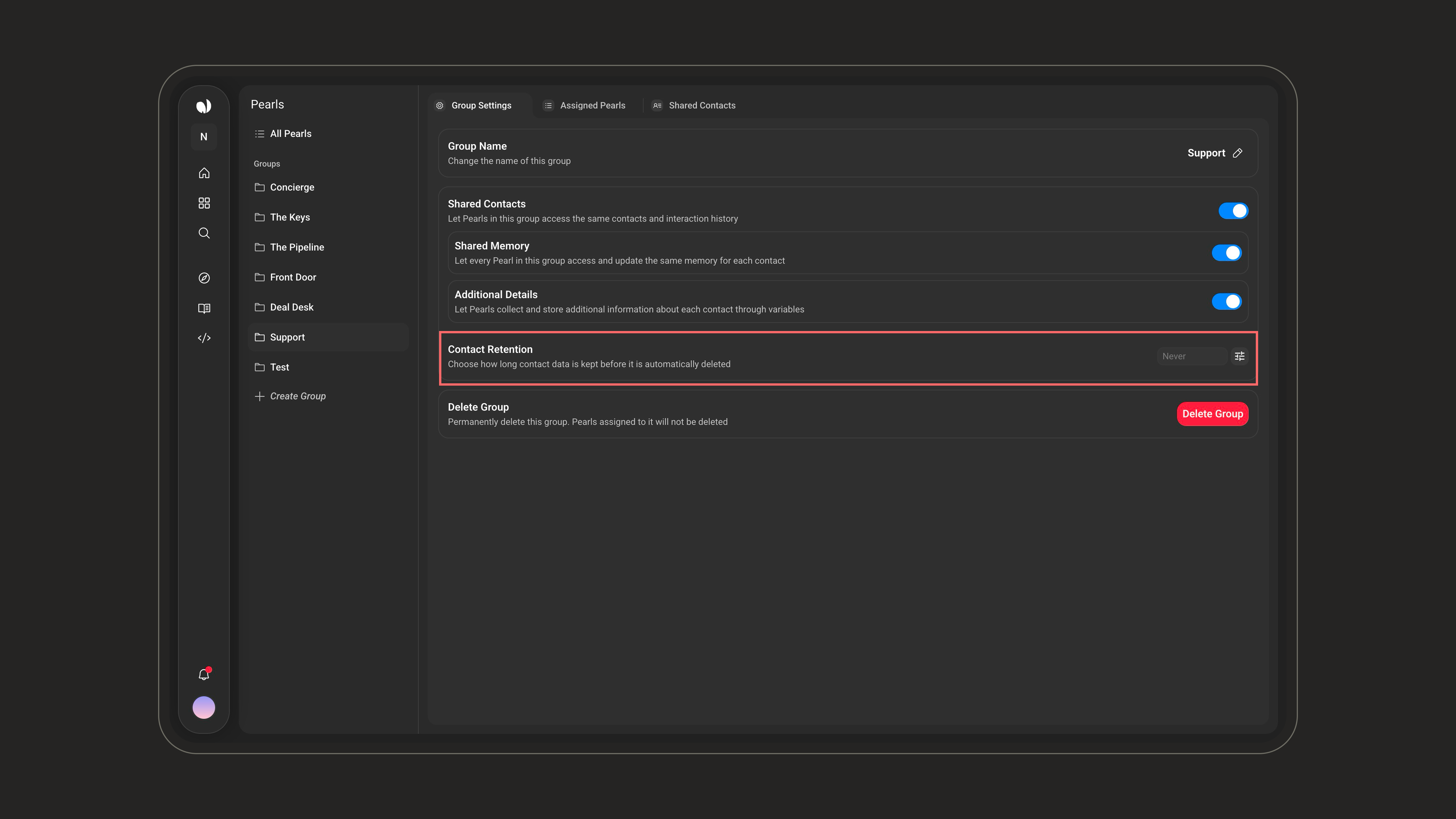 Retention-based deletion is permanent. Once a contact is deleted based on the configured period, it cannot be recovered.
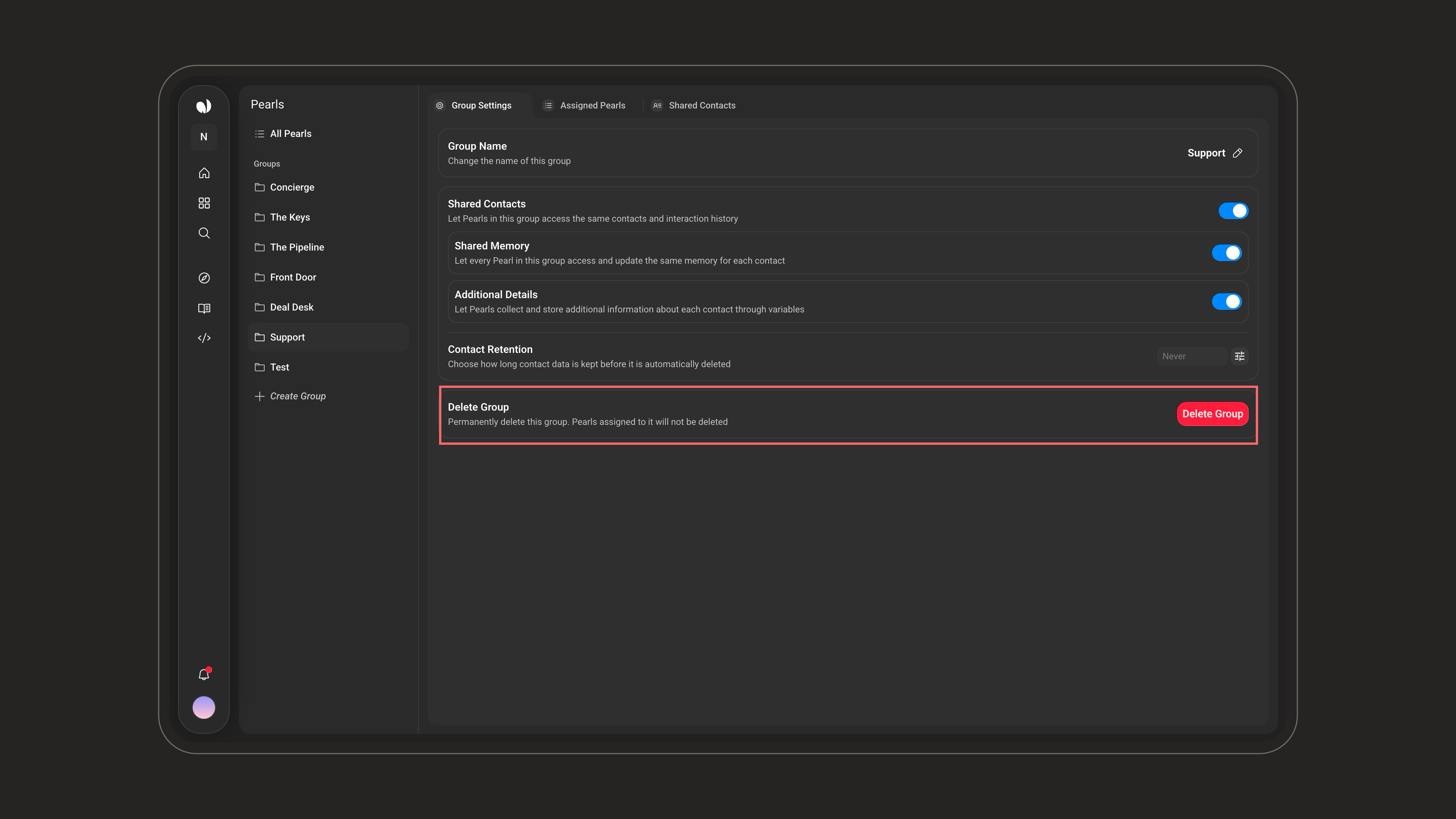
Permanently delete the Group. The Pearls assigned to it are **not** deleted - only the Group and its shared-contact configuration are removed.
Retention-based deletion is permanent. Once a contact is deleted based on the configured period, it cannot be recovered.
Permanently delete the Group. The Pearls assigned to it are **not** deleted - only the Group and its shared-contact configuration are removed.
 ***
## Shared Contacts
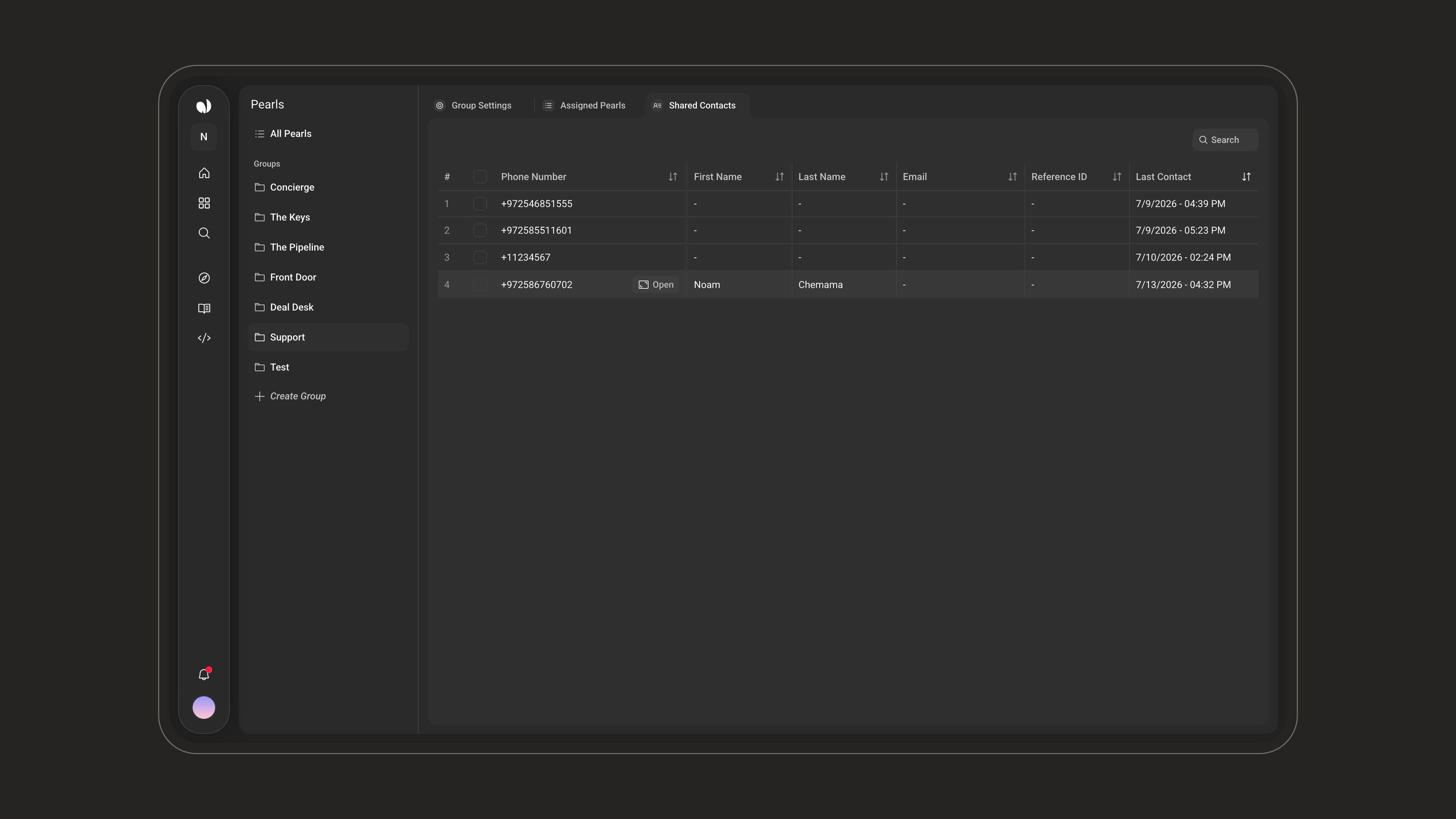
The **Shared Contacts** tab lists every contact shared across the Group's Pearls, with a search bar and a sortable table:
| Column | |
| ------------------------------ | ------------------------------------------------- |
| **Phone Number** | The contact's phone number. |
| **First Name** / **Last Name** | The contact's name, when known. |
| **Email** | The contact's email, when known. |
| **Reference ID** | An external reference, when provided. |
| **Last Contact** | The date and time of the most recent interaction. |
Hover a row and click **Open** to view the full contact.
***
## Shared Contacts
The **Shared Contacts** tab lists every contact shared across the Group's Pearls, with a search bar and a sortable table:
| Column | |
| ------------------------------ | ------------------------------------------------- |
| **Phone Number** | The contact's phone number. |
| **First Name** / **Last Name** | The contact's name, when known. |
| **Email** | The contact's email, when known. |
| **Reference ID** | An external reference, when provided. |
| **Last Contact** | The date and time of the most recent interaction. |
Hover a row and click **Open** to view the full contact.
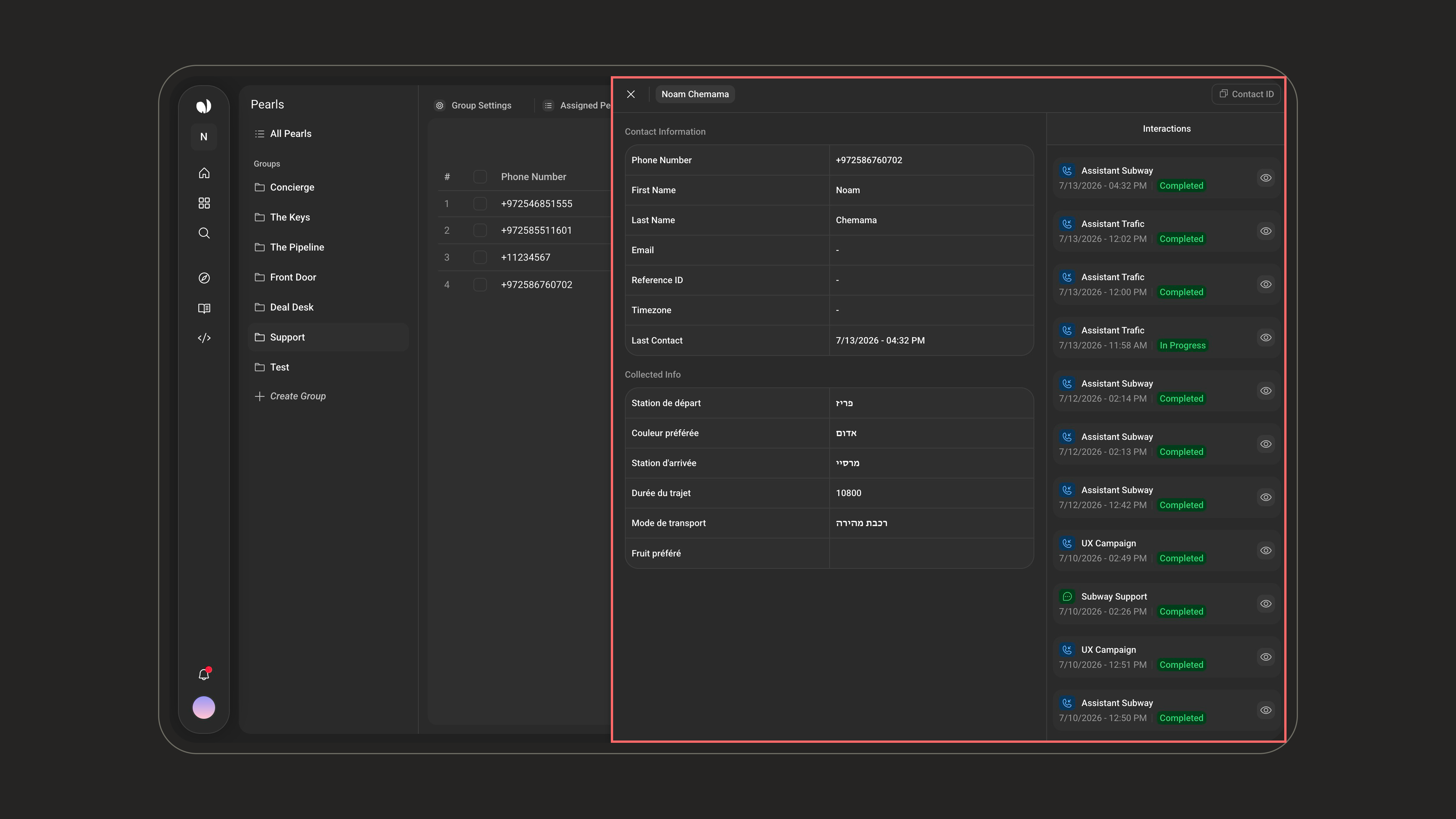
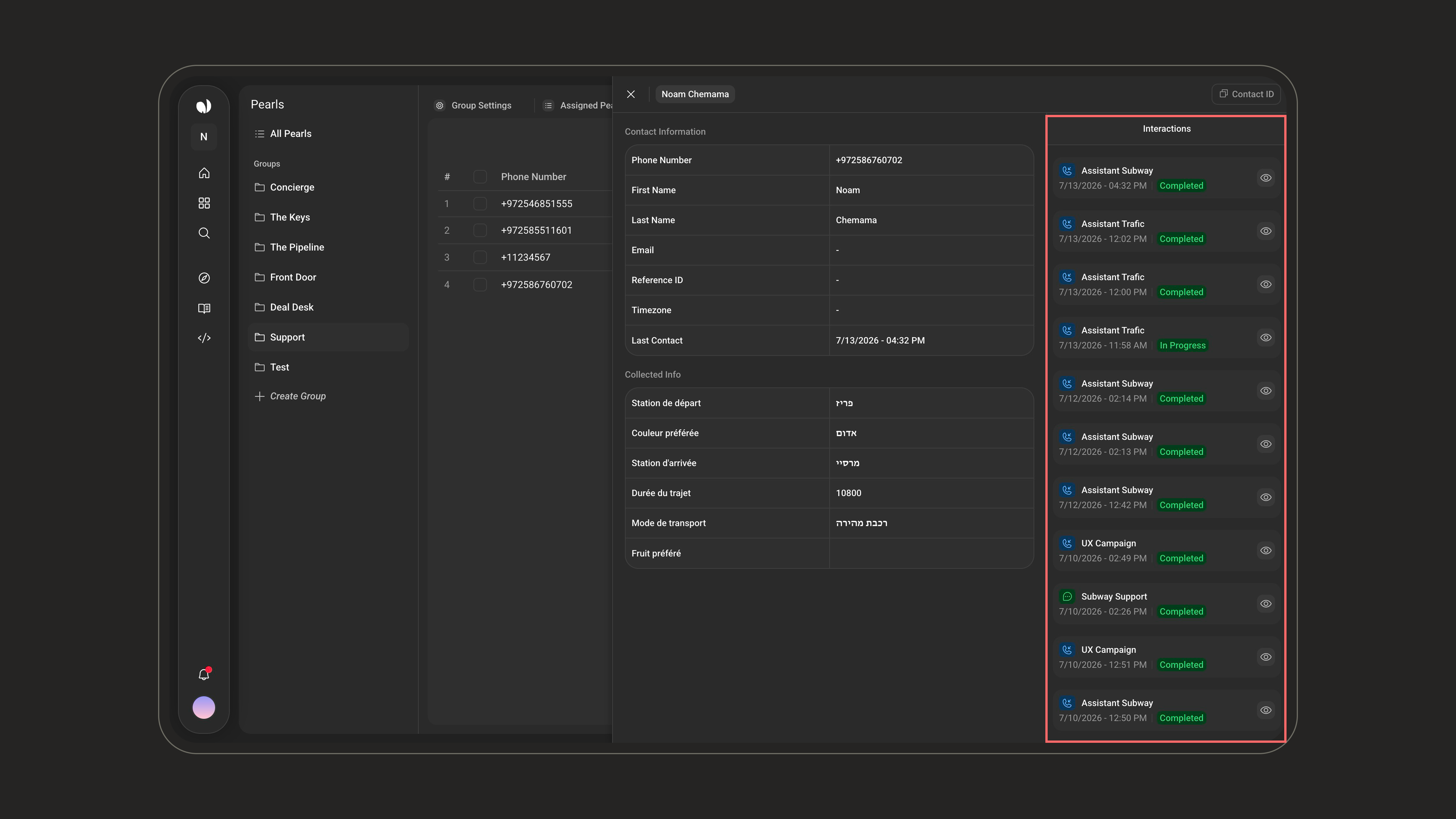
 An opened contact shows its **Contact ID** at the top and three areas: **Contact Information**, **Collected Info**, and **Interactions**.
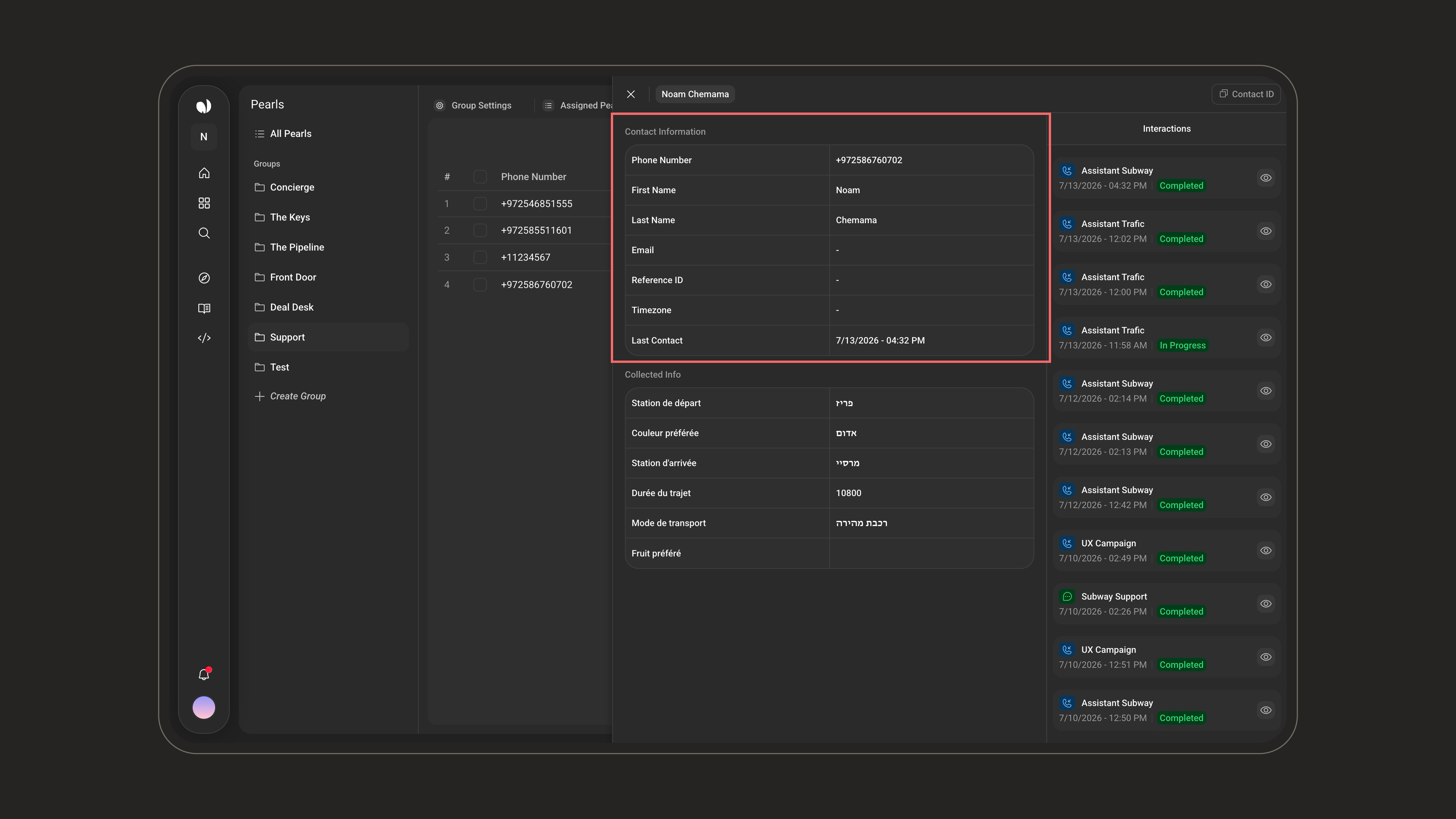
 The contact's core details: phone number, first and last name, email, reference ID, time zone, and last contact date.
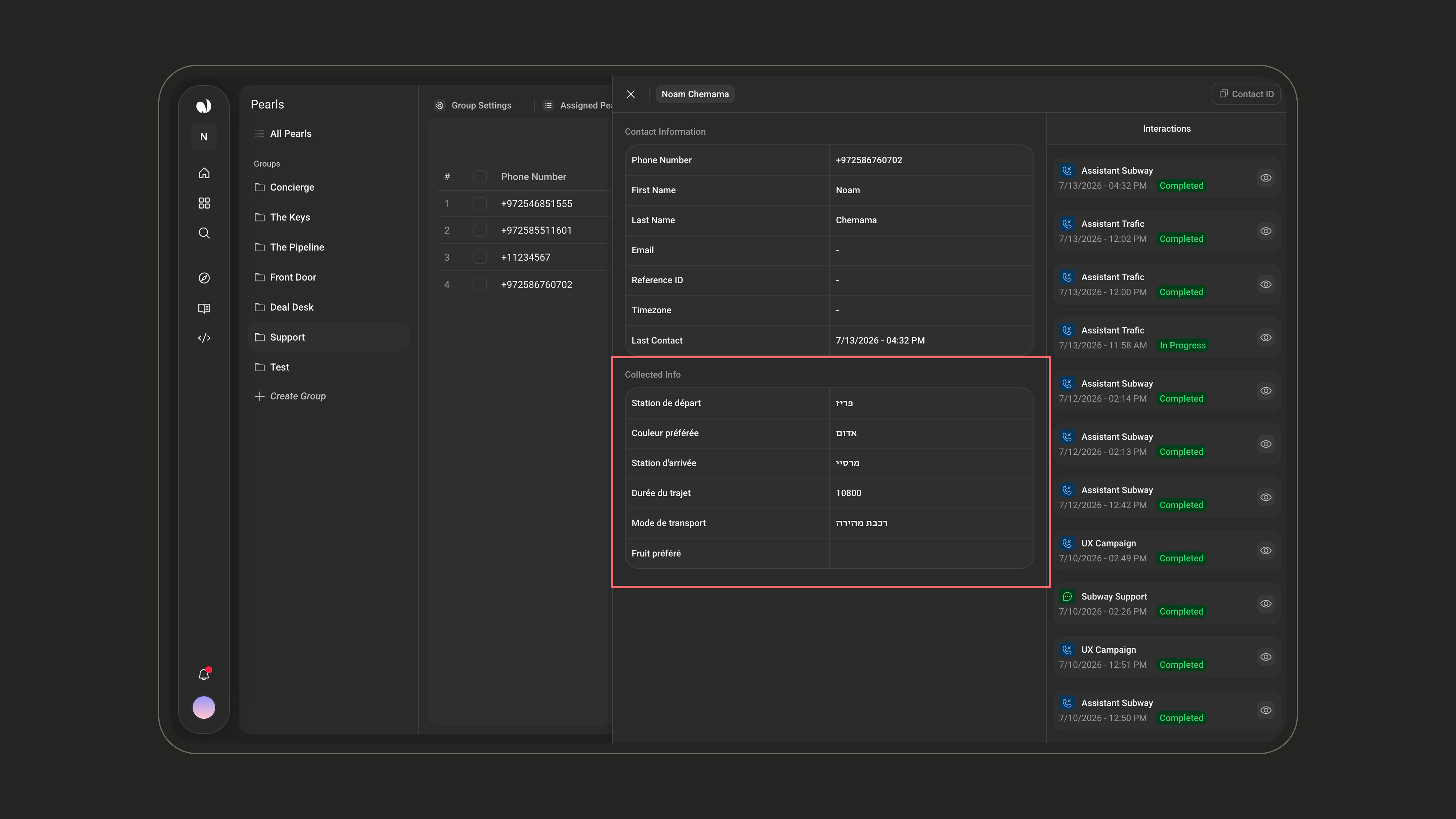
 The values gathered by the Group's Pearls through **variables** (populated when **Additional Details** is enabled).
 Every call and chat the contact had with Pearls in the Group - each entry shows the Pearl name and type, the date, and a status such as **Completed** or **In Progress**, with access to the related call or chat.
 A **Group Contacts** tab also appears on an individual Pearl's page when that Pearl belongs to a Group with **Shared Contacts** enabled.
***
## Best Practices
* Group Pearls that serve the **same customers** or the **same workflow**.
* Enable **Shared Memory** only when cross-Pearl continuity is genuinely useful - and remember to enable each Pearl's individual **Memory** toggle.
* Use **variables** for structured information and **Shared Memory** for conversational context.
* Review **Contact Retention** before handling production contact data.
* Name Groups after the team, customer journey, or business process they represent.
***
## Related Documentation
AI voice agents that handle real phone conversations - inbound and outbound.
AI text agents that message your customers across SMS, WhatsApp, email, and chat.
Collect, store, and reuse data during conversations.
Configure a Pearl's name, language, voice, personality, and time zone.
A **Group Contacts** tab also appears on an individual Pearl's page when that Pearl belongs to a Group with **Shared Contacts** enabled.
***
## Best Practices
* Group Pearls that serve the **same customers** or the **same workflow**.
* Enable **Shared Memory** only when cross-Pearl continuity is genuinely useful - and remember to enable each Pearl's individual **Memory** toggle.
* Use **variables** for structured information and **Shared Memory** for conversational context.
* Review **Contact Retention** before handling production contact data.
* Name Groups after the team, customer journey, or business process they represent.
***
## Related Documentation
AI voice agents that handle real phone conversations - inbound and outbound.
AI text agents that message your customers across SMS, WhatsApp, email, and chat.
Collect, store, and reuse data during conversations.
Configure a Pearl's name, language, voice, personality, and time zone.