> ## Documentation Index
> Fetch the complete documentation index at: https://developers.nlpearl.ai/llms.txt
> Use this file to discover all available pages before exploring further.
# Dialogue Node
The **Dialogue** node is the main conversational node. Pearl speaks, asks questions, collects information, and keeps the conversation moving. It is the workhorse of most Pearl Voice flows.
## What it does
Unlike a traditional IVR, Dialogue is not a rigid prerecorded prompt. Pearl Voice understands the intent of the step, adapts its wording in real time to what the caller says, and can follow the most relevant configured transition based on the conversation.
## When to use it
Use Dialogue whenever Pearl needs to:
| Pearl needs to | What it means |
| ----------------------- | ------------------------------------------------------------------ |
| **Speak to the caller** | Deliver a message, greeting, or confirmation |
| **Ask a question** | Prompt the caller for an answer or a choice |
| **Collect information** | Capture details such as a name, email, or intent |
| **Explain something** | Give context, options, or next steps |
| **React to the caller** | Respond before continuing or branching to another path in the flow |
## How to configure
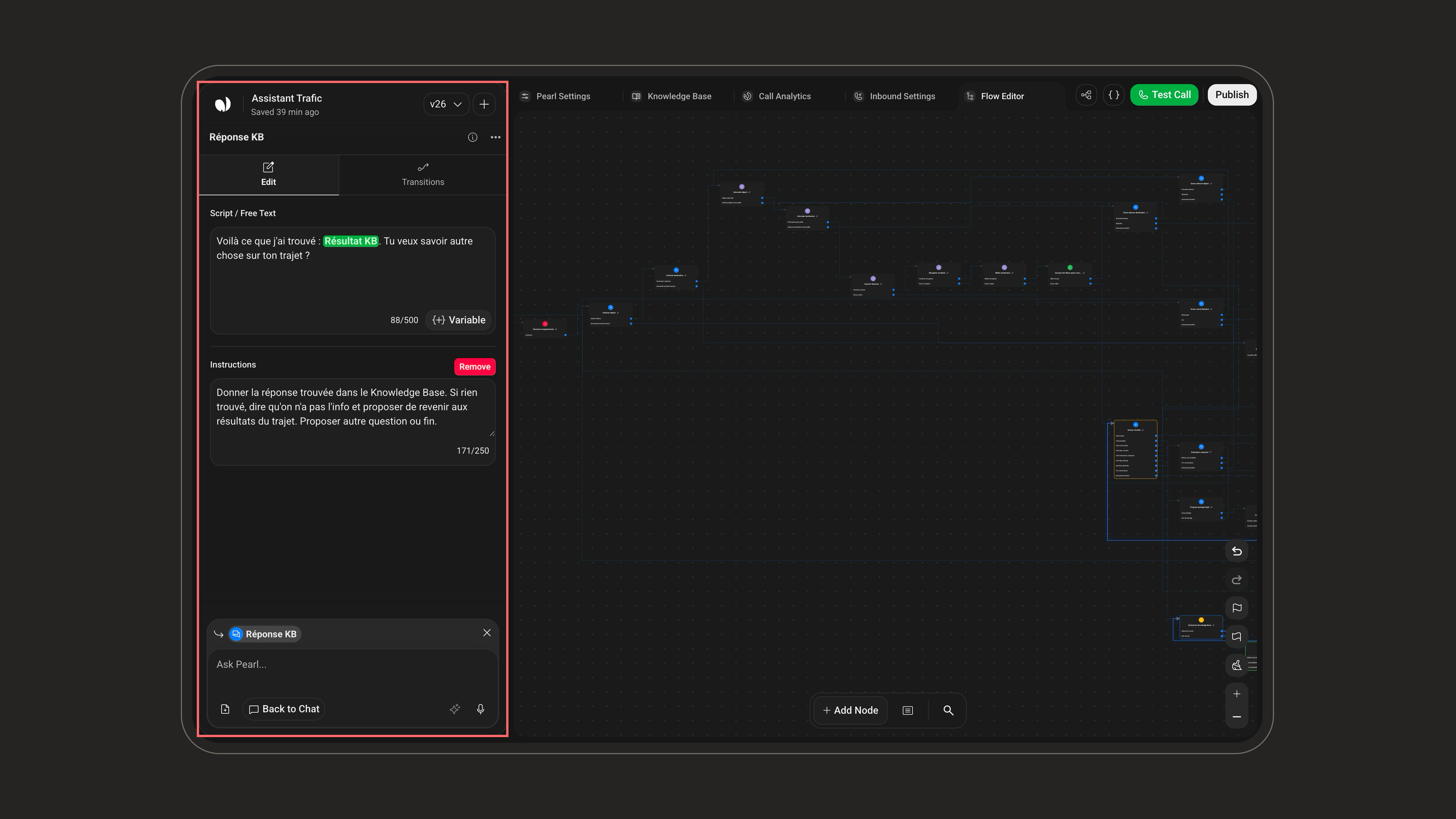
In **Script / Free Text**, enter what Pearl should say or ask. Maximum 500 characters. Supports all available variables.
Use **Instructions** to guide tone, context, exceptions, pronunciation, required details, or how closely Pearl should follow the script.
When specific wording must be followed closely, add clear instructions such as "Say this exactly", "Do not rephrase", or "Always include the following sentence".
## Transitions
Each Dialogue node includes a default **Continue** path. You can also add conditional transitions to direct the caller to another Dialogue node, an action node, or an End Call node.
Each conditional transition includes:
| Field | Description |
| --------------- | ------------------------------------------------ |
| **Condition** | Written in plain language, with variable support |
| **Destination** | The node the caller is routed to |
Pearl asks whether the caller wants to book an appointment. Based on the answer, she can move to a Booking node, send an SMS, transfer the call, or continue to another part of the conversation.